

Incident Settings
The Incidents tab decides what incident reports show the families who receive them. Today it holds one setting, Other individuals named on a report, which controls how much of a report's Witnesses list reaches a parent.
How to Access
Navigate to Settings → Incidents tab.
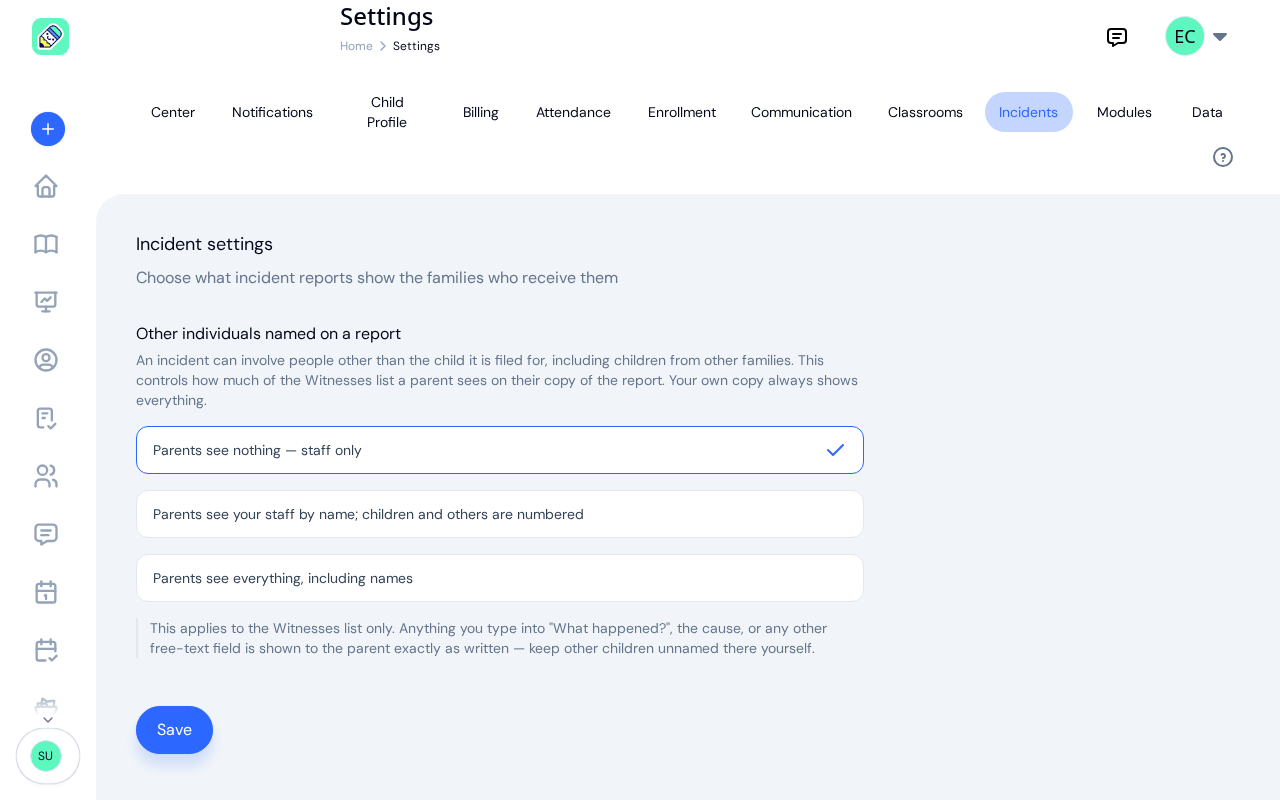
Other individuals named on a report
An incident often involves people other than the child the report is filed for, and sometimes that is a child from another family. When staff fill in a report, they can list each of those people under Witnesses, with a role of Staff, Child or Other. This setting decides what a parent sees of that list.
Pick one of three, then click Save:
- Parents see nothing — staff only — the list is left off the parent's copy entirely. This is what your center does until an owner changes it.
- Parents see your staff by name; children and others are numbered — your own staff keep their names, since the person who filed the report is already named on it and signs it. Anyone whose role is Child appears as Child #1, Child #2 and so on, and anyone else as Individual #1, Individual #2. Numbered rows keep the relationship and age but drop the name and the "Other important information" note.
- Parents see everything, including names — the list appears in full.
The choice applies to the report a parent reads on screen and to the copy they print. It never changes your own copy, which always shows every row. Redacting a row is not about withholding something from a family: it is what lets a report describe an incident involving another family's child without naming that child.
Staff are reminded of the setting while they write a report. A line above the witness rows says what the parent will see, for example Kept on your copy only. Parents do not see these rows. when the list is left off.
Frequently Asked Questions
That is the starting behavior. Until an owner changes this setting, the witnesses list is kept on your copy only and left off the parent's. Your own view of the report is unaffected. If you want parents to see the rows, an owner can switch to numbering children and others, or to showing everything.
Yes. A parent's copy is shown according to the current setting each time they open or print it, so a change applies to every report, old and new.
Only rows whose role is Child are numbered as children. A row saved with the role Other, or with no role picked, is numbered as an individual. Set the row's Role to Child by editing the report while it is pending, or by reopening it first if it has been approved and the parent has not signed. See Correcting or Removing a Report.
Related
- Incidents Overview covers filing a report, including the Witnesses list, and the approval that sends it to parents.
- Incidents in the Parent Portal shows what a parent sees when they open a report.