

Document Packets
A packet is a named bundle of documents you send together. Rather than sending a new family five separate forms one at a time, you group them into a packet once and send the whole set in a single action. Packets are reusable, so the same bundle is ready for every new family.
How to Access
Open the Packets tab
Go to Documents in the sidebar, then choose the Packets tab.
Add a packet
Select Add packet in the top right to start a new bundle.
Building a packet
Give the packet a name and an optional description, then tick the documents you want to include.
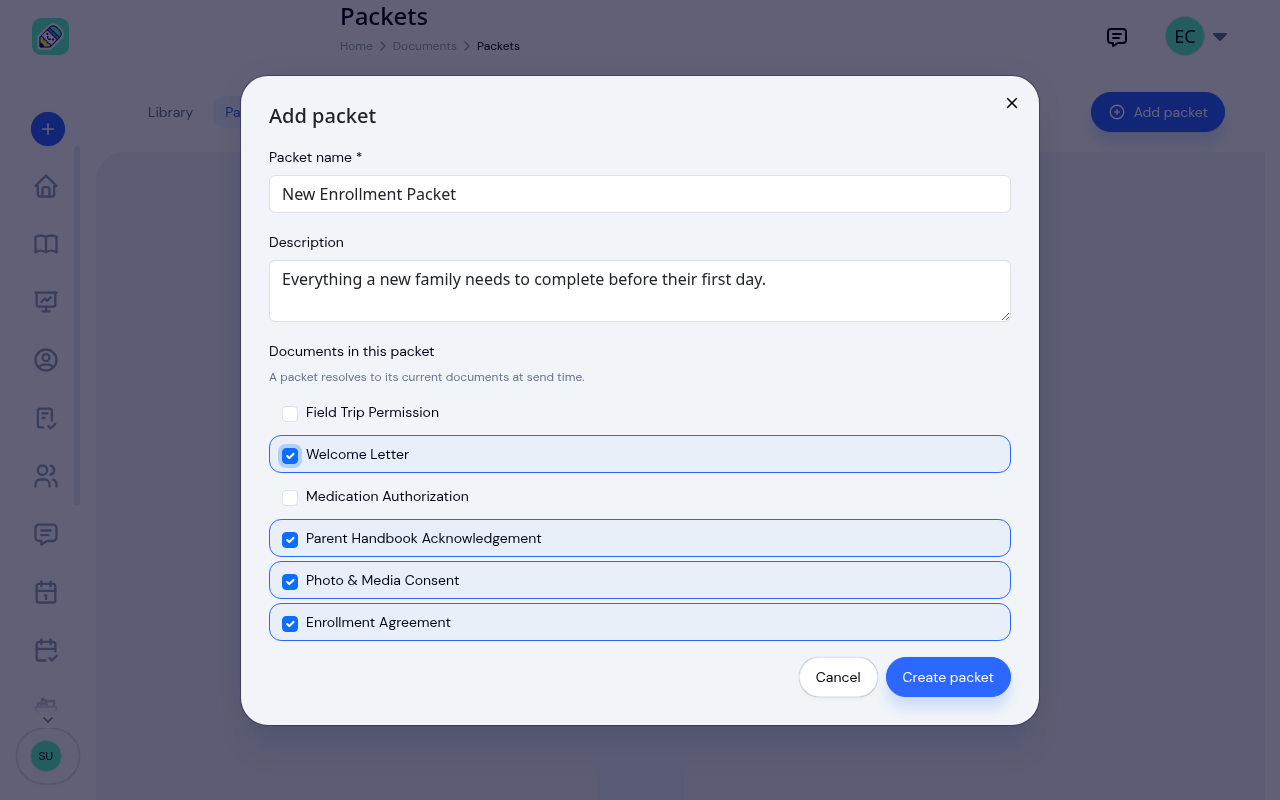
Only documents that are active in your library appear in the list. A packet stores which documents belong to it, and it always sends the current version of each one at the time you send it. That means when you update a document to a new version, every packet that includes it automatically sends the latest copy. There is nothing to update on the packet itself.
Select Create packet when you are done.
Managing packets
Each packet appears as a card showing its name, description, and how many documents it contains.
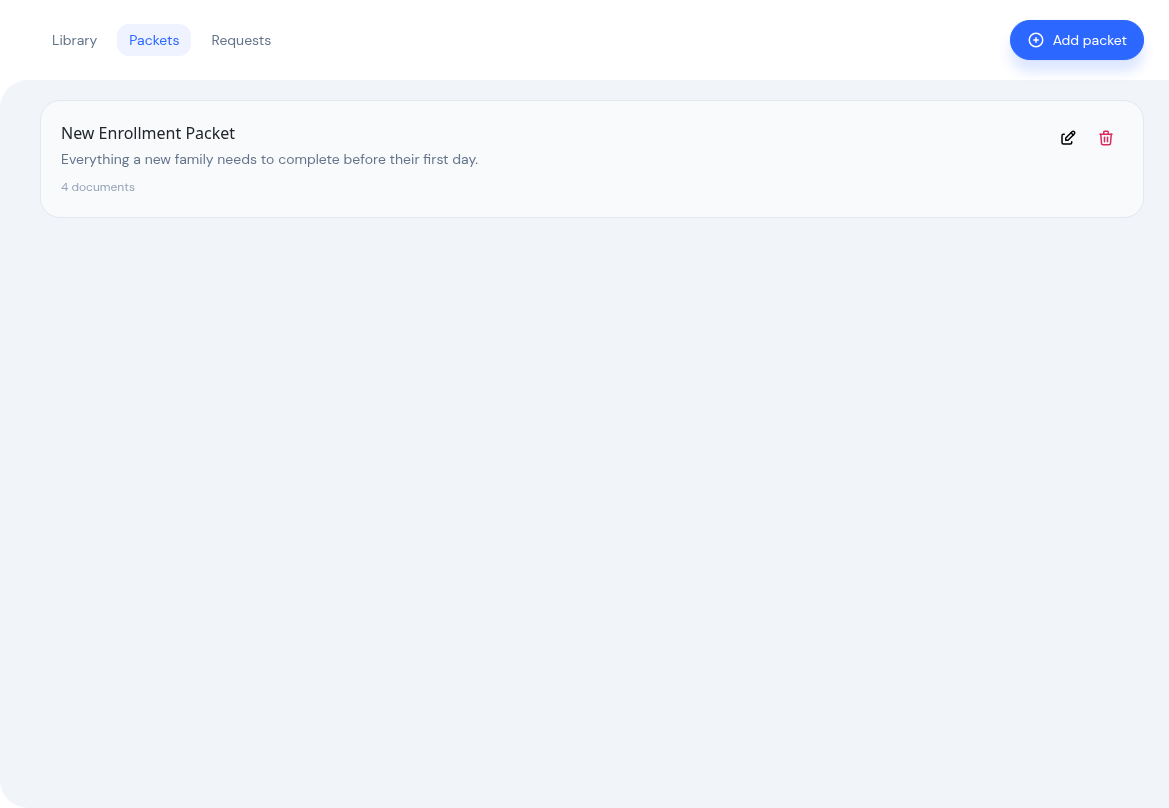
Use the actions on the card to Edit the packet's name, description, or document list, or to Delete it. Deleting a packet does not affect the documents inside it or any requests you have already sent.
Sending a packet
You send a packet to a family from the child's enrolment, the same place you send individual documents. See Sending & Tracking Documents for the full steps.
Frequently Asked Questions
No. A packet always sends the current version of each document it contains. Update the document once and every packet that includes it stays current.
When you send to a family you choose either a packet or a hand-picked set of documents. If you need a one-off combination, pick the documents individually instead of using a packet.
Retired documents are no longer sent. The packet keeps sending its remaining active documents, so it is worth reviewing a packet after retiring a document to confirm it still contains everything a family needs.