

Closing Your Center
When a center closes, merges or changes software, an owner can close its KidzLog account from Settings → Data. Deleting is scheduled 30 days ahead, so you have a clear date, time to take a full copy of your records, and the option to change your mind.
Before You Start
Download a copy of your records first. The export on the same tab includes spreadsheets of every kind of record, documents and signatures, photos and videos, and a readable page for each child and incident report. Once the center closes, nothing more can be downloaded from it.
Scheduling the Deletion
Open the Data tab
Navigate to Settings → Data. Delete this center is the section below Export all data.
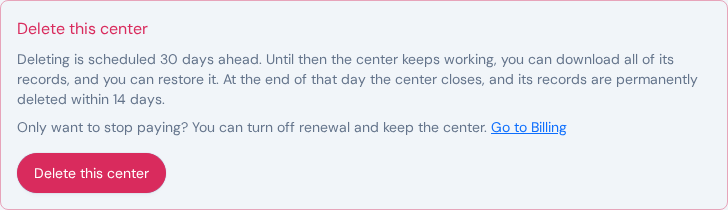
Review what will be deleted
Click Delete this center. Before anything happens, the window shows the date the center would close (30 days from today) and what will be permanently deleted after that: how many children, guardians and staff members, and any unpaid invoices. If your subscription renews, it also tells you that it will not renew and the date paid features stop. Any paid time after the deletion date is lost.
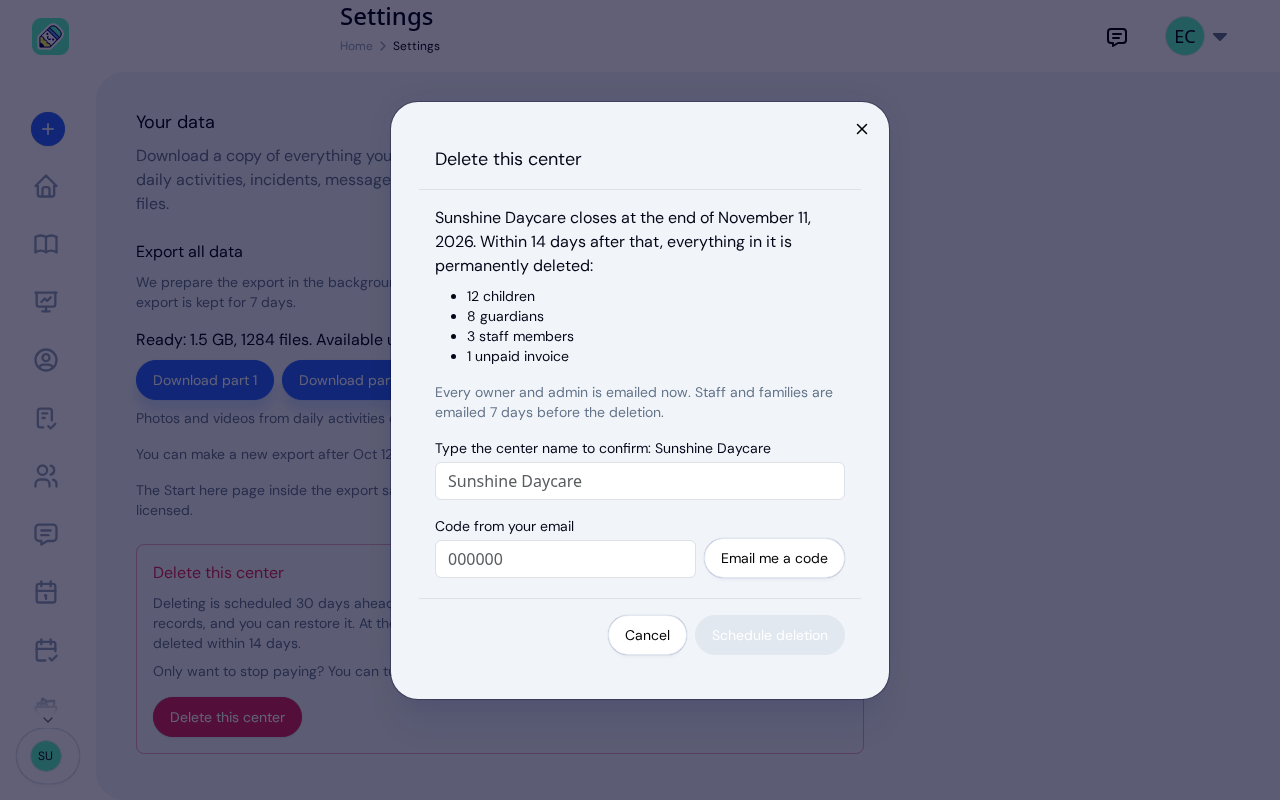
Opening this window changes nothing. Click Cancel to leave it.
Confirm with the center name and a code
- Type the center name exactly as shown under Type the center name to confirm.
- Click Email me a code. KidzLog sends a 6-digit code to your email address; it works for 15 minutes. If it does not arrive, Send a new code becomes available after a short countdown.
- Enter the code under Code from your email.
Schedule the deletion
Click Schedule deletion. KidzLog confirms the date the center closes and that you can restore it until then. Every owner and admin is emailed straight away.
The 30 Days Before It Closes
Nothing changes on the day you schedule it. The center keeps working, so you can finish the month, send last invoices and answer families.
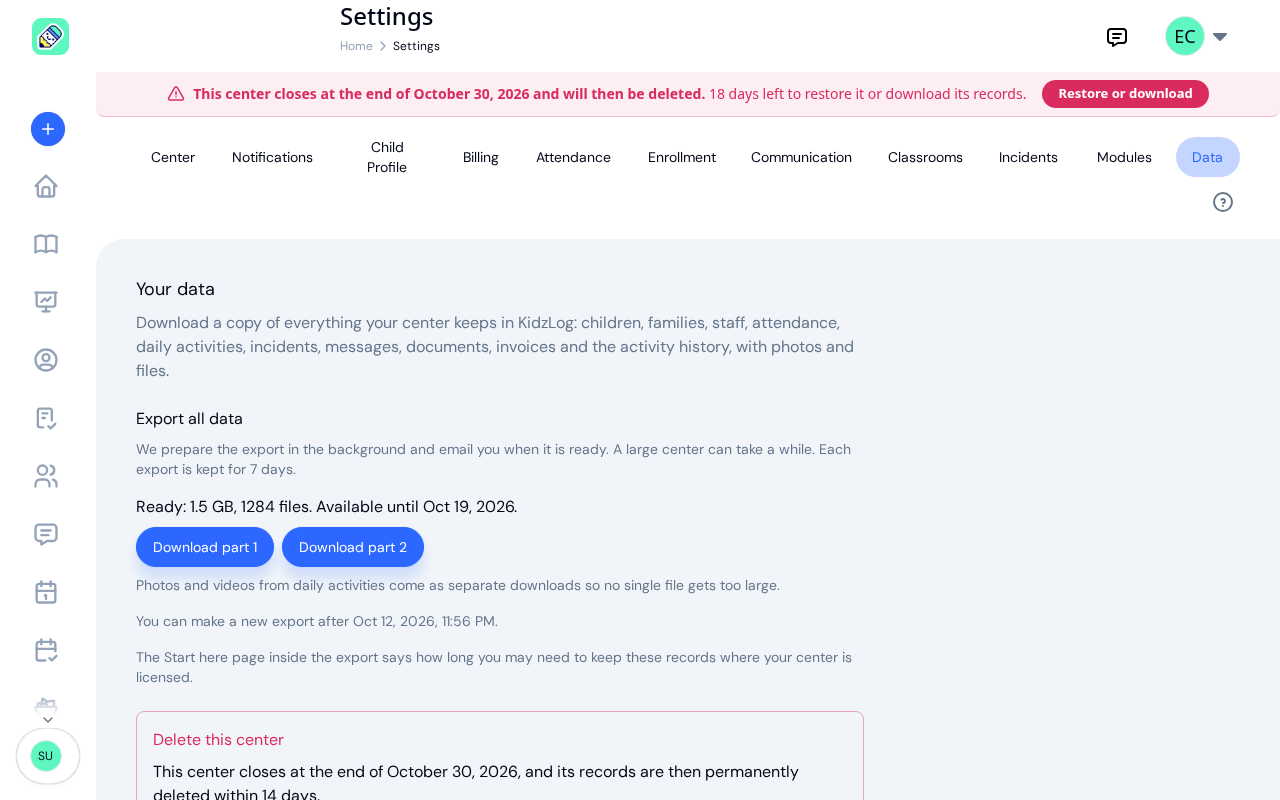
- A banner on every page shows owners and admins the closing date and how many days are left. Owners see a Restore or download button that opens the Data tab; admins see that only an owner can restore it. Teachers and families do not see the banner.
- Your subscription will not renew, so you are not charged again. Paid features stop at the end of your current paid period. The export and restoring stay available until the center closes.
- The Data tab shows the closing date, who scheduled it, and a Restore center button.
Who is emailed, and when
- Owners and admins — when the deletion is scheduled, 7 days before the center closes, and again the day before.
- Teachers and families — once, 7 days before the center closes. Families are told to ask the center for copies of their child's records before then, and teachers to ask the owner for anything they need.
Restoring the Center
Any owner can cancel the deletion until the center closes, whoever scheduled it. Click Restore or download in the banner, or open Settings → Data, then click Restore center and confirm.
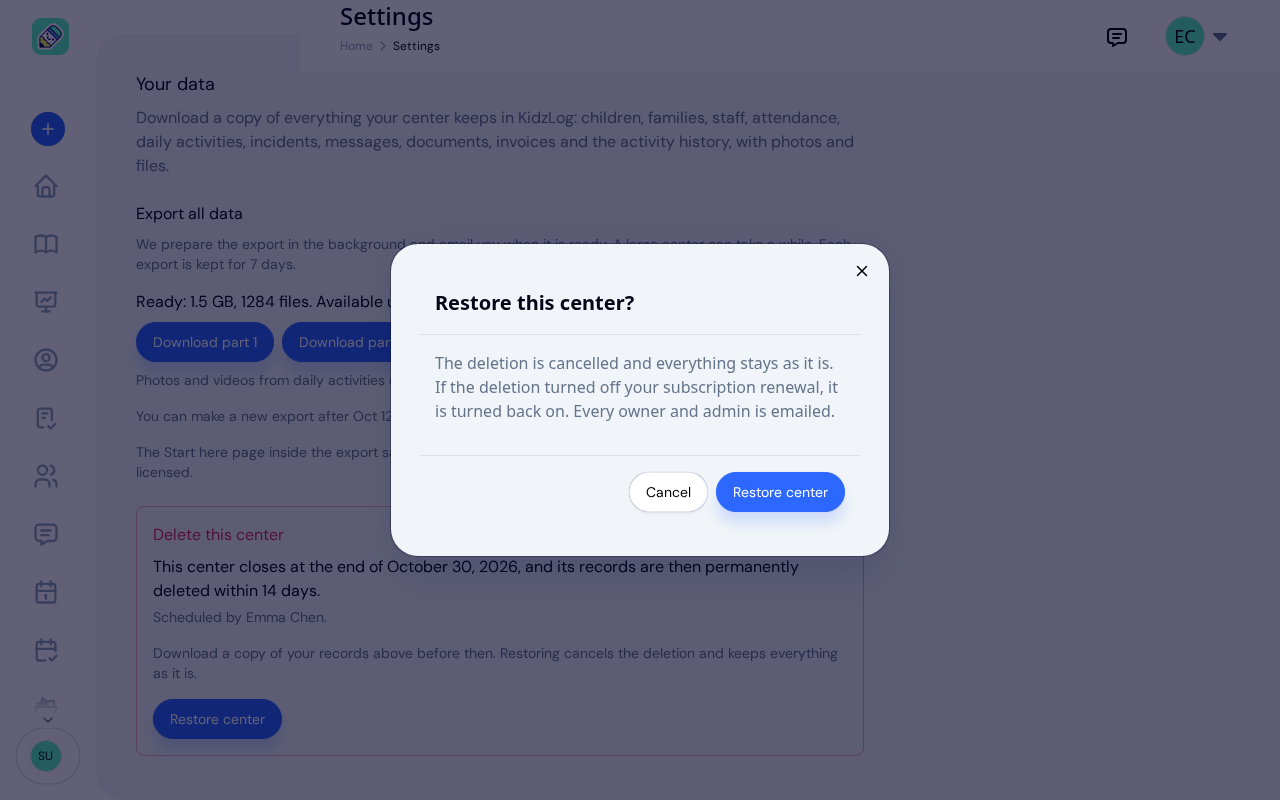
- Everything stays exactly as it was. Nothing has been deleted during the 30 days.
- Renewal comes back on if scheduling the deletion turned it off. If your paid period ended in the meantime, KidzLog takes you to Billing to choose a plan again, and if renewal cannot be turned back on for you, it says so and takes you to Billing to do it yourself.
- Everyone who was told hears it is staying. Every owner and admin is emailed who restored it, and if teachers and families had already been told the center was closing, they are told it is staying.
After the Date
- The center closes at the end of the date, in your center's own time zone. From then on nobody can open it. Anyone who also belongs to another center carries on there.
- An export still being prepared holds the close for up to a day, so an export you asked for before the date can finish. If it still cannot finish, it is stopped and you are emailed: write to [email protected] by the date in that email and we will make the export for you.
- Within 14 days, everything is permanently deleted: the center's records and its files, including photos, videos, documents and signatures.
- Every owner receives a deletion certificate by email. It sets out when the deletion was scheduled, when the center closed and when its data was deleted, how many records and files were deleted, and what KidzLog keeps and why: an activity log with no names or personal details, and the payment history of your subscription with the payment provider, as tax law requires. It also gives the date the last encrypted backup copies expire, 7 days after the deletion. A deleted center is never restored from a backup.
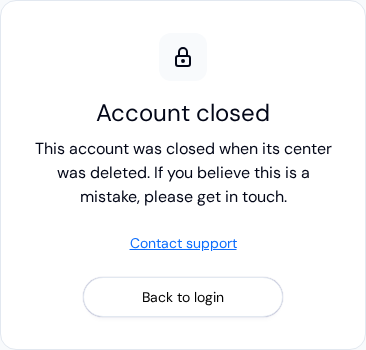
- Logins that belonged only to your center are closed when the records are deleted. Signing in with one shows Account closed. Anyone who also works at, or has a child in, another center keeps their account.
Frequently Asked Questions
No. The center always closes at the end of the day 30 days after you schedule it. If you want a later date, schedule the deletion later.
No. Only an owner can schedule or cancel a deletion. Admins are emailed when it is scheduled and see the date in the banner, which tells them that only an owner can restore it.
No. Restoring is possible only until the end of the closing date. After that the center is closed for good, and its records are permanently deleted within 14 days.
No. Scheduling the deletion turns off renewal. Paid features carry on until the end of the period you have already paid for.
Nothing. You keep your login and carry on in the other center. Only people who belong to no other center have their logins closed.