Photos capture a lot, but some moments only land on video. May's updates focus on helping you share those moments with families, keep a clear record of who changed what across your center, and make sure the right people hear about the things that matter most.
Video in Activity Logs
The headline change this month: you can now add a short video to any daily activity. Meals, play, learning, naptime — wherever your team logs the day, they can record or upload a video right alongside it. Parents then play it back in their child's activity feed, so they don't miss the wobbly first steps or the proud "I did it!" moment they couldn't be there for.
For teachers, it's no extra workflow to learn. The video lives in the same place as the rest of the daily log. For parents, it's the difference between hearing about a great day and actually seeing it. We covered the staff side in Attach a Video to Any Daily Activity and the parent experience in Share Videos of Your Children's Day.
New Features
Activity History
Some questions only have one good answer: a record. Who marked Emma absent on Tuesday? Who changed an allergy from "mild" to "severe"? Activity History is a searchable log of account and attendance events across your center, showing who performed each action, when, and the before-and-after detail of what changed. You can filter by category, team member, severity, and date range, and export the results. Owners, admins, teachers, and parents each get an appropriate view. It's a meaningful step for accountability and helps you stay compliant with record-keeping requirements. Read more in Activity History: Who Did What, When.
Expanded Notifications
Important news shouldn't slip by. We've added new alerts and controls covering enrollment, classroom, medical, and emergency updates, with toggles so each person controls what reaches them. The full breakdown is in Never Miss a Critical Update.
Automatic Enrollment Archiving
For fixed-term placements, set the enrollment's end date once and KidzLog archives the child's record automatically when that day arrives — no calendar reminders, no manual cleanup. It's an opt-in setting under a new Enrollment tab. See Set the End Date Once, We Handle the Archive.
Email Kiosk PINs to Parents
You can now send a parent their check-in PIN straight from their profile. No copying it down, no separate message — one click and it's in their inbox.
Pending Invite Reminders
Invitations sometimes get buried. When an invitee hasn't accepted after three days, KidzLog now sends a single automatic nudge so onboarding doesn't stall.
Improvements
- Menu planning gained archiving and unarchiving, a clean print layout, and weekend bulk actions.
- Attendance search now matches child names and today's notes, with tappable note pills right on the search row.
- The children list added a "Date Added" sort and a "Not Enrolled" filter for quicker roster work.
- Clearer error messages across the app explain exactly what needs fixing.
- Faster loading of permissions and settings behind the scenes.
Bug Fixes
- Menu printing now uses the full page width, prints just the menu grid, and no longer duplicates across pages.
- The attendance view no longer flickers when records load out of order.
- Fixed-position buttons stay anchored when you pinch-zoom on iOS.
Ready to Simplify and Organize your Daycare?
Get started with KidzLog today!
KidzLog Team
Related Articles
August Update: Enrollments and Fillable Forms
Families apply from your center's own page, parents complete a whole PDF on their own device, and the attendance report...
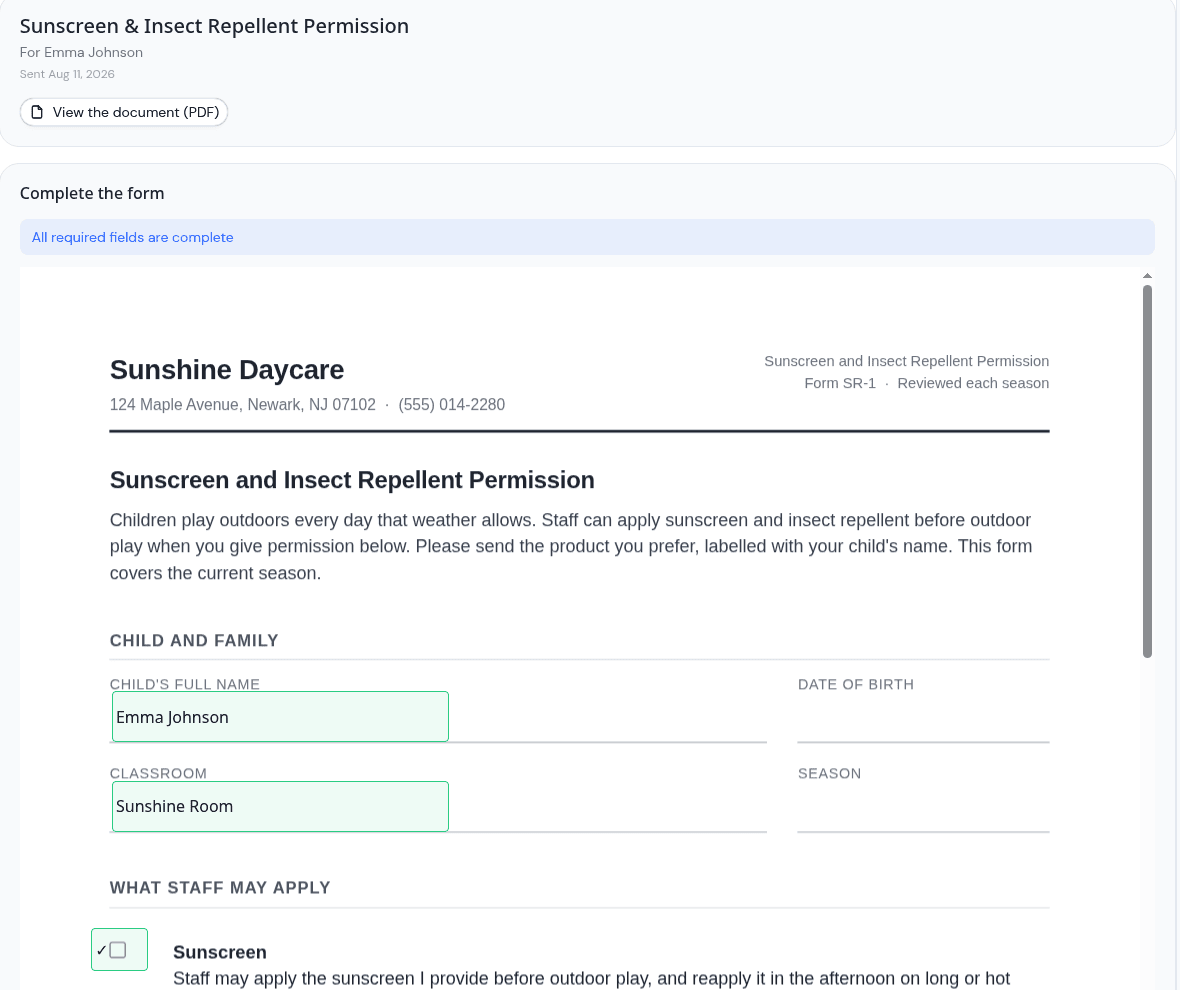
Parents can now fill in the form, not just sign it
Place signature, date, text and checkbox fields anywhere on a PDF, and parents complete the whole form on their own...
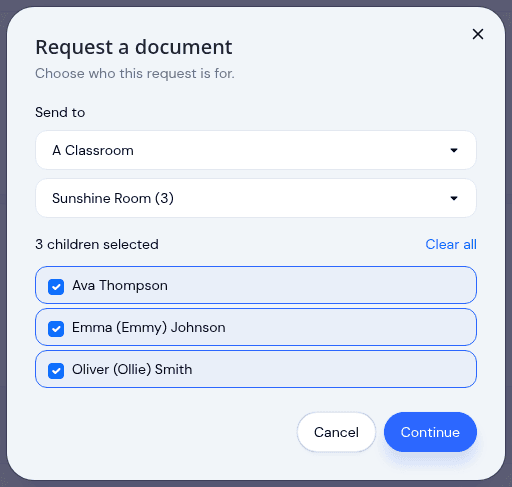
Send a document to a classroom or program
Pick a room instead of ticking twenty names, see exactly which children a request covers before it sends, and open any...