October's updates focus on the paperwork that passes between people: documents that need more than one person to finish, posts that reach a whole room, and your center's records when you need all of them at once.
Documents That Move From Step to Step
Some documents need more than one person. A parent signs a medication consent, an admin verifies the copy the parent uploaded, and an owner countersigns. Each of those is a step, and KidzLog takes the document through them in the order you set when you built it.
For staff, the Requests page has a Waiting on you tab listing every step that is your turn, and the Documents menu shows how many there are. When a step becomes yours, you get an email. A request card offers only the actions you can take, and each finished step shows who completed it and when, so the record answers "who verified this?" without anyone digging. Owners can complete an admin's step too, which keeps a document moving when your admin is away. Steps still waiting on staff are included in the automatic reminders.
For parents, a document shows each of their own steps as an ordered checklist, and says when their part is done and who the document is still waiting on: the center, or another guardian. Reminders go out only when it's actually their turn.
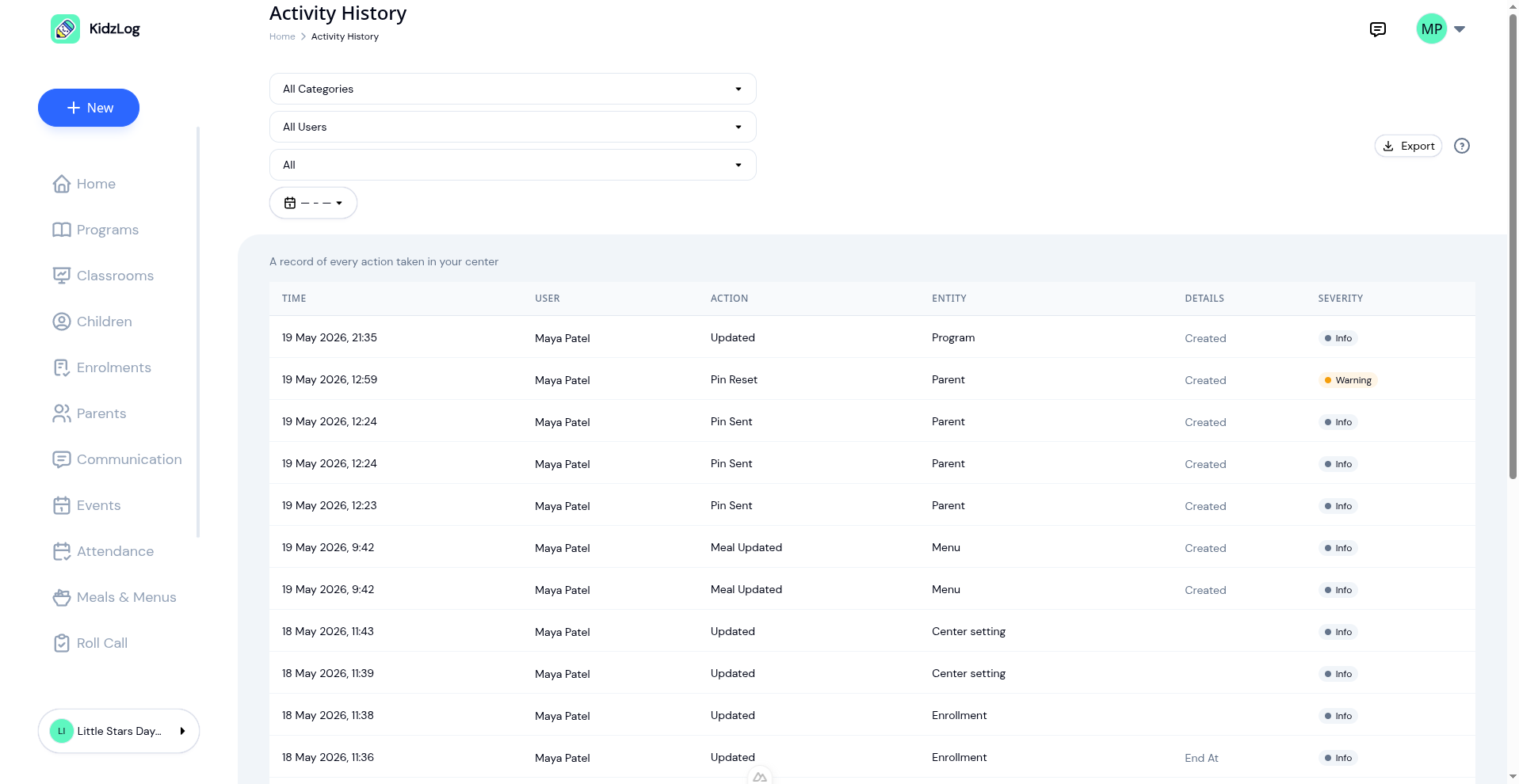
Every signature, verification and countersignature is stored with the name of the person and the time, which helps when a licensing visit asks to see a signed form. If you're new to sending documents, start with sending documents to a whole room and filling in your own PDF forms.
Teachers Post to Their Room
Teachers can create announcements for the classrooms they're assigned to, and edit or remove their own. From their home page, a teacher can post a photo to the whole room in a couple of taps, and a room-wide post reaches every family with a child in that room. It sits alongside the rest of KidzLog's parent communication tools.
Your Center's Data, Whenever You Need It
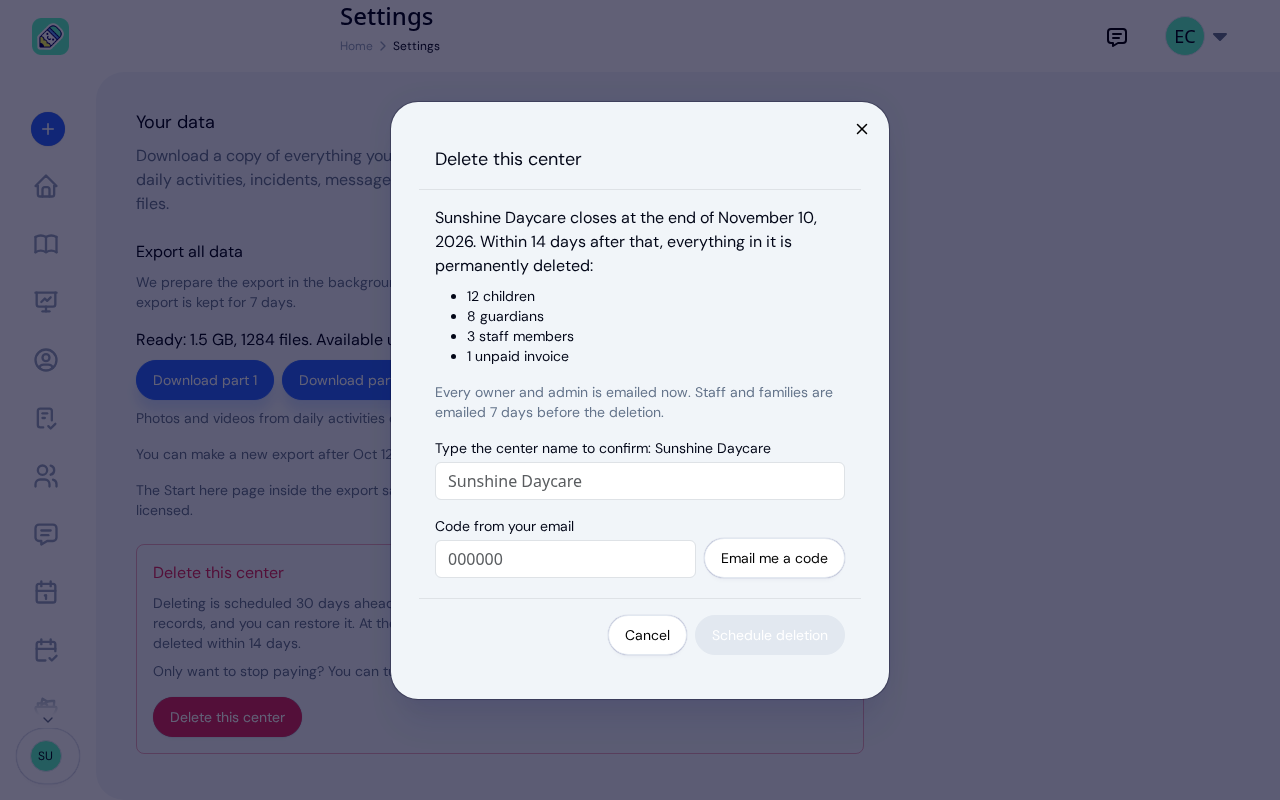
Owners can export everything the center holds: children, guardians, allergies, attendance, the activity feed and incident reports, invoices, signatures and the change history, with a Start Here guide that explains each file. If you ever close your center, you can schedule its deletion from the same Data tab 30 days ahead and restore it any time before that date. The two features have their own walkthroughs: exporting your center's data and deleting your center from Settings.
Links That Open the Right Record
A link in a KidzLog email opens the exact record it names, in the right center, even when you have to sign in first. That covers messages, document requests, announcements, incident reports, invoices and calendar events.
Also Improved
- Check-in: A child who has already passed the day's health screening skips the questions at their next check-in, and a document held until a guardian signs up says what it is waiting for.
- Adding guardians: If a guardian already has access to your center, the form says so and links the child.
- Inviting your team: If someone in an invite can't be added, the form keeps them on the list with the reason. One login is either on your team or a parent at your center, so each person keeps the access they have.
- Several sites: Sites with similar names are easy to tell apart in the center switcher, an incident shows one Approve button, and the incident PDF heads the parent's signature "Acknowledged By."
- Calendar: Recurring events keep their time when the clocks change.
- Invoices and reports: Overdue invoices can be edited, invoice history is easier to read, and the attendance report's filters match their labels.
- Messages and phones: The message pane fits the window, and more screens fit a phone's width.
- Text as typed: What people type appears exactly as typed in emails, previews and titles.
- Sign-in: Resetting your password signs you out on your other devices, and sign-in sessions and the text in emails have tighter protections.
Ready to Simplify and Organize your Daycare?
Get started with KidzLog today!
KidzLog Team
Related Articles
May Update: Video and Activity History
May brings video on daily activity logs, a searchable Activity History of who changed what, expanded notifications, and...
Activity History: Who Did What, When
Activity History lands today: a searchable record of every account and attendance event in your center, with filters,...
New: Delete Your Center From Settings
Owners can schedule their center's deletion from Settings, keep a full copy of their records, and restore the center...