Frequently Asked Questions

Find answers to common questions about KidzLog's childcare management platform. Can't find what you're looking for? We're here to help.
No credit card required
Start for free
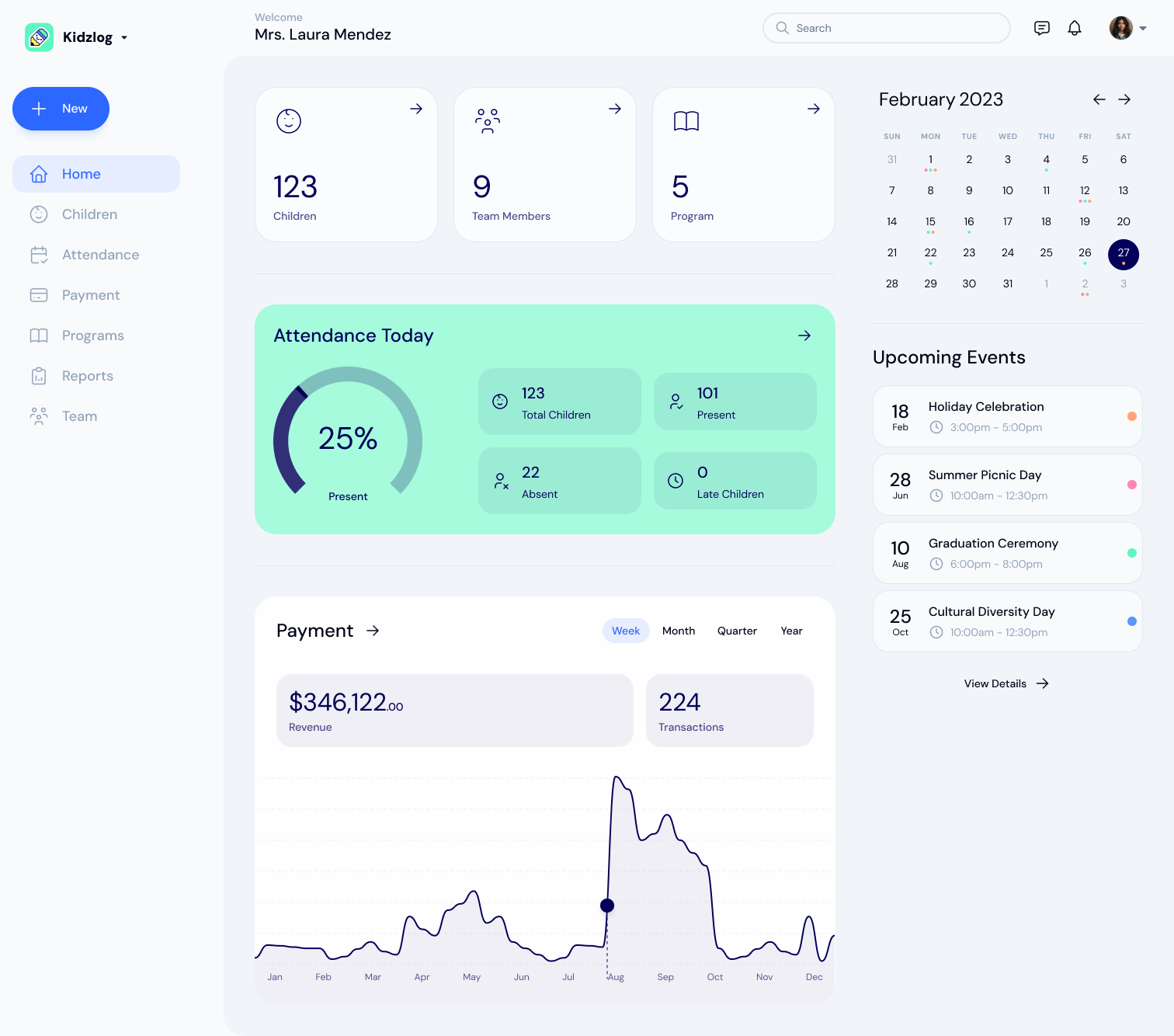
The KidzLog dashboard: 123 children and 9 team members, attendance at 25% present today, upcoming events and a revenue chart
Instant Answers
Expert Support

Quick Navigation

Jump to the section that best matches your question

Getting Started

Basic questions about KidzLog

View Questions
Features

Platform capabilities and tools

View Questions
Pricing

Plans, billing, and payments

View Questions
Security

Data protection and privacy

View Questions
Support

Training and assistance

View Questions
Technical

System requirements

View Questions

Getting Started

Basic questions about KidzLog and how it works

Frequently Asked Questions

Here are some of the most frequently asked questions about KidzLog

KidzLog is a comprehensive childcare management platform designed specifically for daycare centers, preschools, and childcare providers. It streamlines daily operations including attendance tracking, parent communication, activity logging, health screenings, and administrative tasks - all through an easy-to-use web-based platform.

Unlike generic business software adapted for childcare, KidzLog is built specifically for childcare operations. It's web-based (no apps to download), includes features like health screenings and activity logging that others charge extra for, and is designed by childcare professionals who understand your daily challenges.

Most centers are up and running within 24-48 hours. Our setup process includes importing your existing child and family data, configuring your center's specific settings, and providing initial training. We handle the technical aspects so you can focus on your children.

No downloads required! KidzLog runs entirely in your web browser, making it accessible from any device - tablets, phones, computers, or Chromebooks. This ensures compatibility and eliminates IT maintenance headaches.

Absolutely! We offer a 15-day free trial with full access to all features. No credit card required to start. You can also schedule a personalized demo to see how KidzLog works with your specific center's needs.

Features & Functionality

Detailed information about KidzLog's capabilities

Frequently Asked Questions

Here are some of the most frequently asked questions about KidzLog

KidzLog includes attendance tracking, parent communication tools, activity and meal logging, health screenings, medication administration records, incident reports, enrollment management, kiosk mode, photo sharing, and comprehensive reporting. All features are included in every plan - no hidden costs or add-ons.

Parents receive updates about their child's day through automatic email notifications. They can see attendance, activities, meals, naps, photos, and any incidents. Communication is two-way - parents can message staff one-on-one, and staff reply when they're available.

Yes! KidzLog is designed for multi-room facilities. You can set up different rooms (infant, toddler, preschool, etc.) with room-specific activities, schedules, and staff assignments. Reports can be generated by room, age group, or center-wide.

Staff can quickly check children in and out using any device. The system tracks arrival/departure times, who dropped off/picked up each child, and generates automatic attendance reports. Parents can also see real-time arrival notifications.

Absolutely. KidzLog maintains detailed medical profiles for each child including allergies, medications, dietary restrictions, and emergency contacts. Staff receive automatic alerts about children with specific medical needs, ensuring safety and compliance.

Yes. KidzLog can export attendance records that you can use with your existing billing system. This ensures accurate billing based on actual attendance data without double data entry.

Pricing & Plans

Everything you need to know about our pricing

Frequently Asked Questions

Here are some of the most frequently asked questions about KidzLog

Each location pays USD $8 (CAD $10) a month for its first 5 children, then USD $0.80 (CAD $1) for each additional child, up to a monthly cap set by its enrollment. For example, a location with 50 children pays at most USD $32 (CAD $40) a month, one with 75 pays USD $48 (CAD $60), and one with 100 pays USD $64 (CAD $80). All features are included, with no setup fees, contracts or hidden costs.

No setup fees and no long-term contracts required. You can start month-to-month and cancel anytime. We believe in earning your business every month by providing exceptional value and service.

We accept all major credit cards (Visa, Mastercard, American Express). Payments are processed securely by Stripe, and billing renews automatically each month or year.

Yes. You can pay monthly or once a year at the same per-child rate — annual billing is simply one invoice a year instead of twelve. Larger centers also benefit from flat-rate caps that keep per-child costs down as you grow.

Your bill automatically adjusts based on your active enrollment. Add children and your next bill includes them; children who leave are removed from billing immediately. You always pay only for active children.

No minimum commitment beyond one month. Plans run month to month, and you can cancel anytime.

Security & Privacy

Important information about data protection and compliance

Frequently Asked Questions

Here are some of the most frequently asked questions about KidzLog

Your data is encrypted in transit with SSL/TLS and hosted on Amazon Web Services (AWS), with automatic daily database backups. Role-based access controls limit each person to what their role needs, and an audit log records every significant action.

KidzLog follows PIPEDA (Canada's Personal Information Protection and Electronic Documents Act) and international privacy best practices, with extra care for children's information.

Only authorized staff at your center can access your data. We provide role-based access controls so you can specify exactly what information each staff member can view and modify. KidzLog staff cannot access your data without explicit permission.

You keep full ownership of your data. When you close your center, it stays open for 30 days, so you can export your records or change your mind. After that the center closes, and its data is permanently deleted within 14 days.

Your database is backed up automatically every day by Amazon Web Services, so your records can be restored after a hardware failure or other unexpected event.

Support & Training

How we help you succeed with KidzLog

Frequently Asked Questions

Here are some of the most frequently asked questions about KidzLog

You can reach us by email at [email protected], by phone during business hours, or through live chat on our contact page. We also run onboarding sessions and screen-share sessions, and our help center covers every feature step by step.

Yes! Every new customer receives a personalized onboarding session to set up their center and train staff. Our help center has step-by-step guides, and we can run more training sessions as needed.

We reply within one business day, and usually much sooner. Urgent issues go to the front of the queue.

Yes, phone support is available during business hours for all customers. We also offer screen sharing sessions to help resolve complex issues or provide additional training.

Our live support runs during business hours, and you can email us anytime. Our help center is available around the clock.

Yes. You can bring in your children, programs and classrooms from a spreadsheet, and we can walk you through it on a screen share. Parents and staff then join from an invitation. This help is included with your subscription.

Technical Requirements

System requirements and technical specifications

Frequently Asked Questions

Here are some of the most frequently asked questions about KidzLog

KidzLog works on any device with a modern web browser and internet connection. This includes Windows PCs, Macs, iPads, Android tablets, Chromebooks, and smartphones. No special software or apps need to be installed.

KidzLog works well with basic broadband internet (5 Mbps or higher recommended). The platform is optimized for efficiency and works even with slower connections, though photo uploads may take longer on very slow connections.

KidzLog needs an internet connection. If the connection drops, entries cannot be saved until it is back, so reconnect and carry on.

KidzLog works with all modern browsers including Chrome, Safari, Firefox, and Edge. We recommend keeping your browser updated for the best experience and latest security features.

Yes! KidzLog is fully responsive and works great on smartphones and tablets. Many centers use tablets for attendance and activity logging while using computers for administrative tasks.

Yes, we help with initial setup, including importing your data and making sure everything works on your devices.

Still Have Questions?

Our team of childcare technology experts is ready to help. Get personalized answers to your specific questions.