Track Every Moment
So Parents Never Miss a Thing.
Log meals, naps, mood, and milestones in seconds. Parents see every update the moment it happens. No more waiting until pickup.
Replace Paper Logs with Real-Time Updates.
Every meal, nap, diaper change, and learning moment, captured as it happens and shared with parents instantly.
Try KidzLog Free Today.Real-Time Activity Feed
Every meal, nap, and diaper change appears on the parent's phone the moment it's logged.
One-Tap Logging
Teachers log activities in seconds. No more filling out paper forms at the end of the day.
Photo & Note Sharing
Attach photos to any activity. Parents see their child's art project, outdoor play, or lunch plate.
Mood & Learning Tracking
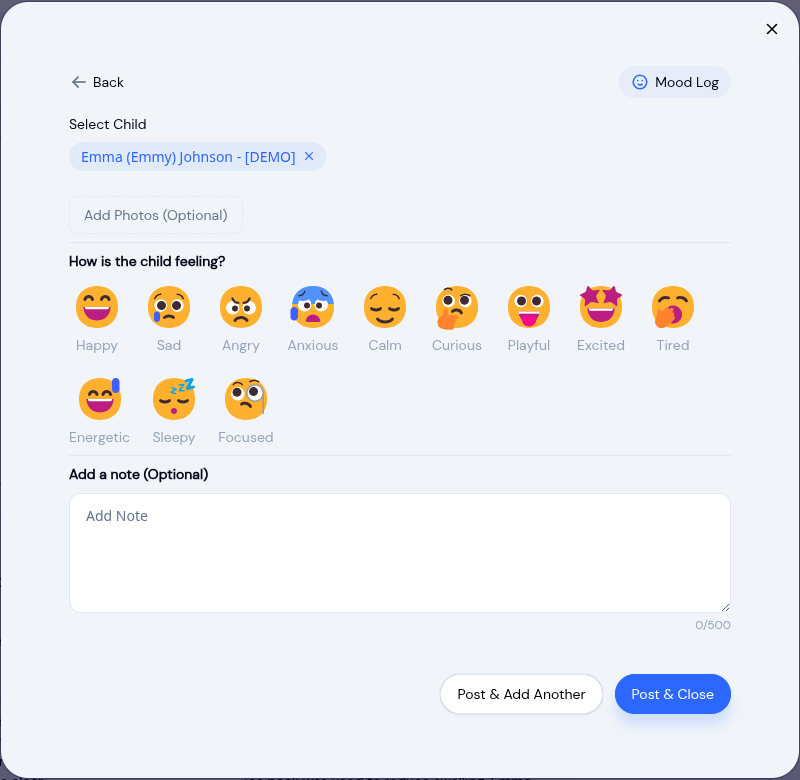
Track emotional well-being and developmental milestones alongside daily routines.
Still Using Paper Logs?
Teachers shouldn't spend their evenings filling out forms. KidzLog captures everything as it happens, so staff can focus on children, not clipboards.
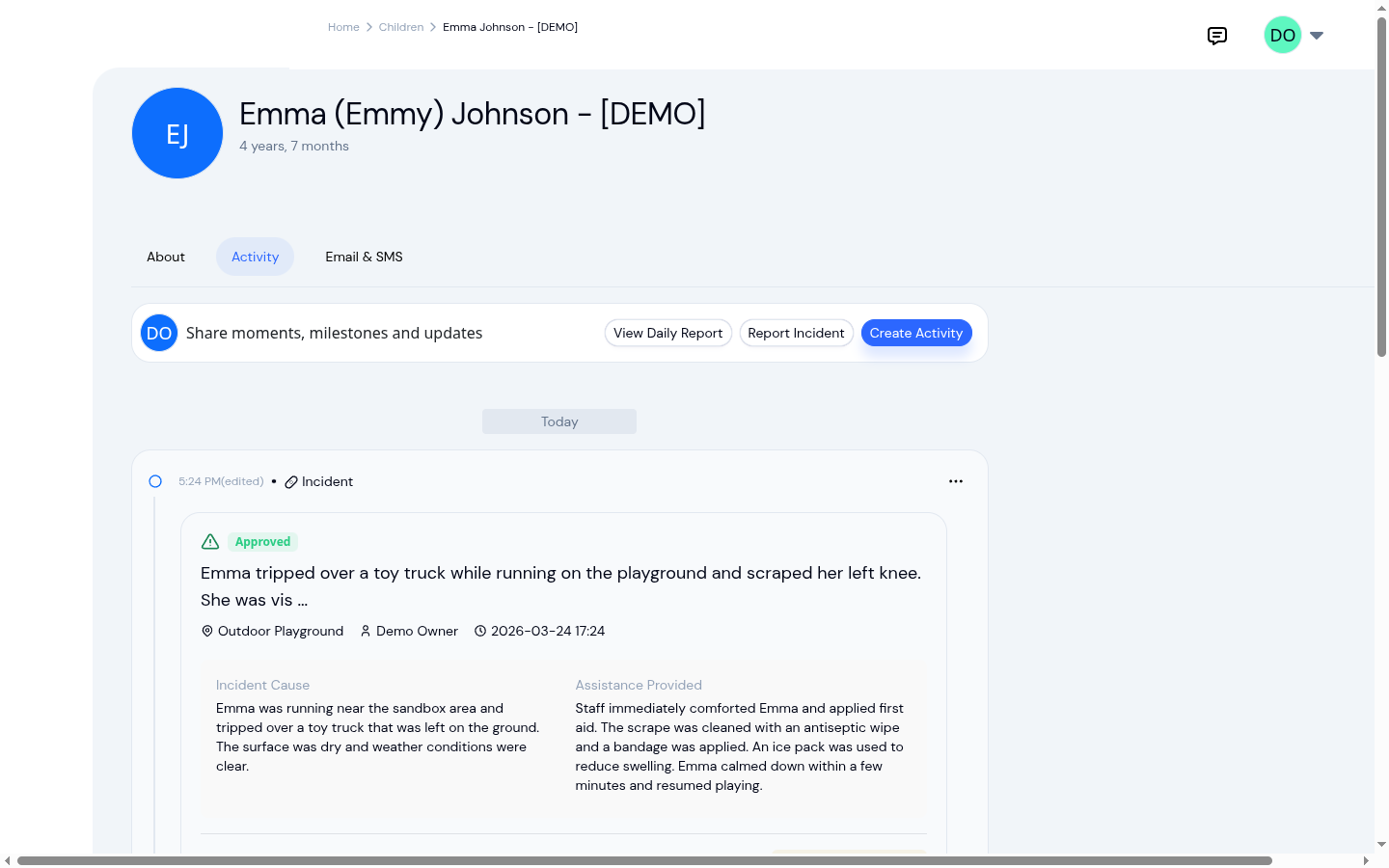
Everything Happening, As It Happens
Your activity feed shows every logged entry in real time: meals, naps, bathroom visits, mood checks, and more. Staff see a complete picture of each child's day at a glance, and parents get the same view on their phone. No more piecing together information from paper forms, whiteboards, and sticky notes.
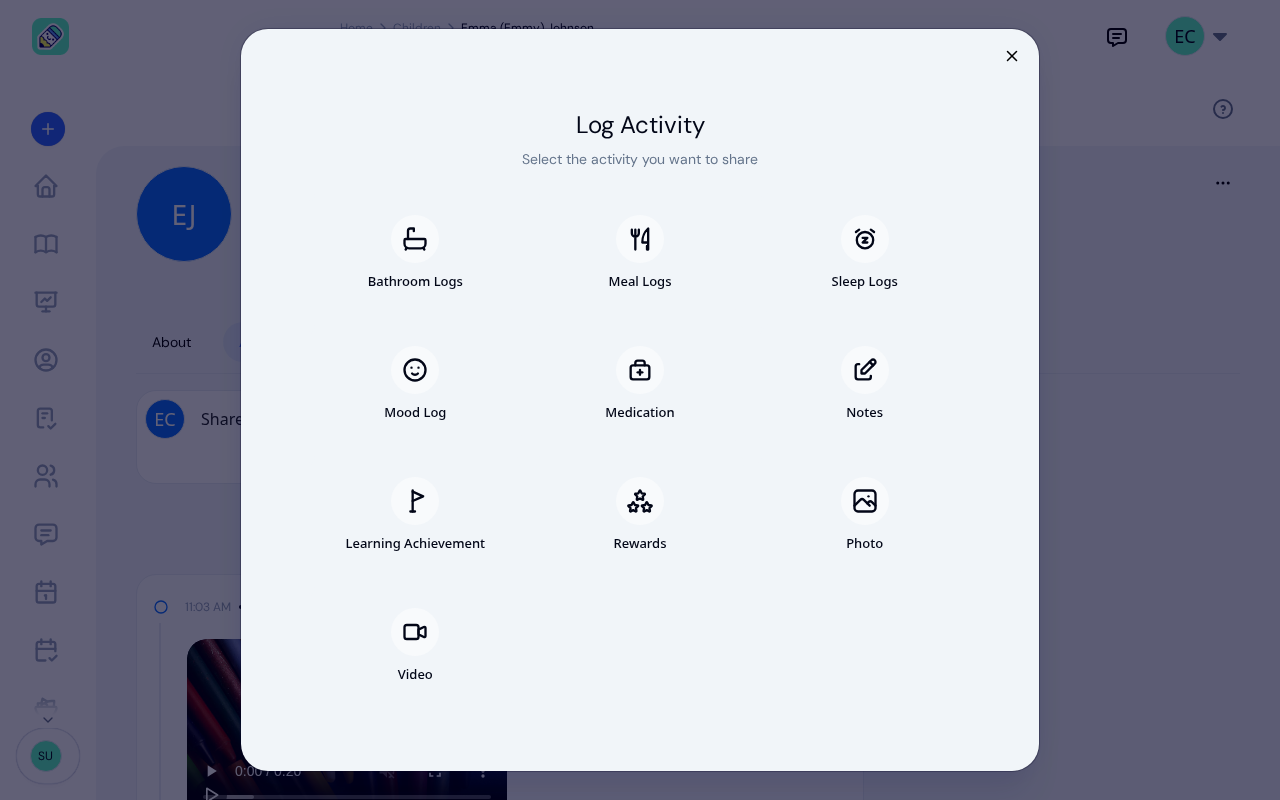
Ten Activity Types, One Simple Interface
Meals, sleep, bathroom, mood, medication, notes, learning achievements, rewards, photos, and videos, all in one place. Each activity type has fields designed specifically for childcare workflows. Log a nap with start and end times, record a meal with portion details, or capture a mood with visual emoji icons. Teachers pick an activity type, fill in the details, and move on.
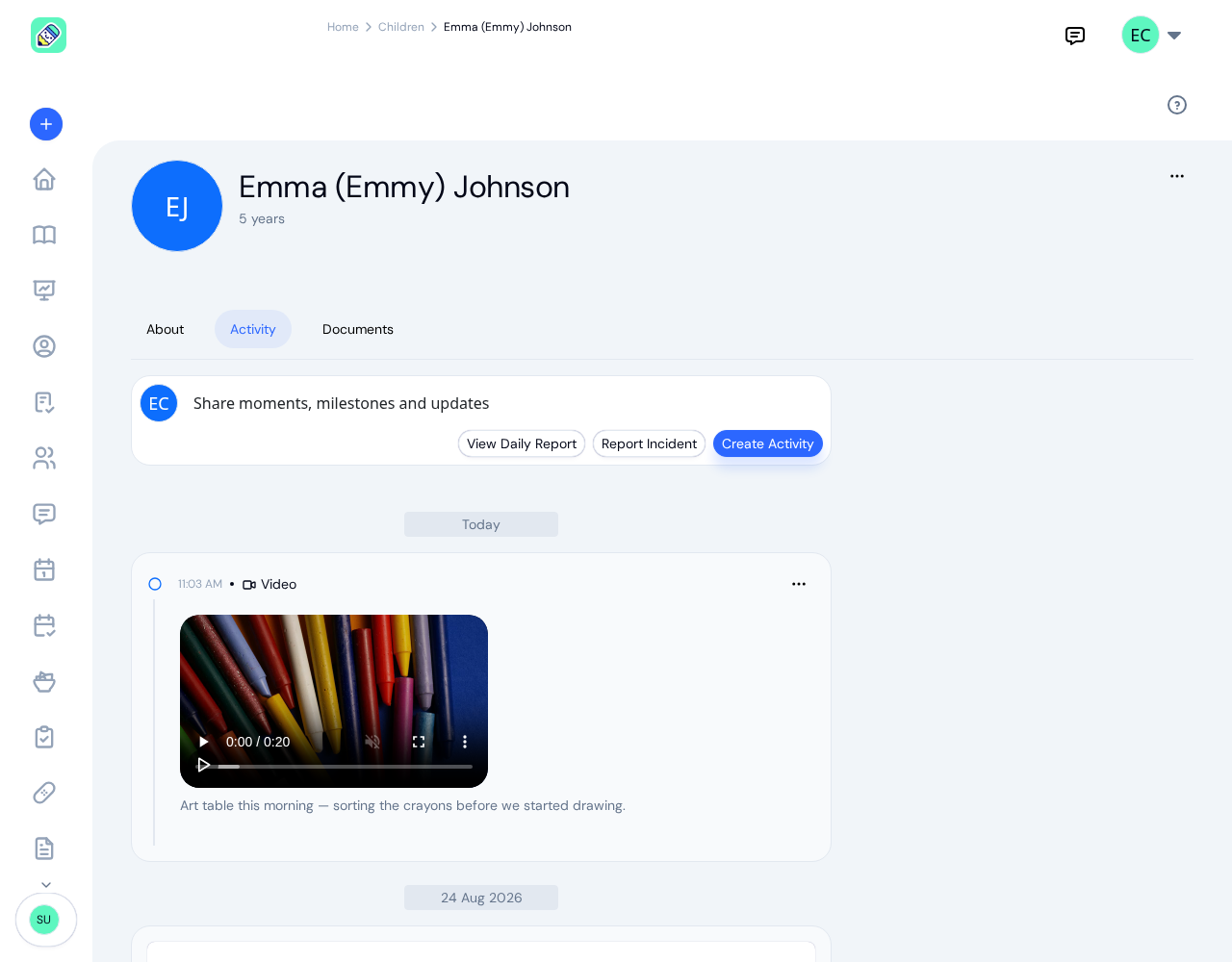
Share Videos of Your Children's Day
Upload or record videos up to 300MB — three times the cap of the largest competitor — with no 90-second time limit. Multiple videos per activity. Attach video to any log: a mood, a meal, a learning moment, even an incident report. Videos play right in the feed with native browser controls, and parents can save them straight from the browser, no app install required.
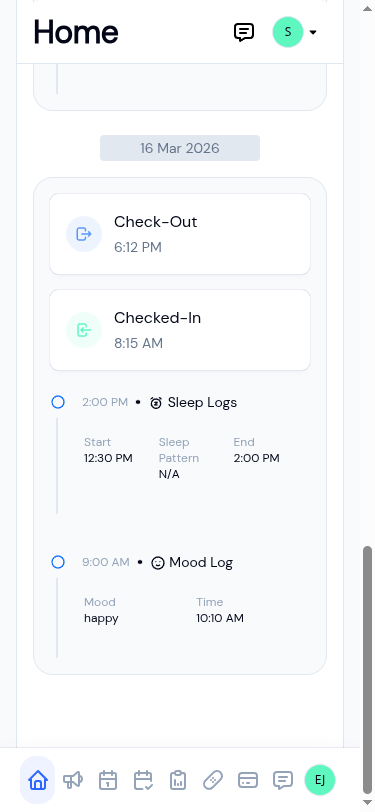
Parents Stay Connected All Day
Parents don't have to wonder what their child ate for lunch or whether they napped. Every activity appears on their phone the moment a teacher logs it. They see the same detail staff see: timestamps, notes, photos, and mood updates. It's the transparency parents want, without any extra work for your team.
Ready to Save Time and Simplify Your Daycare?
Create an account and get started in minutes.
- No credit card required
- Free until upgrade
What our customers say
We've been using KidzLog for a couple of months and we're very pleased. It's a massive improvement in pretty much every way over what we were doing before.
I'm very happy with KidzLog. It works nicely and is easy to use.
Frequently Asked Questions
Here are some of the most frequently asked questions about KidzLog
What types of activities can I track?
Can parents see activities in real time?
Can I add photos or videos to activities?
How does mood tracking work?
Can I log activities for multiple children at once?
Experience the difference with KidzLog
No demos, no credit cards, no commitments. Just sign up and explore the difference KidzLog can make for your childcare center.