Menu Management
Menu Management & Meal Logging
Plan monthly menus with a visual builder, log meals in one tap from today's planned menu, and catch allergen conflicts before food is served.
Menus That Work for Your Whole Center.
Build menus once, reuse them month after month. Teachers log meals faster, parents stay informed, and allergy alerts keep every child safe.
Try KidzLog Free Today.Save Time on Meal Logging
Teachers log meals in one tap instead of typing free-text descriptions. The menu pre-selects today's food items automatically.
Catch Allergies Early
Allergy alerts at three points: when building the menu, when logging a meal, and on the dashboard. Conflicts are flagged before food is served.
Keep Parents Informed
Parents see the weekly menu with allergy highlights specific to their child. They always know what's being served.
Flexible for Every Center
Monthly menus, expanded meal types, Quick Start seed data. Works with or without menus, so you can adopt it at your own pace.
Build Your Food Library
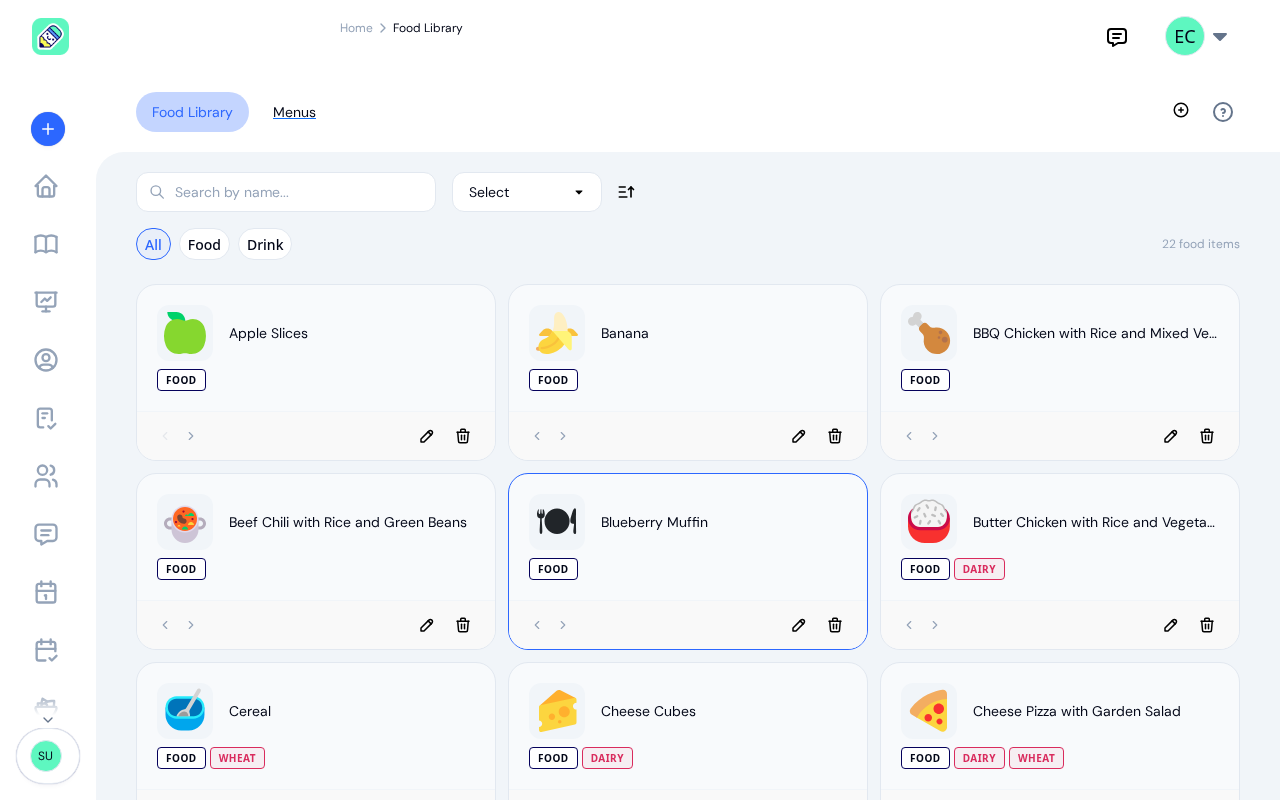
Manage food items with emoji icons, allergen tags, and categories. Each item tracks its allergens so KidzLog can flag conflicts automatically. Use Quick Start to seed a ready-made set of common foods and get up and running in seconds.
Plan Menus Month by Month
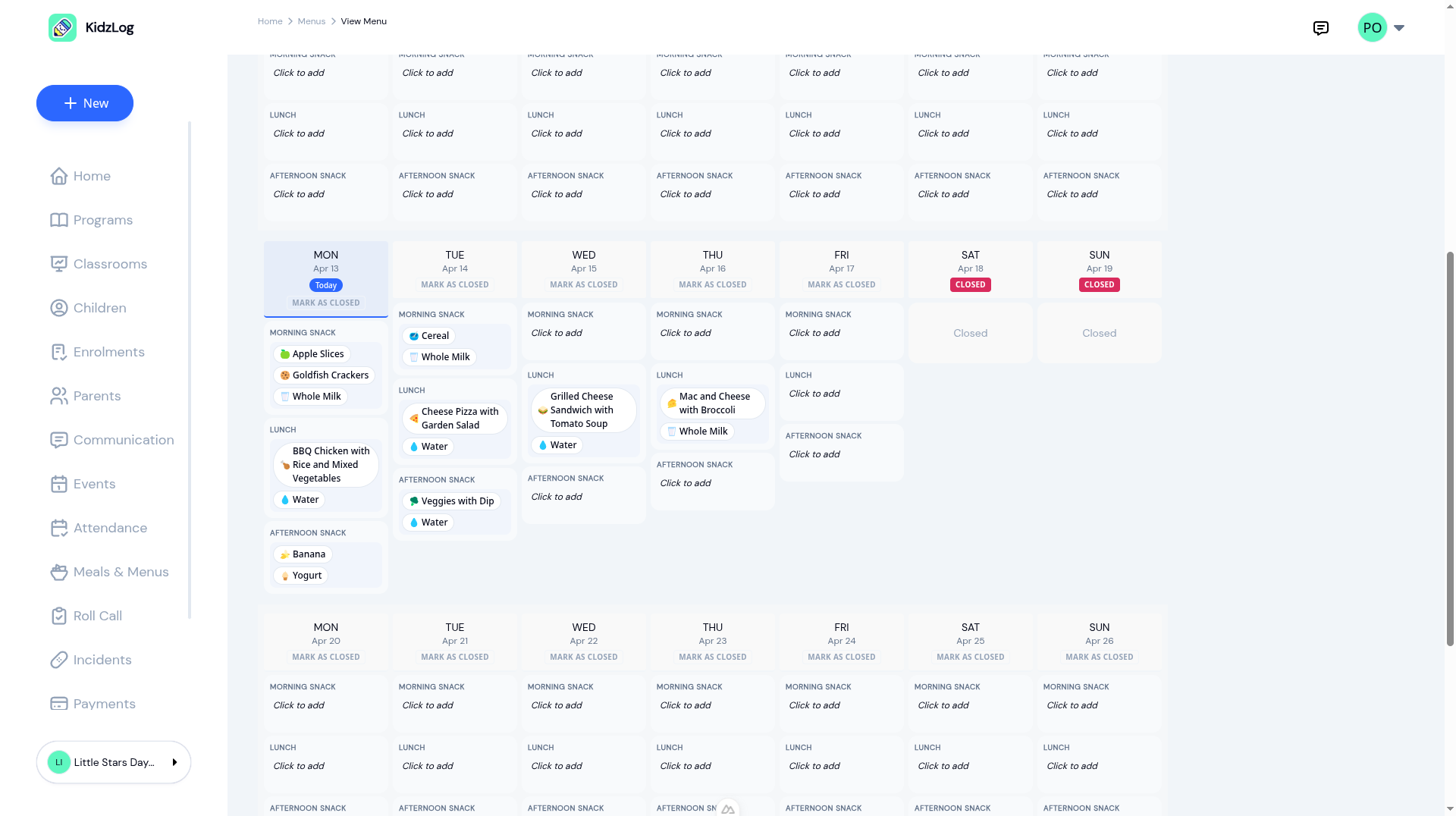
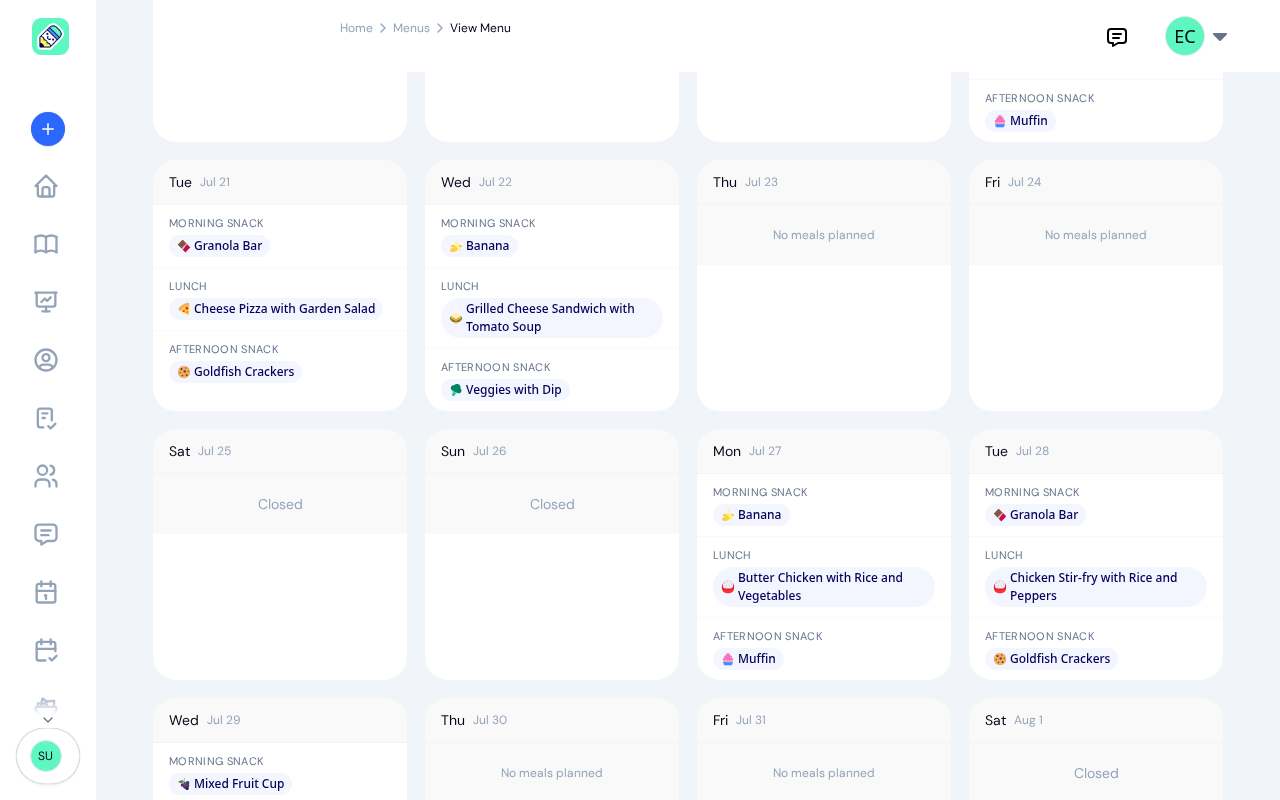
Use the weekly grid builder to assign food items to each day and meal type. Mark days as closed when the center is off, copy one week across the rest of the month, and duplicate a whole menu to save time next month. Your changes are held until you save, so you can rearrange a month and check it over before anything reaches parents.
A Menu Per Room, When You Need One
Infants rarely eat what the preschool room eats. A menu can serve the whole center or only the rooms you choose, and several menus can run over the same dates, so an infant menu and a center-wide one sit side by side without one replacing the other. Parents see the menus for their own child's room, and switching between children switches the menu with them.
Allergy Alerts at Every Step
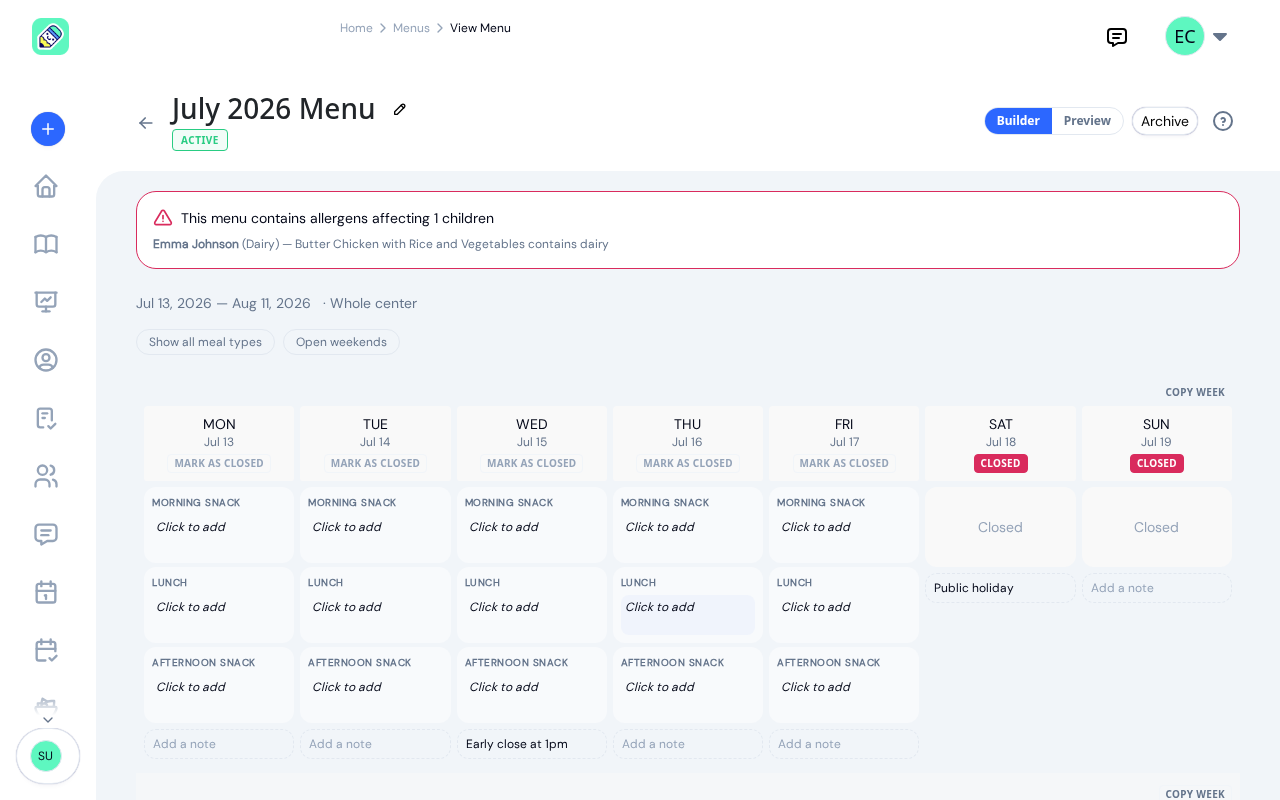
KidzLog cross-references every food item's allergen tags against enrolled children's allergies. Warnings appear when building the menu, when logging a meal, and on the admin dashboard. If a child has a dairy allergy and the menu includes cheese pizza, you see the conflict before the food is served, not after. Allergies are recorded from a searchable list, so the same allergen is written the same way every time, and a child recorded as reacting to gluten is warned about barley and rye as well as wheat.
Everyone Sees the Menu
Teachers and parents view the current month's menu from their sidebar. Today's date is highlighted so staff know exactly what to prepare. Parents see allergy highlights specific to their child. A print button lets you post the menu on the fridge or parent board.
What our customers say
We've been using KidzLog for a couple of months and we're very pleased. It's a massive improvement in pretty much every way over what we were doing before.
I'm very happy with KidzLog. It works nicely and is easy to use.
Frequently Asked Questions
Here are some of the most frequently asked questions about KidzLog
How does menu-based meal logging work?
How do allergy alerts work?
Can parents see the menu?
Do I have to use menus to log meals?
What meal types are supported?
Can I duplicate a menu for the next month?
Can I rename a menu or change its dates after creating it?
Experience the difference with KidzLog
No demos, no credit cards, no commitments. Just sign up and explore the difference KidzLog can make for your childcare center.