Enrollment Management
Know Every Spot, Every Program, Every Child.
Manage program enrollment, track classroom capacity, and keep your waitlist organized, all without spreadsheets.
Programs, Capacity, and Enrollment Under Control.
See exactly who is enrolled where, how many spots remain, and what fees apply, all from one screen.
Try KidzLog Free Today.Program Management
Create multiple programs with age groups, fees, and capacity limits. See enrollment status at a glance.
Capacity Tracking
Know exactly how many spots are available in each program and classroom. No more guessing.
Enrollment Lifecycle
Track children from enrollment through graduation. Active, completed, cancelled: every status is visible.
Multi-Program Support
Run infant care, toddler, pre-K, and after-school programs from one platform with separate capacity tracking.
Still Tracking Enrollment on Spreadsheets?
Spreadsheets break when your center grows. KidzLog gives you a real-time view of every program, every classroom, and every available spot.
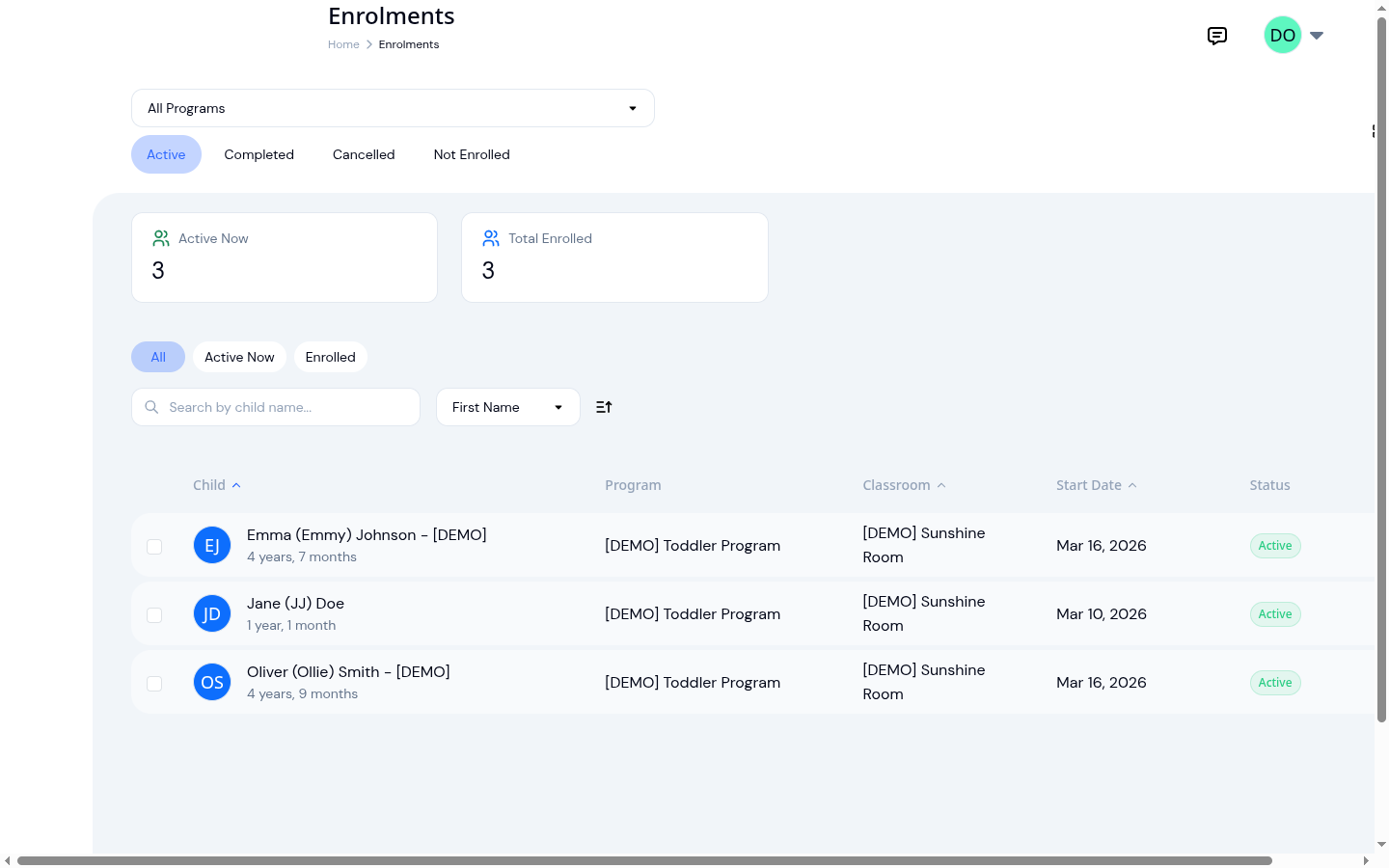
Every Enrollment at a Glance
Your enrollment list shows every child, their program, assigned classroom, and current status, all in one view. Filter by program or status to find exactly what you need. No more flipping between tabs or cross-referencing paper records.
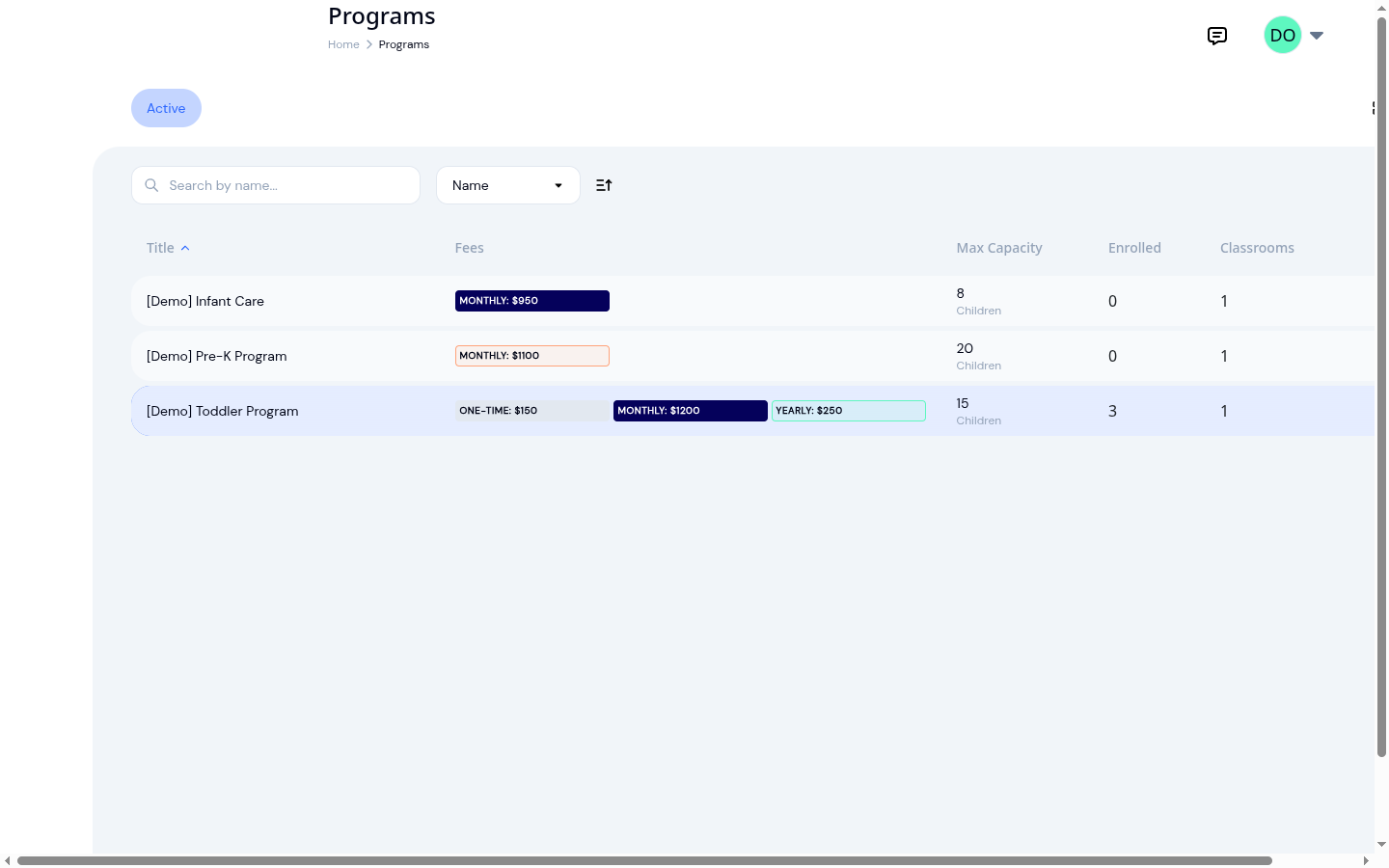
Programs Designed Your Way
Set up each program with its own age range, capacity limit, language, and fee structure. Define registration fees, monthly tuition, and annual charges at the program level. Add classrooms, assign teachers, and start enrolling children in minutes.
Ready to Save Time and Simplify Your Daycare?
Create an account and get started in minutes.
- No credit card required
- Free until upgrade
What our customers say
The easier enrollment and the filter for non-enrolled kids work really well.
Frequently Asked Questions
Here are some of the most frequently asked questions about KidzLog
Can families apply online?
Should I turn the form off when we are full?
What if a family applies twice?
How do I set up a new program?
Can I track capacity across multiple programs?
What enrollment statuses are available?
Can a child be enrolled in multiple programs?
How do fees work with enrollment?
Experience the difference with KidzLog
No demos, no credit cards, no commitments. Just sign up and explore the difference KidzLog can make for your childcare center.