New: Export All of Your Center's Data
Your records belong to your center. Owners can now download a complete copy of everything their center keeps in KidzLog, in formats that open without KidzLog.
Where to find it
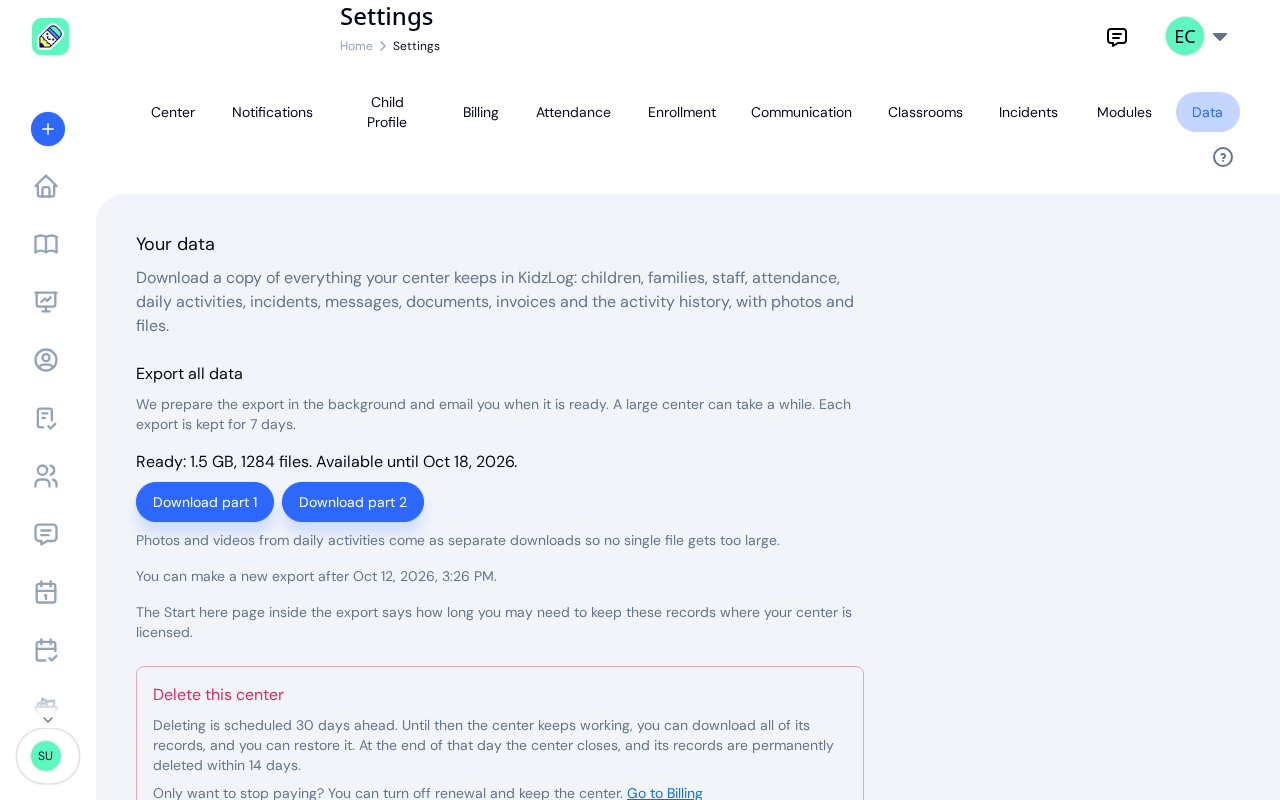
Open Settings and choose the Data tab, then select Export all data. The tab is visible to the center owner only. Admins who open it see a note asking them to check with the owner, because the export holds every child's records. If your center has more than one owner, each owner makes and downloads their own export.
The export is prepared in the background, so you can leave the page. KidzLog emails you when it is ready, and the Data tab shows it as soon as it is done. For your security, the email links to the Data tab rather than to the file: sign in and download it there.
Each export is kept for 7 days. You can make a new one once a day, and the newest one replaces the one before it.
What is in it
The download is a zip file with four parts:
- Your records as spreadsheets: children, guardians and emergency contacts, allergies, medical conditions and immunizations, staff, programs, classrooms and enrollments, attendance and health screenings, daily activities, incidents, announcements and your own message conversations, documents and their requests, invoices, menus, calendar events, and the activity history. Each comes as a CSV file that opens in Excel, Numbers or Google Sheets, and as a JSON file for other software.
- Files: documents, signed copies, signatures, attachments and profile photos, with an index that tells you which record each file belongs to.
- Readable pages: one page per child, with guardians, emergency contacts, allergies, medical conditions and immunizations, and one page per incident report. Open them in any browser and print them to PDF. This is the same kind of information you keep in a child's file today, as described in our guide to daycare record keeping.
- A Start here page that explains what each folder holds and links to the readable pages. It opens in your browser, and comes as a text file too.
Photos and videos from daily activities come as separate downloads. Each one unpacks into the same folder as the main download.
How long to keep your records
Licensing rules decide how long a center must keep a child's records after they leave, and the answer depends on where you are licensed. The Start here page in every export includes a short note for your province or state: for example, Ontario asks for most records to be kept for 3 years and financial records for 6. Where we do not have a note for your area, it tells you to check with your licensing authority.
That makes the export a practical way to keep your own copy of the records an inspector may ask for, alongside the attendance history and change records KidzLog already keeps.
Available whatever your plan
The export works whether or not your subscription is active, and whichever modules you have switched on. Your data is yours to take with you. If you are moving from another system, our article on importing your roster covers the other direction.
The export is a copy. Everything about a child's file, from the profile to incident reports, stays where it is in KidzLog.
Ready to Simplify and Organize your Daycare?
Get started with KidzLog today!
KidzLog Team
Related Articles
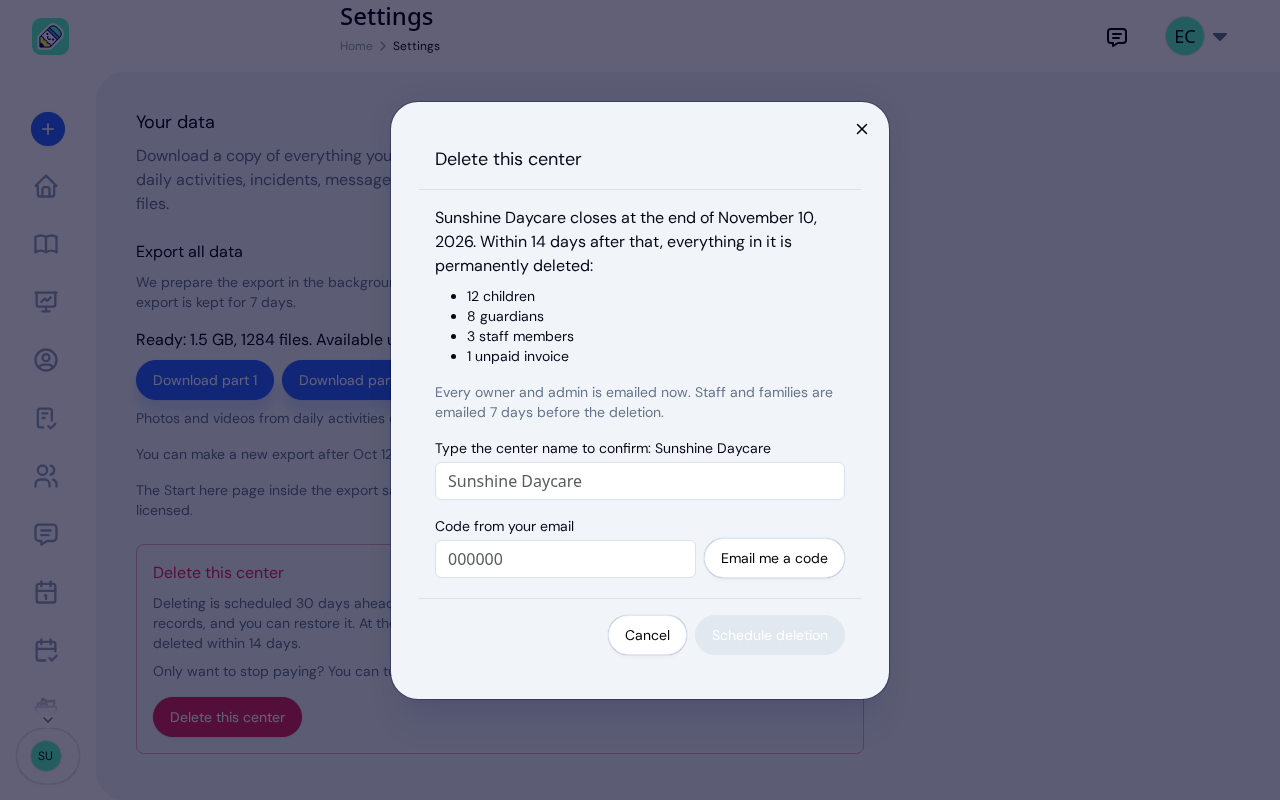
New: Delete Your Center From Settings
Owners can schedule their center's deletion from Settings, keep a full copy of their records, and restore the center...
September Update: Incident Reports and Records
Reopen and correct an approved incident report, choose when parents get the email, send families a note on declined...
August Update: Enrollments and Fillable Forms
Families apply from your center's own page, parents complete a whole PDF on their own device, and the attendance report...