New: Delete Your Center From Settings
Centers close, merge and change software. When that day comes, an owner can close their center's KidzLog account from Settings in a few minutes, with no phone call, a clear date, and a full copy of their records to keep.
How it works
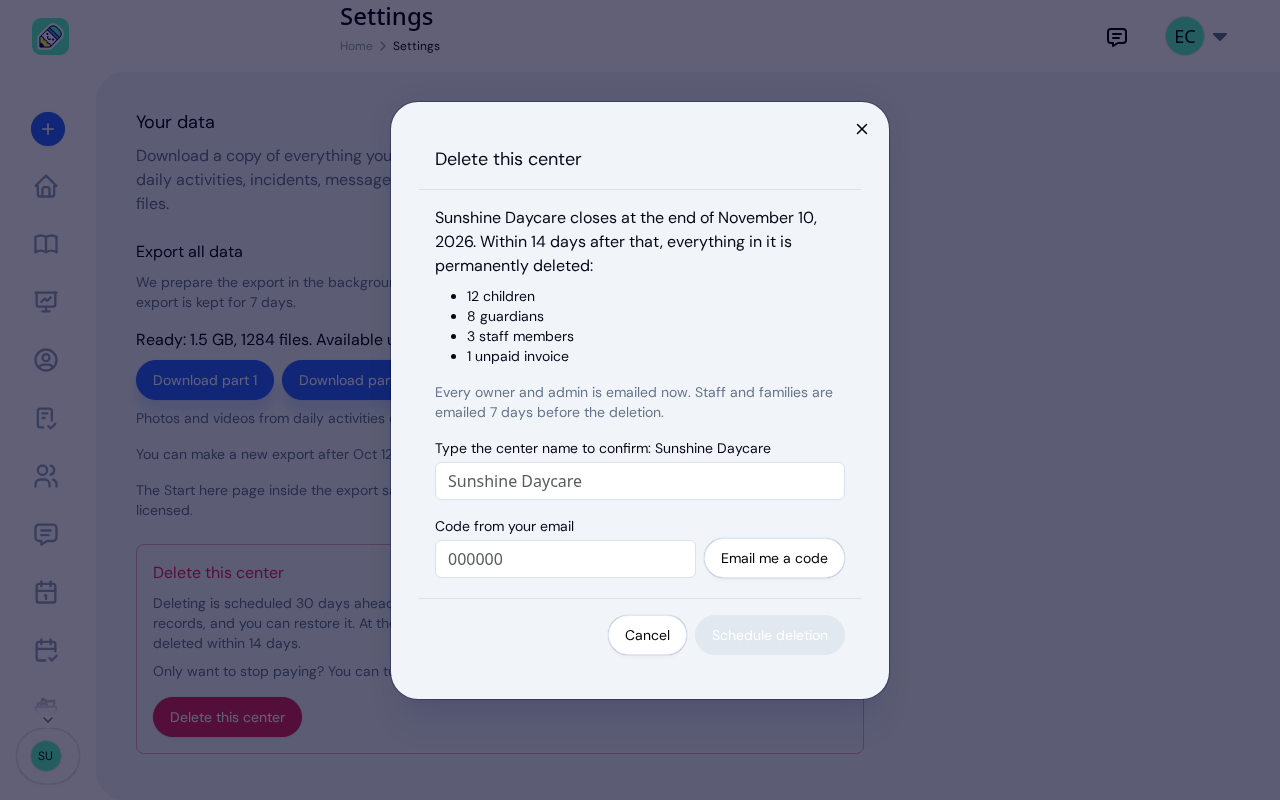
Open Settings and choose the Data tab. Below Export all data is Delete this center. It is visible to the center owner only.
Deleting is scheduled 30 days ahead: your center closes at the end of that day, in your center's time zone, and its records are permanently deleted within 14 days after. Before you confirm, KidzLog shows you what will be deleted: how many children, guardians and staff, any unpaid invoices, and when your paid period ends. To confirm, you type the center's name and a 6-digit code we email to you.
The 30 days before it closes
Nothing changes on the day you schedule it. Your center keeps working, so you can finish the month, send last invoices and answer families. A banner at the top of every page shows owners and admins the date and how many days are left.
Your subscription will not renew, so you are not charged again. Paid features stop when your current paid period ends; settings, the export and restoring stay available until the center closes.
Everyone hears about it at the right time:
- Owners and admins get an email when the deletion is scheduled, 7 days before the center closes, and again the day before.
- Staff and families get an email 7 days before it closes.
Take your records with you
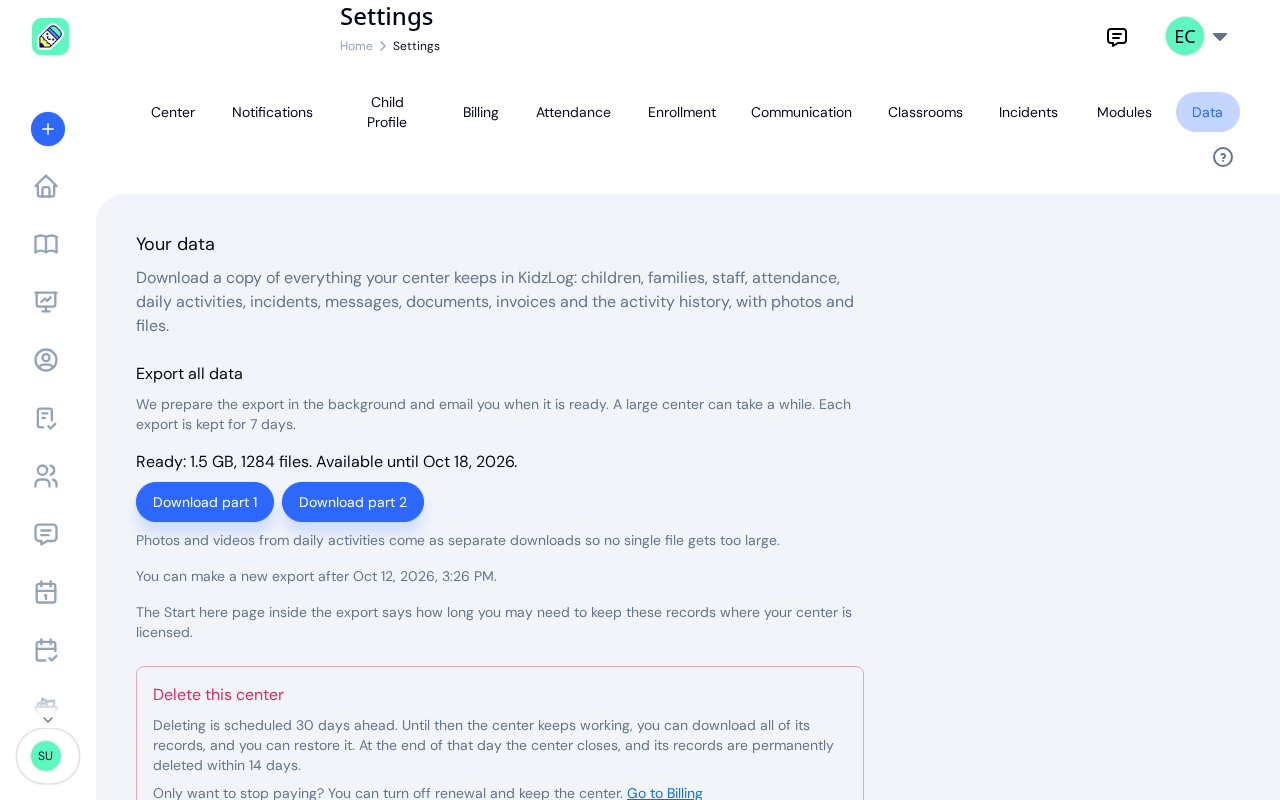
Before the date, download everything your center keeps in KidzLog from the same tab. The full export includes spreadsheets of every kind of record, documents and signatures, photos and videos, and a readable page for each child and incident report. Licensing rules decide how long you must keep a child's records after they leave, as our guide to daycare record keeping explains.
Changed your mind? Restore it
Any owner can restore the center until it closes, from the banner or the Data tab. Everything stays exactly as it was. If scheduling the deletion turned off your subscription's renewal, restoring turns it back on; if your paid period ended in the meantime, KidzLog takes you to Billing to choose a plan again. Every owner and admin is told who restored it, and if staff and families had already been told the center was closing, they hear that it is staying.
After it closes
At the end of the date, the center closes and nobody can open it again. If an export you asked for before then is still being prepared, the center waits for it, for up to a day. Within 14 days, the center's records and files are permanently deleted from KidzLog, and each owner receives a deletion certificate by email: what was deleted, what we keep and why, and the date the last backup copies expire. At the same time, the logins of people who belonged only to your center are closed. Anyone who also works at, or has a child in, another center keeps their account.
Only want to stop paying?
You do not have to delete your center to stop a subscription. The same section links to Billing, where you can turn off renewal and keep your center and its records. See our pricing for what each plan includes.
Ready to Simplify and Organize your Daycare?
Get started with KidzLog today!
KidzLog Team
Related Articles
New: Export All of Your Center's Data
Owners can now download everything their center keeps in KidzLog: records as spreadsheets, documents, signatures,...
September Update: Incident Reports and Records
Reopen and correct an approved incident report, choose when parents get the email, send families a note on declined...
August Update: Enrollments and Fillable Forms
Families apply from your center's own page, parents complete a whole PDF on their own device, and the attendance report...