Daycare Record Keeping Software
If you've ever spent an hour searching through filing cabinets for a child's immunization record, you understand the problem. Paper-based record keeping creates chaos. Medical information gets misfiled. Emergency contact sheets go missing. Allergy information sits in one folder while dietary restrictions are noted somewhere else entirely. During an emergency, you need information instantly, not after 10 minutes of searching.
Daycare record keeping software centralizes all child information in one secure, digital location where staff can access medical records, emergency contacts, allergies, enrollment details, and important notes in seconds from any device. It's the difference between panicking when a child has an allergic reaction and calmly pulling up their complete profile with medical information in three clicks.
Beyond emergencies, proper record keeping protects your license, reduces liability, and makes daily operations smoother. Parents can review and update their child's information through a secure portal, keeping details current without adding work for staff. But many directors hesitate to go digital because they worry about data security, complexity, or losing the familiarity of paper systems.
This guide explains exactly what daycare record keeping software does, why it matters for safety and compliance, what to look for in a system, and how to transition from paper chaos to organized digital records.
Why Record Keeping Matters More Than You Think
Before diving into software features, let's be clear about why this is not just an administrative nice-to-have. Proper record keeping is essential for safety, legal protection, and quality care.
Child Safety Depends on Accessible Information
When a child shows signs of an allergic reaction, you don't have time to flip through folders. You need to know immediately what allergies they have, what medications they're allowed to receive, and who to call. Digital records make this information accessible in seconds.
The same applies to medication administration. If a child needs their inhaler, you need to verify dosage, timing, and parent authorization instantly. Paper forms buried in a filing cabinet don't cut it.
Licensing Compliance is Non-Negotiable
Every state and province has specific requirements for what child records you must maintain and how long you must keep them. These typically include:
Required child records:
- Enrollment and registration forms
- Emergency contact information
- Medical history and immunization records
- Allergy and dietary restriction documentation
- Authorized pickup lists
- Incident and accident reports
- Medication administration logs
- Attendance records
- Developmental assessments and observations
Retention requirements vary by jurisdiction:
- Some states require 1 year retention
- Others mandate 3 years or longer
- Certain records must be kept until the child reaches age 18 plus additional years (varies by state due to statute of limitations for lawsuits)
During licensing inspections, you need to produce these records immediately. Fumbling through disorganized files creates red flags for inspectors. For more on compliance preparation, see our guide on how childcare centers stay audit-ready.
Legal Protection When Things Go Wrong
Children can sue for injuries sustained in childcare until they reach age 18, and in many states for several years beyond that. If a child injured at age 3 sues you at age 19, you need enrollment records proving when they were in your care, incident reports documenting what happened, and insurance policies showing your coverage at that time.
Without proper records, you cannot defend yourself effectively. Digital systems that maintain organized, timestamped records for years provide critical legal protection.
Operational Efficiency Matters Daily
Beyond safety and compliance, good record keeping saves time every single day. Staff need quick access to information about dietary restrictions, nap schedules, pickup authorization, and developmental notes. When this information is scattered across multiple folders or worse, stored in staff memories, mistakes happen and time gets wasted.
What Daycare Record Keeping Software Actually Does
Modern record keeping software goes far beyond just storing scanned documents. Here's what comprehensive systems provide.
Centralized Child Profiles
Every child gets a complete digital profile containing all their information in one place:
Personal information:
- Full name and date of birth
- Home address and contact details
- Parent and guardian information
- Enrollment date and current status
Medical information:
- Complete medical history
- Allergy documentation with severity levels
- Dietary restrictions and preferences
- Medication lists and administration schedules
- Immunization records with dates and types
Emergency information:
- Primary emergency contacts with phone numbers
- Secondary contacts and their relationship
- Doctor contact information
- Hospital preferences
- Special medical instructions
Daily care information:
- Important notes for staff
- Special instructions or routines
- Developmental observations
- Program or classroom assignments
Parent portal access: Parents can review their child's information and update contact details, emergency contacts, or other information as it changes. This keeps profiles current without requiring staff to manually update everything.
Secure Data Storage
Rather than maintaining physical filing cabinets, digital systems store all child information electronically in secure, encrypted databases. All information is associated with the correct child's profile, eliminating misfiling. Staff can search by child name and immediately see all their information. Cloud-based systems automatically backup data to secure servers, protecting information from loss due to fire, flood, or equipment failure.
Role-Based Access Controls
Not everyone needs access to everything. Good record keeping software lets you control who sees what:
- Directors and administrators get full access to all records across the entire center.
- Teachers and classroom staff see information for children in their assigned classrooms only. They can access medical information, allergies, and daily care notes but might not see financial or billing information.
- Parents access their own child's information through a secure portal. They can view records, update contact information, and upload new documents like immunization updates.
- Substitute staff get limited access to essential safety information only. This protects privacy while ensuring the right people have the information they need.
Search and Quick Retrieval
Need to find all children with peanut allergies? Children whose immunizations are expiring soon? Everyone authorized to pick up from a specific classroom? Digital systems let you search and filter instantly. During emergencies like fire drills, you can immediately pull up a list of everyone supposed to be present and account for them systematically.
Automatic Backup and Security
Paper records can be destroyed by fire, flood, or simple misplacement. Digital systems automatically backup data to secure cloud servers. Even if your physical location is damaged, all child records remain safe and accessible. Industry-standard encryption protects data during transmission and storage. This typically meets or exceeds requirements for privacy laws like PIPEDA in Canada and state-specific regulations in the US. For a broader look at childcare technology, see our guide on top technology tools to streamline childcare operations.
The Real Problems Record Keeping Software Solves
Let's get specific about what changes when you move from paper to digital records.
Problem 1: Finding Information Takes Too Long
The paper challenge: A parent mentions their child has a new allergy. You need to check what's already documented, update the allergy list, and inform kitchen staff. This requires finding the child's folder, locating the medical forms section, making notes, making copies for the kitchen, and hoping everyone gets the update.
How software solves it: Update the allergy information once in the child's profile. The system automatically flags the allergy for all staff with access. Everyone works from the same current information.
Problem 2: Duplicate or Missing Records
The paper challenge: The same form exists in three different places. The version in the child's main folder says no allergies. The version in the classroom folder lists a peanut allergy. The version in the kitchen has a milk allergy noted. Which is correct? Nobody knows for sure.
How software solves it: One central profile. One source of truth. Updates happen in real time and everyone sees the same information. No duplicate records, no confusion, no dangerous gaps.
Problem 3: Information Gets Outdated
The paper challenge: A parent's phone number changes. They tell you at pickup. You write it on a sticky note. The sticky note gets lost. Three weeks later during an emergency, you're calling a disconnected number while trying to reach the parent.
How software solves it: Parents can update their contact information directly through the parent portal. Changes sync immediately to the central system. Staff always have current emergency contacts.
Problem 4: Compliance Violations from Poor Organization
The paper challenge: An inspector asks to see immunization records for all children in the toddler room. You know you have them somewhere. You spend 20 minutes pulling folders, finding some records in the main files and others in the classroom. One child's record is missing. The inspector notes this as a deficiency.
How software solves it: Generate a report showing immunization status for all children in specified classrooms. Print or display it in seconds. Easily identify any gaps before inspectors arrive.
Problem 5: Lost or Damaged Records
The paper challenge: A water leak destroys an entire filing cabinet. Years of child records are ruined. You have no backup. You're now out of compliance and have no documentation for children who left your program but could still file claims.
How software solves it: Cloud-based systems backup data continuously to secure servers in multiple locations. Even if your physical building is destroyed, all records remain safe and accessible from any device.
Problem 6: Privacy and Security Risks
The paper challenge: Filing cabinets sit in the office. Anyone who enters has potential access. Substitute staff might see records they shouldn't. A curious parent could flip through folders while waiting. Paper offers minimal security.
How software solves it: Role-based access controls mean people only see what they're authorized to access. All data access is logged and tracked. Encryption protects information from unauthorized viewing. This actually provides better security than physical filing cabinets.
What to Look for in Record Keeping Software
Not all systems handle child information equally well. Here's what matters most.
Complete Child Profiles
The software should support comprehensive profiles that include all essential information categories: personal details, medical information, emergency contacts, allergies, medications, dietary restrictions, authorized pickups, and developmental notes. Look for customizable fields so you can capture information specific to your center's needs beyond the standard fields.
Easy Search and Filtering
Can you quickly find all children with food allergies? All children whose immunizations expire next month? Everyone in a specific age group or classroom? Good search and filter capabilities save enormous time and help you stay proactive about compliance.
Parent Portal Access
Parents should be able to view and update their child's information through a secure portal accessible from any device. This provides several benefits:
- Parents can update contact information themselves when phone numbers change, addresses update, or emergency contacts need to be added or modified. This keeps information current without staff having to manually enter changes.
- Parents can review their child's profile to verify accuracy of allergies, medical information, and other important details. This collaborative approach catches errors and keeps records up to date.
- Reduces administrative burden by letting parents maintain their own information rather than staff having to track down and enter every update. The portal should be web-based so parents can access it from any phone, tablet, or computer without downloading apps.
Security and Privacy Protection
At minimum, look for:
- Encrypted data transmission (HTTPS/SSL)
- Encrypted data storage
- Role-based access controls
- Secure login with strong password requirements
- Automatic logout after inactivity
- Audit logs showing who accessed what information
- Compliance with relevant privacy laws (PIPEDA in Canada, state requirements in US)
Long-Term Data Retention
The system should store records for as long as you need them. Given legal requirements to keep records until children reach adulthood in many cases, look for systems that guarantee long-term storage. Verify you can export all data if you ever need to switch systems.
Mobile and Web Access
Staff need to access child information from various locations and devices. Web-based systems that work on any device through a browser provide maximum flexibility. Teachers can check allergy information from their classroom tablets. Directors can review records from their computers. Parents can update information from their phones.
Common Concerns About Digital Record Keeping
Directors often have legitimate questions about moving to digital systems. Let's address them honestly.
"Is cloud storage really secure?"
The concern: Putting sensitive child information on the internet feels risky. What if it gets hacked?
The reality: Cloud storage with proper security measures is typically more secure than paper filing cabinets. Reputable childcare software providers use bank-level encryption, secure data centers, regular security audits, and compliance with privacy regulations. Physical papers can be stolen, lost, damaged, or viewed by unauthorized people. Digital systems with proper security controls provide better protection.
What to verify: Ask potential vendors about their security certifications, encryption standards, data center locations, and compliance with relevant privacy laws. Reputable companies will answer these questions clearly and confidently.
"What if the system goes down and we can't access records?"
The concern: Technology fails. If the system crashes during an emergency, we won't have access to critical information.
The reality: Quality cloud-based systems have uptime guarantees of 99.9% or higher. They're more reliable than your internet connection. Most outages last minutes, not hours.
What helps: Choose providers with proven reliability and good support. Keep a simple paper backup of absolutely critical emergency information (severe allergies, critical medications) in a grab-and-go folder for true emergencies. But this backup is much smaller and easier to maintain than full paper records.
"Our staff won't use it"
The concern: Teachers are already overwhelmed. Learning new technology will be resisted.
The reality: Modern record keeping software is designed to be intuitive. Most staff learn the basics in 15-30 minutes. Once they experience how much easier it is to find information digitally, they prefer it over digging through file cabinets.
What helps: Choose user-friendly systems. Provide proper training. Start with a few enthusiastic staff members who can help others. Most importantly, show staff how the system makes their jobs easier, not harder.
"We'll lose the personal touch"
The concern: Paper files feel more personal. Digital systems feel cold and impersonal.
The reality: Digital records actually enable more personalized care. When teachers can quickly review a child's complete history, current needs, and developmental progress, they provide better individualized attention. Having information readily accessible means less time searching and more time with children.
"What about parents who prefer paper?"
The concern: Some families aren't comfortable with digital systems.
The reality: Most parents appreciate easy access to their child's information through a web portal. They can check it anytime without calling or visiting the center. For the rare family that truly prefers paper, you can print information for them. The original digital record remains the source of truth.
How to Transition from Paper to Digital Records
Making the switch successfully requires planning and patience. Here's a practical approach.
Step 1: Assess Your Current System
Before choosing software, understand what you have now:
- What records do you currently maintain?
- Where are they stored (filing cabinets, folders, binders)?
- Who needs access to what information?
- What are your biggest record-keeping frustrations?
- What compliance requirements must you meet? This assessment helps you identify must-have features in software.
Step 2: Choose the Right Software
Use the criteria outlined earlier in this post to evaluate options. Get demos from 3-5 systems. Involve your team in the decision. Run a trial with real data if possible.
Step 3: Plan the Data Migration
You don't have to digitize everything at once. Prioritize:
- First: Current children's essential information (allergies, medical needs, emergency contacts, authorized pickups)
- Second: Current children's complete files (all documents, historical notes)
- Third: Archived records for children who left recently (within retention requirements)
- Eventually: Older archived records as time permits Many software providers offer data import services to help with the initial setup.
Step 4: Train Your Team
Schedule dedicated training time. Create simple reference guides. Designate a few "power users" who learn the system thoroughly and can help others. Train in stages:
- Week 1: Basic navigation and viewing records
- Week 2: Updating information and adding notes
- Week 3: Advanced features like reports and document uploads
Step 5: Run Parallel Systems Briefly
For the first few weeks, maintain both paper and digital records for critical information. This gives staff confidence while they're learning. Once everyone is comfortable, you can phase out paper for current records. You'll still need to retain old paper records according to your retention requirements.
Step 6: Establish New Procedures
Create clear procedures for:
- How to update child information
- When to upload new documents
- Who reviews records for accuracy
- How often to verify emergency contacts are current
- What to do if information seems incorrect Document these procedures and train all staff, including substitutes.
What KidzLog Offers for Child Information Management
KidzLog's child information system keeps all the details you need about each child organized, secure, and instantly accessible.
- Comprehensive child profiles store everything in one place: personal details, emergency contacts, allergies, dietary restrictions, immunization records, and medical information. Staff can access complete profiles in seconds when they need them.
- Parental access and updates. Parents can review and update their child's information securely through the web portal. When contact details change or new immunization records are available, parents can update them directly, keeping information current without adding work for staff.
- Daily updates made simple. Child profiles stay accurate with seamless data updates. Staff can quickly add notes, update information, or document changes as they happen throughout the day. With built-in activity logging, meals, naps, and mood observations are captured alongside the child's core records.
- Flexible permissions for your team. Customize who can access and edit child records. Admins get full access, teachers see their assigned classrooms, parents view only their own child's information. You control exactly what each person can see and modify.
- Secure, compliant, and reliable. Daily backups ensure data is never lost. Information is stored securely for 5 years, exceeding standard childcare regulatory requirements. Encrypted data protects sensitive information, ensuring only authorized users have access. KidzLog meets childcare privacy standards, keeping you compliant and stress-free.
- Web-based access from any device. Staff, parents, and administrators access child information through any web browser. No app downloads, no compatibility issues. Just open a browser on your phone, tablet, or computer and you're ready to go.
- Quick and intuitive. Updating profiles is fast and easy, whether you're adding a new child or editing existing details. With intuitive tools, you'll have child records organized in no time.
- Affordable, transparent pricing. Starting at $8 USD or $10 CAD monthly with all child information management features included. No hidden fees for storage or records management.
- Support from people who understand childcare. Real people who know the critical importance of having accurate, accessible child information when you need it most.
Ready to Organize Your Child Records?
If you're tired of filing cabinets, lost documents, outdated information, or audit stress, it's time to explore what modern record keeping software can do for your center.
The right system makes child information instantly accessible to authorized staff, keeps parents involved and informed, and protects your center through proper documentation and compliance.
Most importantly, it helps you provide safer, better care because staff have the information they need when they need it. For an overview of management tools beyond record keeping, explore our guide on choosing childcare management software.
Start your 15-day free trial at kidzlog.com. No credit card required. No setup fees. No pressure. Just see how digital record keeping can transform your operations.
About KidzLog: KidzLog is a web-based childcare management platform serving centers across the United States, Canada, and internationally. We help childcare providers organize child information, maintain compliance, and provide safer care through accessible, secure digital records. Our platform is designed to be simple enough for any staff member to use while providing the comprehensive features directors need to run efficient, compliant operations.
Ready to Simplify and Organize your Daycare?
Get started with KidzLog today!
KidzLog Team
Related Articles
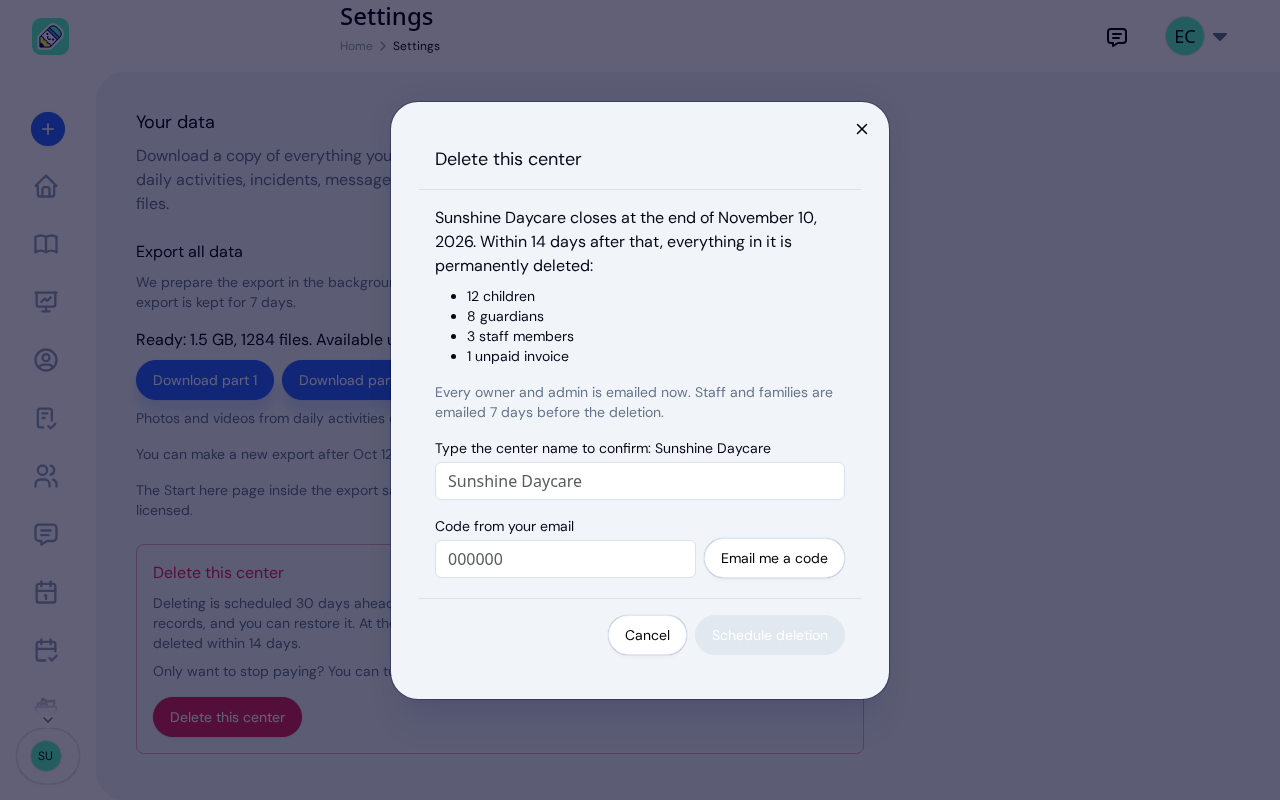
New: Delete Your Center From Settings
Owners can schedule their center's deletion from Settings, keep a full copy of their records, and restore the center...
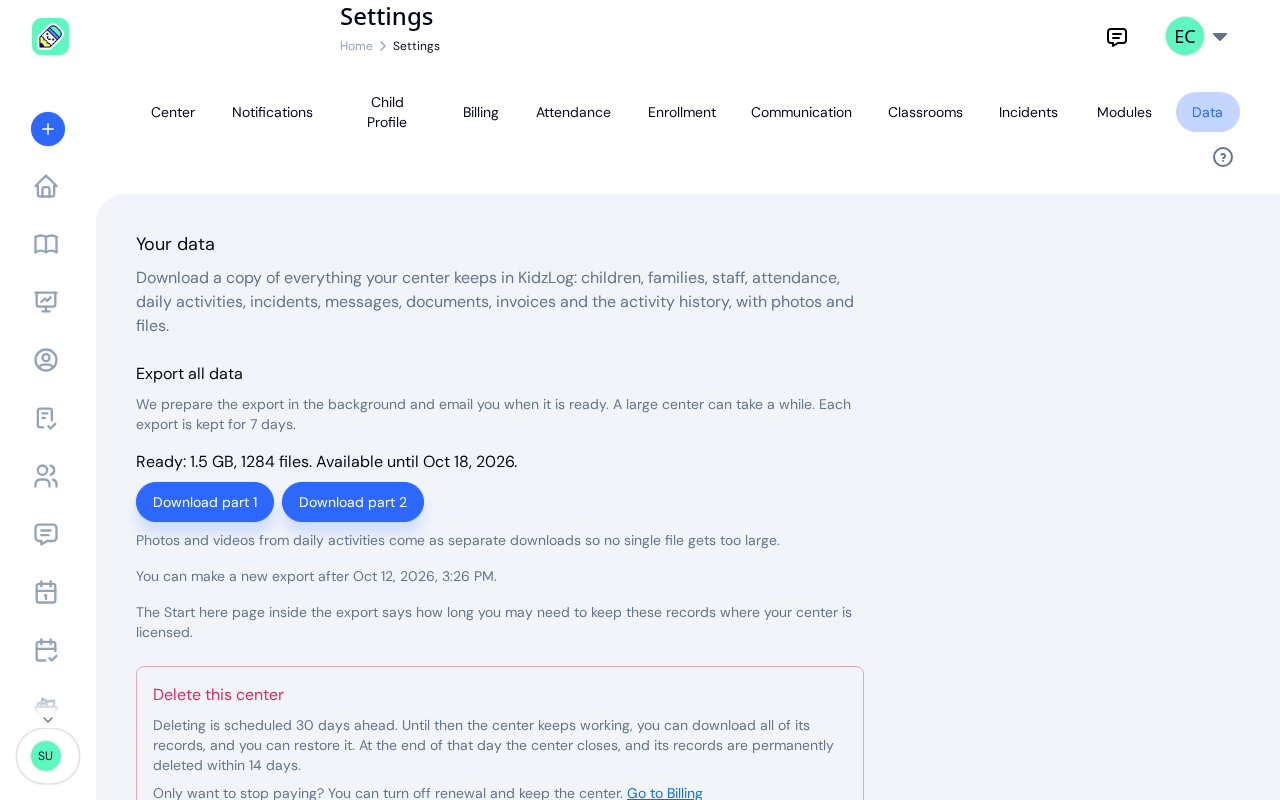
New: Export All of Your Center's Data
Owners can now download everything their center keeps in KidzLog: records as spreadsheets, documents, signatures,...
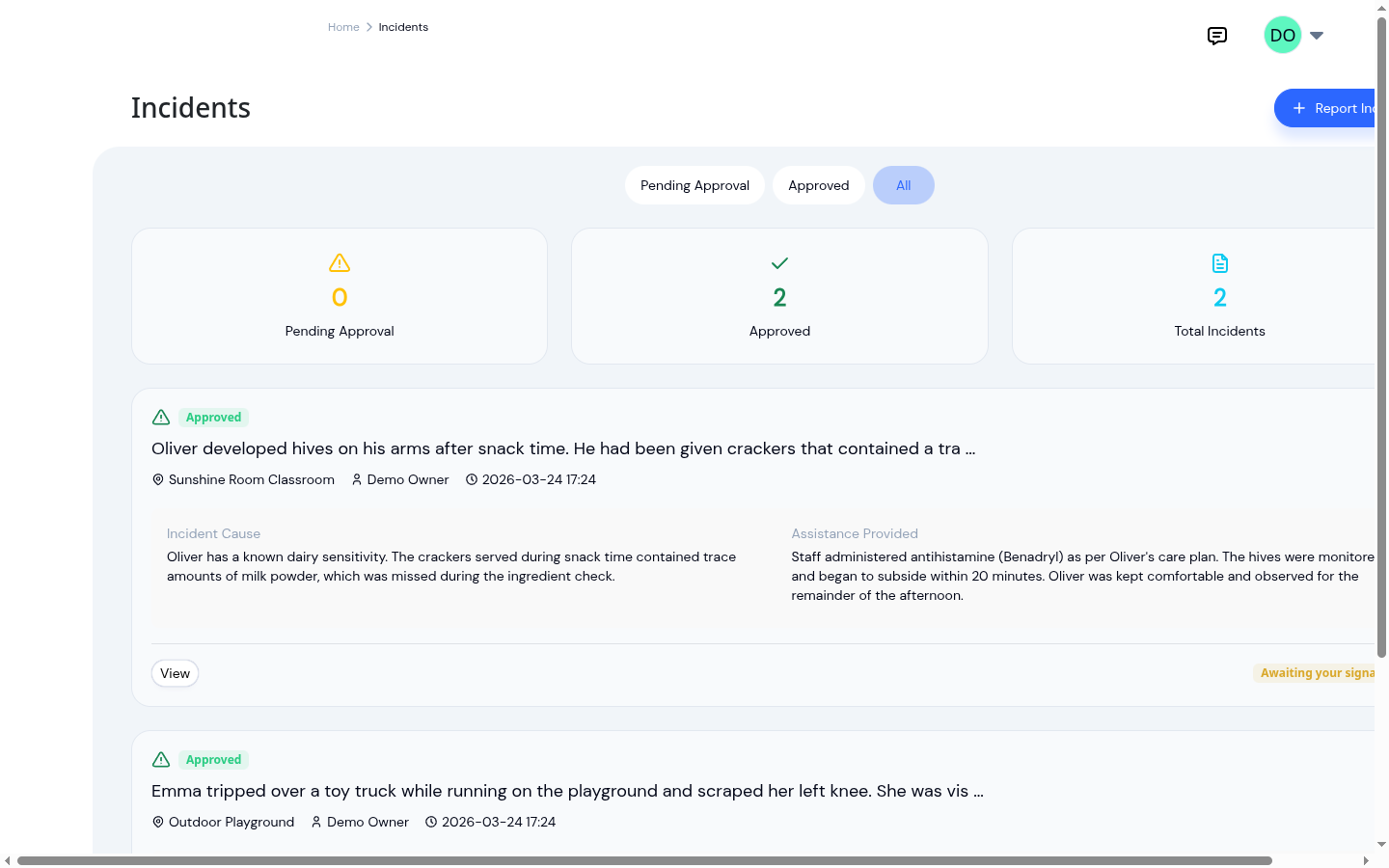
Paper vs digital incident reports
Paper vs digital incident reports compared on time spent writing them, accuracy of the record, and how easily they can...