June brought the biggest set of updates to KidzLog yet, and almost all of it targets one thing: the paperwork. Enrollment packets, incident reports, sign-in sheets, and permission forms all got faster to complete, easier to track, and safer to store.
Document Signing Has Arrived
You can now send documents to families and collect signatures online: no printing, no scanning, no chasing. Build a library of your center's documents (enrollment agreements, permission forms, policy acknowledgements), group them into packets, and send them to the families who need them. Parents review and sign from any device, and you see the status of every request at a glance: sent, viewed, signed.
KidzLog follows up for you. Automatic reminders nudge parents who haven't signed yet, and you can send a manual reminder any time. Signed documents are stored as PDF records against the child's profile, which helps you stay compliant with record retention requirements at licensing time.
It also connects to enrollment: approve an application and KidzLog can automatically send your enrollment packet to the family, even before they've created their account, with the documents waiting when they sign up. Read the full announcement in document signing and enrollment auto-send, or see our guide on collecting signed enrollment documents.
QR Check-In with Digital Signatures
Parents can now check their child in and out by scanning a QR code at your entrance and confirming with their PIN, then signing right on their own phone. You get signed attendance records that satisfy licensing requirements, without a lineup at the kiosk during the morning rush. Drawn signatures now appear across KidzLog wherever a sign-off matters. The full walkthrough is in the QR check-in announcement.
Audit-Ready Incident Reports
Incident reporting grew up in June, in ways licensing inspectors will appreciate:
- Type and severity on every report, so a scraped knee and a head bump are never filed the same way
- Injured body parts and witnesses captured directly on the report
- Signatures from everyone involved: the reporting staff member, the approving admin, and the parent
- A signed PDF export for your files — parents can export their child's reports too
- Parent acknowledgement follow-up: parents get an email when a report is ready, and optional automatic reminders follow up until they've signed
- A review-and-correct flow so an admin can fix details on a pending report, with every change recorded
If you're thinking about what makes a report hold up under scrutiny, our guide on incident reports you can defend pairs well with these changes.
Enrollment Applications, Reviewed Your Way
Centers that want a formal intake step can now turn on application review: families submit an application, staff review it in a queue, and approving it creates the child's record, activates the enrollment, and invites the parents, all in one step. You can edit a pending application, decline with a reason, or withdraw it, and every decision is recorded. Centers that prefer direct enrollment can keep working exactly as before. Details in review and approve enrollments.
A New Calendar
The calendar was rebuilt from the ground up: switch between calendar and list views, create recurring events in one go, see children's birthdays on an overlay, filter by classroom or event type, and get notifications for upcoming events. You can also export any month as a PDF to print and post on the classroom door.
Staff-to-Child Ratios at a Glance
Classroom pages, the attendance view, and a new dashboard card now show assigned staff against present children for each room, with a clear status when a room needs attention. It's a quick pulse check during drop-off, not a compliance calculator. The numbers reflect who's assigned and who's checked in. Our guide to staff-to-child ratios covers how centers use these numbers day to day.
Improvements
- Health screening corrections: Reopen a completed screen, see failed screens clearly flagged, and correct a same-day mistake in place — at the kiosk, by QR, or in the app
- Live messaging: Conversations and message lists now update on their own while you have them open, and unread badges show reliably
- Roster import: Bring your children's records into KidzLog by uploading a spreadsheet — helpful when switching from another system
- Attendance bulk actions: Select multiple attendance records to edit or delete in one step, with a running count of filtered results
- Capacity alerts: Get notified when a classroom or program reaches capacity
- Payments at a glance: The payments card on your dashboard now shows your real invoice totals
- Check-in security: PINs now lock after repeated wrong guesses at both the kiosk and QR check-in
- Help where you need it: Help links across the app now open the matching guide on the docs site
Bug Fixes
- The attendance day view now shows each record under the correct child
- The parent dashboard activity feed now shows updates only from the selected child's center
- Incident signatures are preserved when a report is approved or edited
- The mobile navigation menu scrolls properly on small screens
- Exporting child profiles or the calendar to PDF now asks for confirmation first
Ready to Simplify and Organize your Daycare?
Get started with KidzLog today!
KidzLog Team
Related Articles
August Update: Enrollments and Fillable Forms
Families apply from your center's own page, parents complete a whole PDF on their own device, and the attendance report...
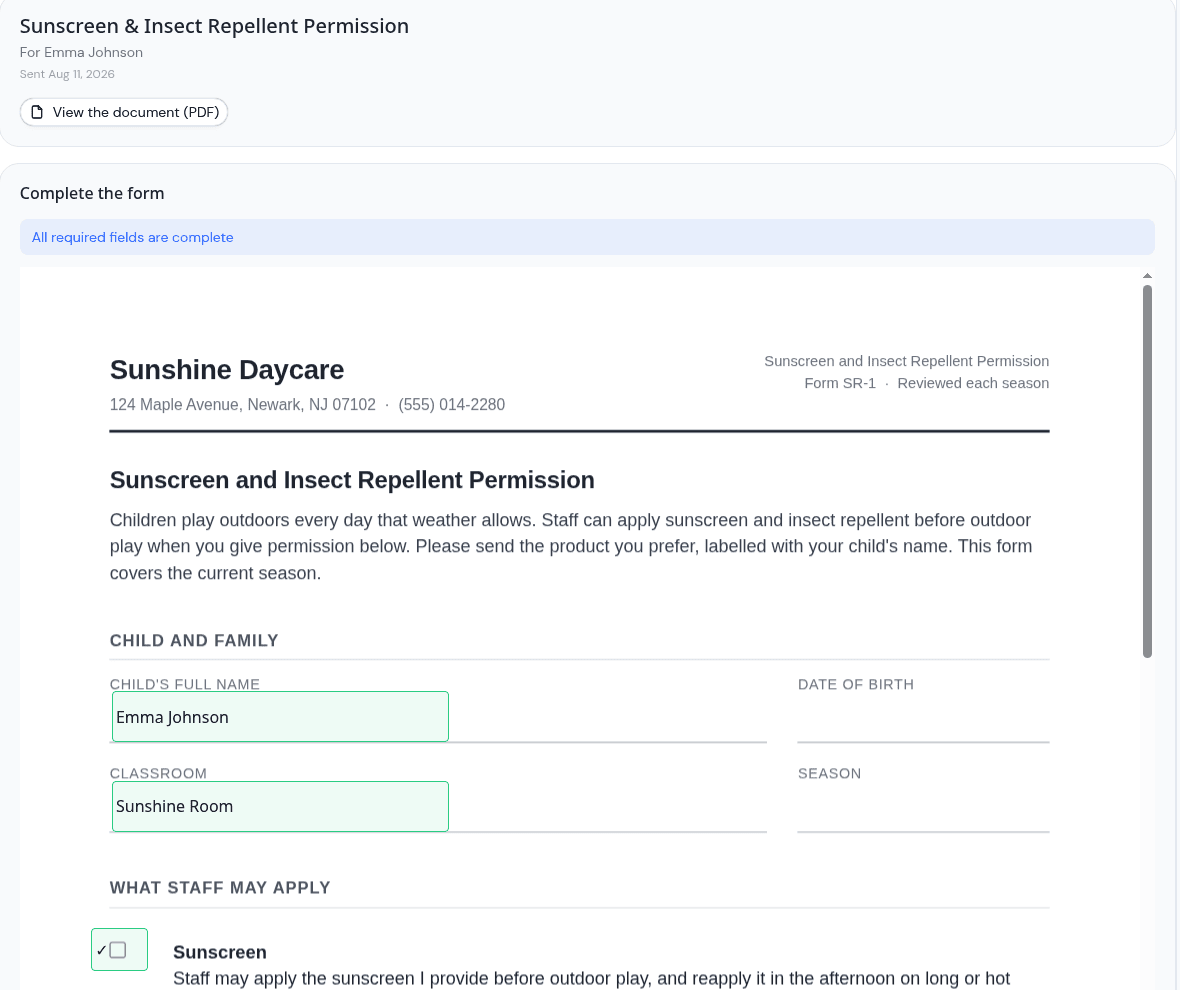
Parents can now fill in the form, not just sign it
Place signature, date, text and checkbox fields anywhere on a PDF, and parents complete the whole form on their own...
July Update: Safe Arrival and Incident Forms
Safe Arrival accounts for every child by your drop-off deadline, incident reports now use your state's own wording, and...