New: Event RSVPs and Calendar Subscriptions
Planning a holiday concert, a field trip or a parent-teacher evening goes better when you know who is coming. Events in KidzLog can now ask families to reply, and the replies come together in one list for your team. Parents can also subscribe to your center's events, so they appear in the calendar app they already use.
Ask families to reply
When you create an event, the Ask recipients to RSVP switch decides whether families are asked to reply. It is on by default for school events, special days, parent-teacher meetings and custom events, and off for closures, holidays, PD days and birthdays. You can change it on any event.
Choose when replies close: when the event starts, a set number of days before, or a week before. The time always follows your center's clock and names it, for example "Replies close Tue, Dec 1 at 11:59 PM (Toronto time)".
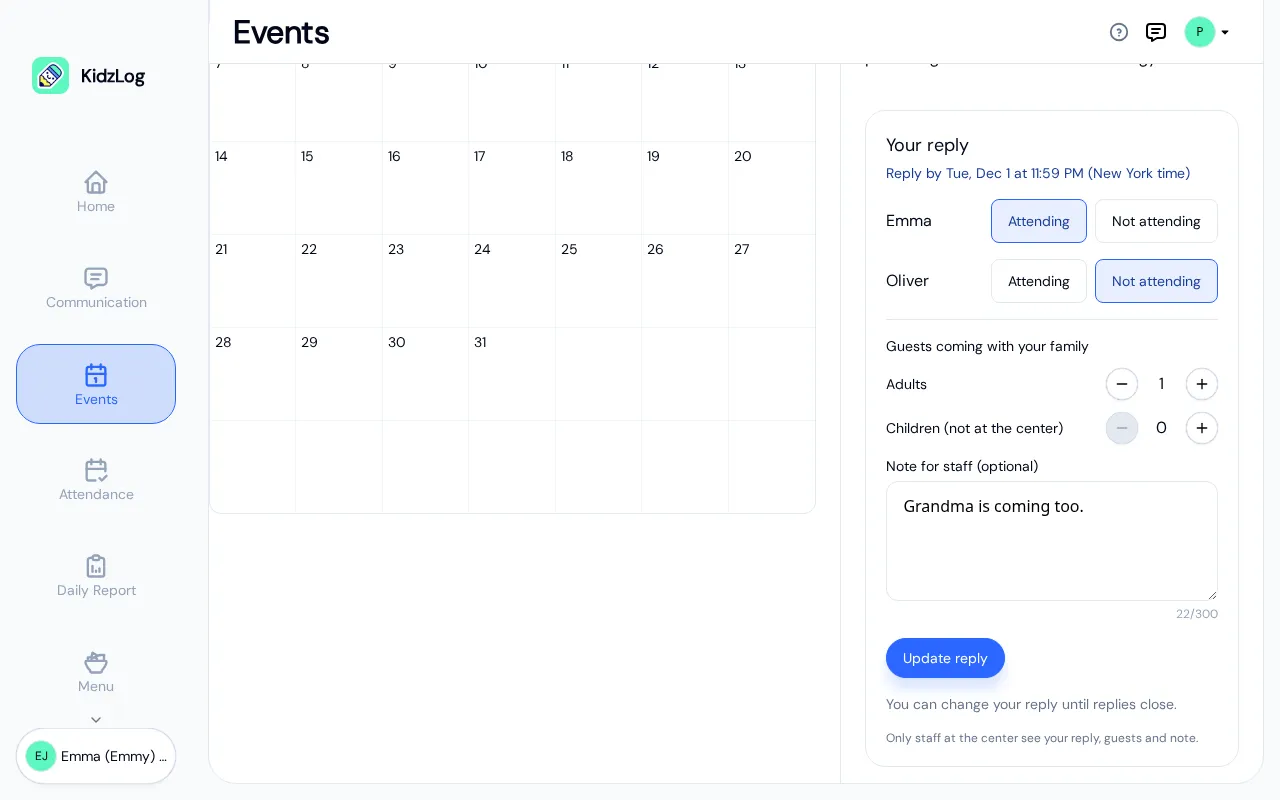
Families get the invitation in their event email. For each child the event is for, a parent picks Attending or Not attending. If you allow guests, they can also say how many adults and other children are coming along, such as a grandparent or a younger brother, and leave a short note for staff. Parents can change their reply until replies close, and only staff at the center see it.
See who is coming at a glance
Open the event to see its Responses: how many children are attending, not attending and still to reply, plus the number of adult and child guests. Filter the list to see only one group, and read each family's guests and note beside their child.
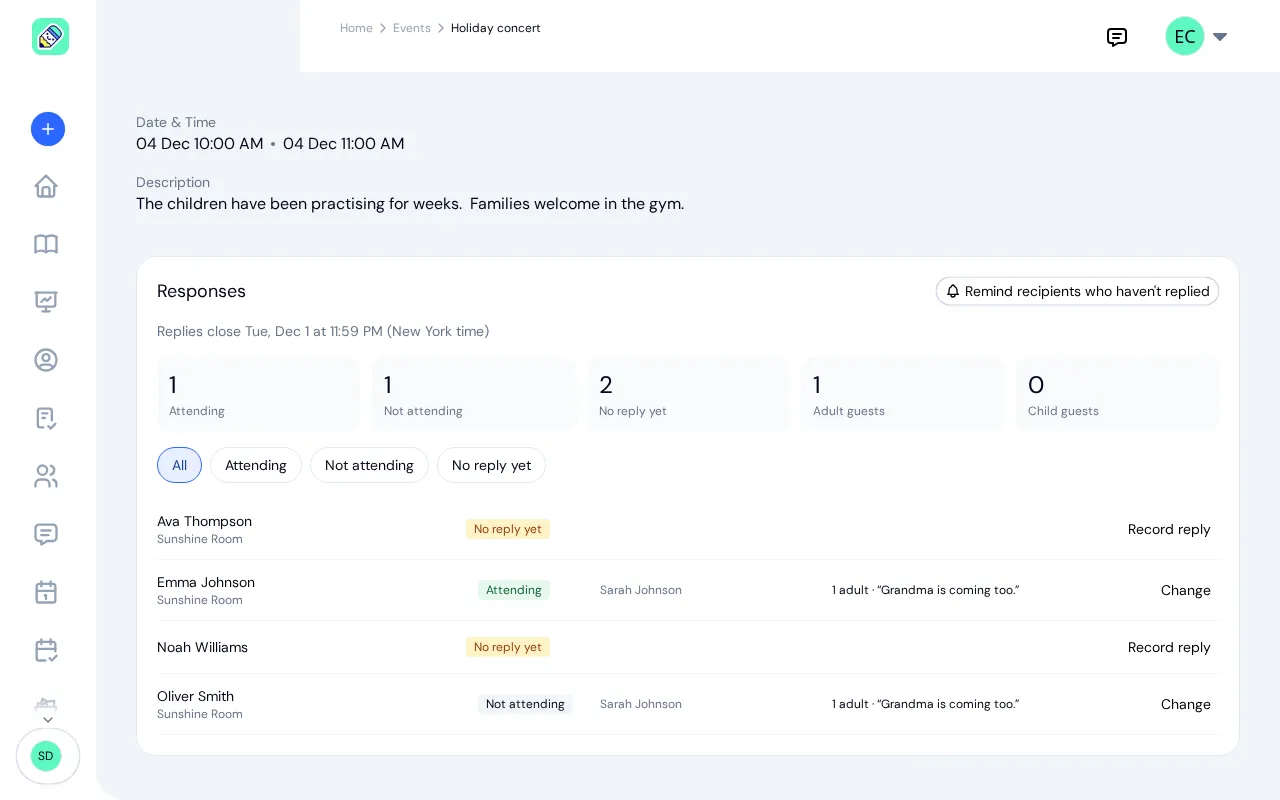
A family told you at pickup instead? Select Record reply and enter it for them. Teachers see the replies for the children in their own rooms, and the event list shows a count such as "12 of 20 replied" on each event that asks for replies.
Reminders that go out on their own
Families who haven't replied get one reminder email 48 hours before replies close. If you need to nudge them sooner, select Remind recipients who haven't replied. Only families still missing a reply hear from you, at most once a day per event, so nobody gets a pile of reminders.
Your events in parents' own calendars
On their Events page, parents can select Subscribe to add your center's events to Apple Calendar or Google Calendar in a tap, or copy a link into Outlook or another calendar app.
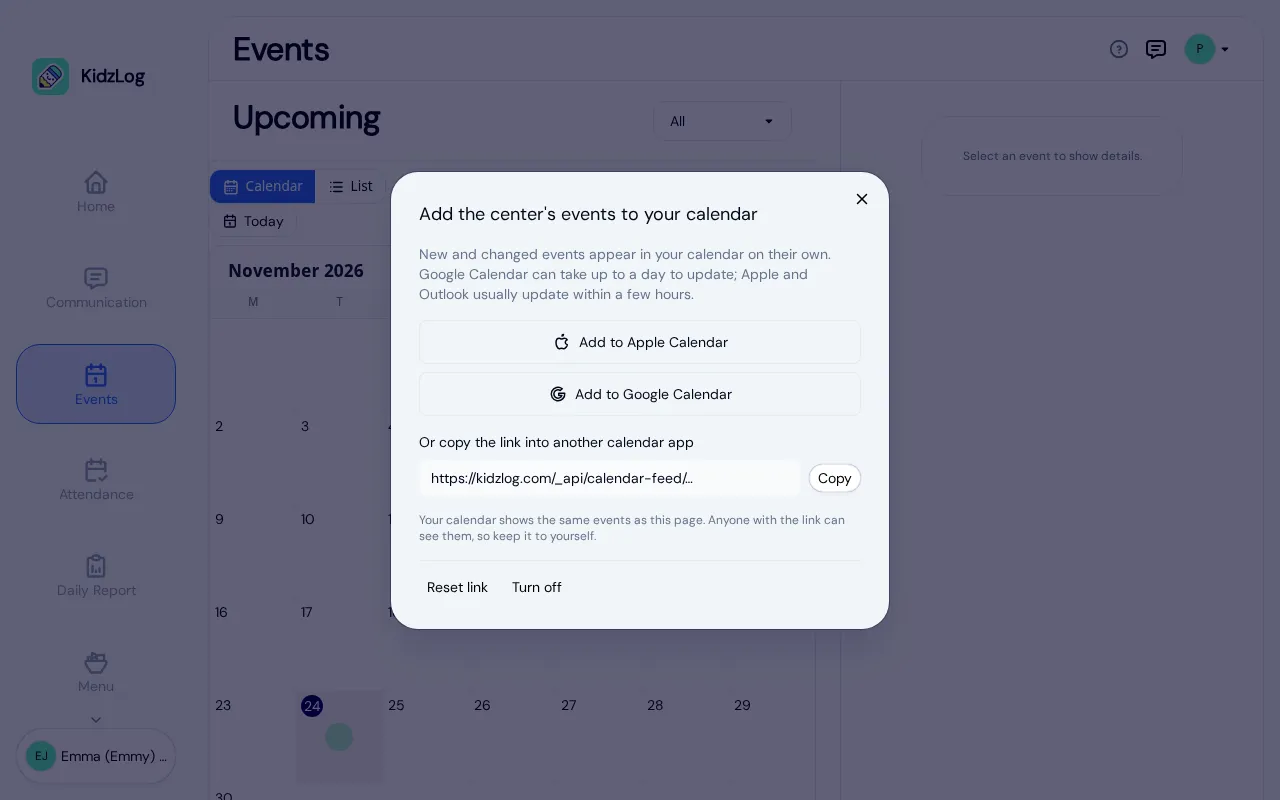
New and changed events appear in their calendar on their own, and a cancelled event is marked as cancelled. Parents see the same events they see in KidzLog, for their own children's rooms. Apple and Outlook usually update within a few hours; Google Calendar can take up to a day.
Each link is private to that parent. They can reset it if they shared it by mistake, or turn it off. Owners can switch calendar subscriptions off for the whole center under Settings > Communication.
For ideas on what to put in your center's calendar through the year, see the childcare center calendar guide, or read more about events in KidzLog.
Ready to Simplify and Organize your Daycare?
Get started with KidzLog today!
KidzLog Team
Related Articles
New: Schedule an Announcement for Later
Write a notice when you have a minute and choose when families get it. Email, app and text go out together at the time...
New: Planned Absences and Late Arrivals
Families and staff can report a child away or arriving late ahead of time. Safe Arrival waits for late children, and...
October Update: Document Steps and Room Posts
Staff see the document steps waiting on them, parents follow each step in order, teachers post to their whole room, and...