Running your childcare center calendar so nothing gets missed
Every childcare center runs on a shared sense of "what's happening this week." Picture day, the Tuesday music class, a field trip permission slip due Friday, the long weekend the center is closed. When that information lives in a paper newsletter or a single staff member's head, things slip: a parent shows up to locked doors on a closure day, or the toddler-room family never hears about the toddler-room party.
A good calendar fixes that by getting the right event in front of the right people, at the right time. Here's how to run yours in KidzLog.
Put events where they belong: center, program, or classroom
Not every event is for everyone. A center-wide closure is, but the Preschool Room's show-and-tell isn't relevant to the infant-room families, and flooding them with it just trains everyone to ignore notifications.
When you create an event, choose its scope:
- Center: everyone sees it (closures, holidays, open house).
- Program: only families and teachers in that program.
- Classroom: only that room's families and teachers.
Parents automatically see center events plus anything scoped to their own child's room or program, and nothing else. Teachers see center events plus their assigned classrooms. It just works, without anyone manually managing invite lists.
Teachers get their own calendar
Each teacher gets a dedicated Events page showing exactly what's relevant to their rooms, with the ability to add and manage their own classroom events. No more relying on the front desk to post the things a teacher is closest to.
The teacher closest to a classroom is usually the one who knows the painting smocks are running low or that Thursday's nature walk needs an extra parent volunteer. Letting them put that straight on the room's calendar, where their families already look, means it reaches the right people without a detour through the office. Center directors still see everything, so nothing happens off the books.
Set it once: recurring events
A weekly music class or a monthly family night shouldn't mean creating the same event over and over. Turn on Repeats, pick a pattern (daily, weekly with your choice of days, or monthly), and set when it ends: after a number of sessions, or on a date.
When something changes, you decide how far the change reaches: this event only, this and all following, or the whole series. Move one week's class without disturbing the rest, or update them all at once.
Make closures impossible to miss
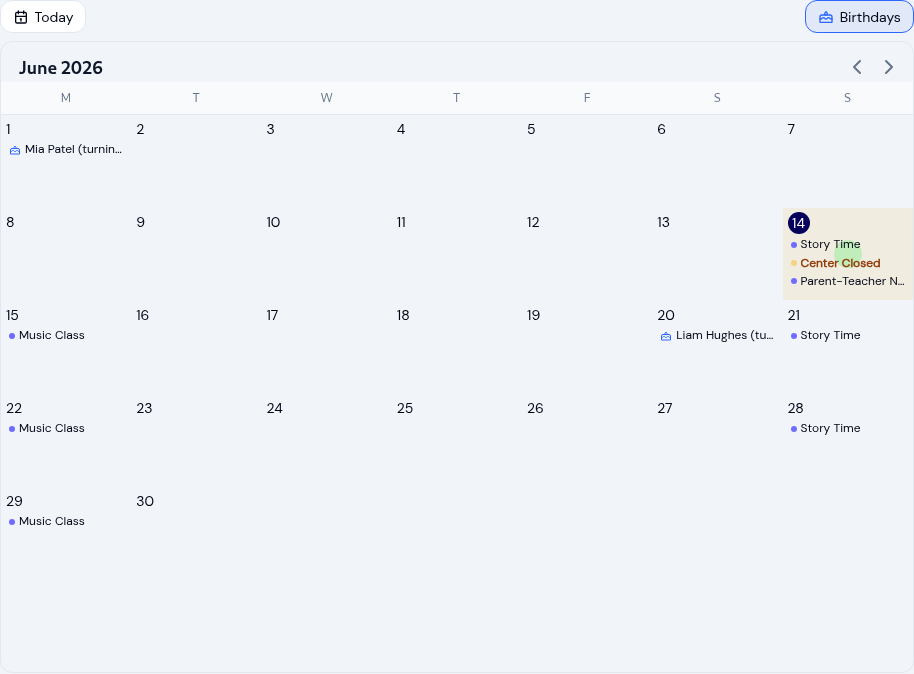
Closure and holiday events get extra visibility: they stand out on the calendar, and the email subject line is flagged so it doesn't get lost in an inbox. And when a day is marked as a closure, staff see a clear "Center is closed" banner right on the attendance screen for that day, a last-line check before anyone wonders why no one's arriving.
Centers can also turn calendar-event emails on or off center-wide, so you control the volume the same way you manage the rest of your parent communications. A snow day or a sudden boiler repair is exactly the moment a calendar earns its keep: mark the day closed once, and every affected family hears about it the same evening instead of finding out at the front door.
Let families add events to their own calendar
The events you post shouldn't be locked inside one more app a family has to remember to open. Every event has an Add to calendar button: download an .ics file or add it straight to Google Calendar in one tap, so it's accessible anywhere they already plan their week, on any phone, tablet, or laptop. For a recurring event, families can add the whole series at once. Picture day lands in a parent's own calendar next to the dentist appointment and the soccer schedule, where they'll actually see it.
See the whole month at a glance
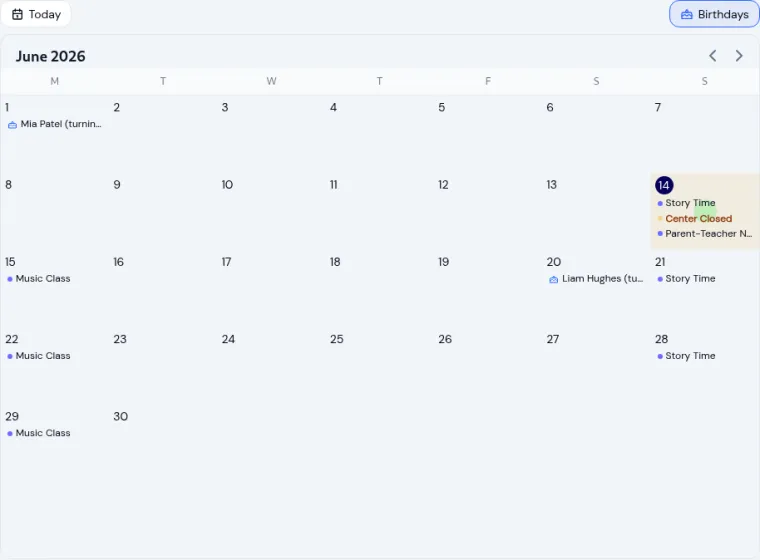
The month view shows real event names right in each day, so you can read the week in one look instead of tapping into every date to find out what's there. On a small screen it folds into a clean day-by-day agenda, so it stays just as easy to scan.
There's even an optional birthdays overlay so teachers and admins can see whose birthday is coming up and plan a little celebration. It pulls from the children already in your roster, so nobody has to keep a separate list, and a child who might otherwise be quietly forgotten gets their moment.
Good calendar hygiene isn't glamorous, but it's the difference between a center that feels organized and one that feels like everyone's guessing. Scope events to the people who need them, set the recurring ones once, flag your closures, and let families take events with them. KidzLog's calendar is built to make all of that the easy path.
Ready to Simplify and Organize your Daycare?
Get started with KidzLog today!
KidzLog Team
Related Articles
KidzLog vs Procare for Small Centers
An honest comparison of KidzLog and Procare for small and mid-size centers: pricing, what is included, and how...
KidzLog vs Brightwheel for Small Centers
An honest comparison of KidzLog and Brightwheel for small and mid-size centers: pricing math, setup time, and how...
Technology and Parent Engagement
How centers use apps, parent portals, and digital tools to keep families engaged, with practical notes on privacy...