Running a childcare center means juggling a hundred small tasks every day. Two of the most common: chasing down forgotten check-outs at the end of the day, and manually closing out enrollments that ended weeks ago.
KidzLog now handles both automatically — on your terms.
Stale Check-In Auto-Close
It happens at every center: a parent picks up their child but forgets to check out, or a staff member gets busy and misses it. At the end of the day, you're left with "still here" records that aren't accurate.
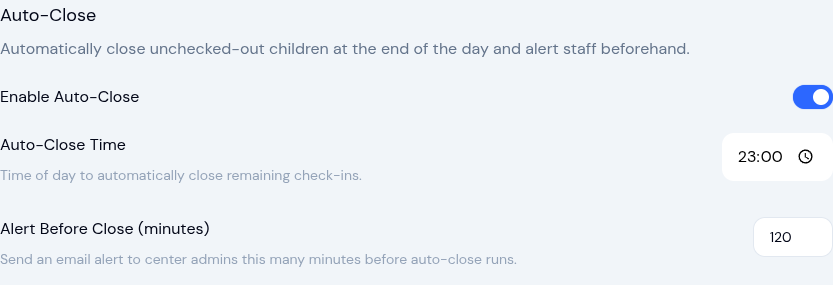
Auto-Close fixes this by automatically closing any remaining check-ins at a time you choose — typically end of day. It builds on KidzLog's attendance tracking system to keep your records accurate without extra effort.
Here's how it works:
- Alert email first — Before auto-close runs, center admins receive an email listing which children still appear checked in. This gives staff a chance to manually check out anyone who's actually still present.
- Auto-close at your chosen time — If no action is taken, remaining check-ins are closed automatically with a note: "Auto-closed: No check-out recorded."
- Summary email — After auto-close runs, admins receive a summary of what was closed.
You control the timing:
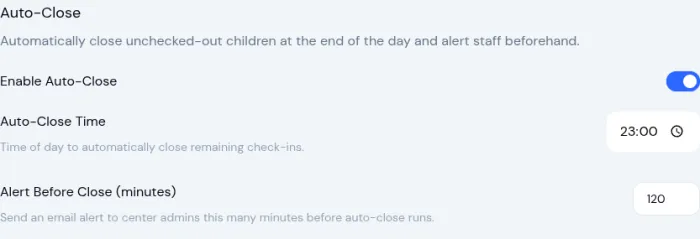
- Auto-Close Time — When to close remaining check-ins (default: 11:00 PM)
- Alert Before Close — How many minutes before auto-close to send the warning email (default: 120 minutes)
Enrollment Auto-Complete
When a child's enrollment has an end date and that date passes, the enrollment should move from "Active" to "Completed." Previously, this had to be done manually — and it was easy to forget, leaving stale active enrollments cluttering your list.
Enrollment Auto-Complete checks daily for active enrollments whose end date has passed and marks them as completed automatically. Center admins receive a digest email summarizing what changed.

You're in Control
Both features are opt-in — they're disabled by default and won't activate until you explicitly enable them. You'll find both toggles under Settings > Attendance.
Every automated action is:
- Logged in your center's audit trail
- Emailed to center admins so nothing happens silently
- Reversible — auto-closed attendance can be edited, and completed enrollments can be reopened
How to Enable
- Go to Settings > Attendance
- Scroll to the Auto-Close section and toggle it on
- Set your preferred close time and alert window
- Scroll to Enrollment Auto-Complete and toggle it on
- Click Save
That's it. Two fewer things to remember at the end of every day. For more on streamlining check-ins, see how childcare centers can speed up attendance check-ins.
Ready to Simplify and Organize your Daycare?
Get started with KidzLog today!
KidzLog Team
Related Articles
August Update: Enrollments and Fillable Forms
Families apply from your center's own page, parents complete a whole PDF on their own device, and the attendance report...
June Update: Document Signing and QR Check-In
Send documents for online signatures, offer QR check-in, file audit-ready incident reports, and review enrollment...
March Update: Communication Hub and Enrollment
Reach parents by SMS, move children between programs in bulk, archive child profiles at graduation, and track...