How to Choose Childcare Management Software That Actually Supports Your Center
Choosing childcare management software is not a decision you want to get wrong. The right platform can save your team 10 to 20 hours per week and transform how your center operates. The wrong one can add frustration, waste money, and leave you stuck in a contract that does not fit your needs.
Childcare management software helps centers automate administrative tasks like attendance tracking, parent communication, and child information management through a single integrated platform. The best systems reduce paperwork, improve parent satisfaction, and give directors time to focus on program quality instead of endless admin work.
But here's the challenge. The market is crowded with options, each claiming to be the perfect solution. Some are genuinely excellent. Others are clunky, overpriced, or missing features that matter. Many directors end up choosing based on price alone or going with whatever their colleagues use, only to discover six months later that the software does not actually support how their center operates.
This guide walks you through exactly what to look for, what questions to ask, and what warning signs to watch for when choosing childcare management software that will actually make your life easier.
Why the Right Software Matters More Than You Think
Before we get into features and pricing, let's be clear about why this decision matters so much.
It Affects Everyone in Your Center
Software decisions impact directors, teachers, administrative staff, and parents. If the platform is difficult to use, teachers will resist it. If parents find it confusing, you'll spend hours answering support questions. If key information is hard to access, your admin team will struggle daily.
The best software becomes invisible. People use it naturally because it fits their workflow, not because they're forced to.
The Cost of Switching is High
Once you've migrated data, trained staff, and gotten parents accustomed to a system, switching becomes a major project. Most centers stay with their first choice for years, even when they're unhappy, simply because the switching cost feels too high.
Getting it right the first time saves you from this problem.
Time Savings Compound
When software saves your teachers 30 minutes per day, that's 2.5 hours per week per teacher. With five teachers, that's 12.5 hours weekly or 650 hours annually. Those are hours that can go toward professional development, program improvement, or direct interaction with children instead of paperwork.
Parent Satisfaction Drives Enrollment
Parents today expect real time updates, easy communication, and quick access to their child's information. Centers that deliver this experience through good software have a measurable enrollment advantage. Parent satisfaction directly impacts retention and word of mouth referrals.
What to Look for in Childcare Management Software
Not all features are created equal. Some are essential. Others are nice to have. And some are bells and whistles that sound impressive but rarely get used. Here's what actually matters.
Attendance Tracking and Check-In Systems
This is the foundation. Your software should make attendance tracking effortless, not another administrative burden.
What to look for:
- Digital check-in and check-out with automatic time stamps
- Multiple check-in options (kiosk mode on tablets, web-based access, staff entry)
- Real time attendance visibility for staff and directors
- Automatic parent notifications when children arrive and depart
- Easy retrieval of historical attendance data for licensing audits
Red flags:
- Systems that require multiple steps to check a child in
- Attendance that does not sync across the platform
- Complicated process for making corrections
Why it matters: If attendance tracking is clunky, staff will resist using it or find workarounds. This defeats the entire purpose of having software. The goal is seamless tracking that happens naturally during drop-off and pickup, not another task staff have to remember.
Parent Communication Tools
Communication can make or break parent satisfaction. Your software should make it easy for teachers to share updates without adding to their workload.
What to look for:
- Photo sharing with individual families or groups
- Activity logging (meals, naps, diaper changes, learning moments)
- Direct messaging between parents and teachers
- Announcement system for center-wide updates
- Real-time notifications parents can customize
Red flags:
- Separate platforms for different communication types
- Complicated upload process for photos
- No ability to schedule announcements
- Parents complain the interface is confusing or slow
Why it matters: When teachers can share updates quickly from any device, they're more likely to do it consistently. Parents who feel connected and informed are happier and more loyal to your center. Modern parents expect this level of communication, and centers that provide it have a competitive advantage.
Child Information Management
Keeping accurate, accessible child records is essential for safety, compliance, and quality care. This is where many basic systems fall short.
What to look for:
- Complete child profiles with all essential information in one place
- Medical records and allergy information easily accessible to staff
- Emergency contact details that can be quickly retrieved
- Secure document storage for immunization records and forms
- Role-based access so staff only see what they need
- Parent portal where families can view and update their child's information
Red flags:
- Scattered information across multiple screens or systems
- Difficult to update when families provide new information
- Limited search functionality when you need information quickly
Why it matters: When a child has an allergic reaction or there's an emergency, you need instant access to medical information, emergency contacts, and parent phone numbers. Centralized child information management can literally save lives while also making daily operations smoother. Beyond emergencies, having complete, organized child profiles helps staff provide better individualized care and strengthens communication with families.
Compliance and Reporting
Licensing audits and regulatory reporting are non-negotiable. Your software should make compliance easy, not stressful.
What to look for:
- Attendance reports
- Custom report builder for specific needs
- Incident and accident logging
- Health screening documentation
- Export capability (Excel, CSV, PDF)
- Long-term data retention
Red flags:
- Limited reporting options
- Data you cannot export or access
- No way to prove historical compliance
- Unclear data retention policies
Why it matters: When an inspector shows up, you need to produce accurate records immediately. Software that supports this reduces audit stress significantly and protects your license.
Ease of Use for Staff and Parents
The best software in the world is worthless if people do not use it. Usability matters as much as features.
What to look for:
- Clean, intuitive interface that does not require extensive training
- Web or mobile access from any device type
- Minimal clicks to complete common tasks
- Clear navigation and logical organization
- Good search functionality
Red flags:
- Staff complain it's confusing or slow
- Frequent error messages or crashes
- Requires constant training refreshers
- Different apps required for different features
Why it matters: Adoption is everything. Software that's difficult to use will be avoided or used incorrectly, undermining its value. The goal is technology that feels natural and saves time, not creates frustration.
Customer Support and Training
Even great software needs good support. Things will go wrong. You'll have questions. Support quality matters.
What to look for:
- Multiple support channels (email, chat, or phone)
- Comprehensive help documentation
- Video tutorials and training resources
- Onboarding assistance included
Red flags:
- Slow response times via support channels
- No onboarding help provided
- Sparse documentation
Why it matters: When you cannot reach support or get unhelpful responses, small problems become big frustrations. Good support makes you feel confident in your choice and helps you get maximum value from the platform.
Questions to Ask Before You Buy
Demos look impressive. Sales pitches sound convincing. But you need to dig deeper. Here are the questions that reveal what working with a platform is really like.
About Features and Functionality
- "Can I see a demo with our actual workflows?" Ask the vendor to show you how their software handles your specific use cases, not just a canned demo.
- "What features are included at each pricing tier?" Many platforms advertise features that are only available at higher price points.
- "How do you handle multiple locations?" If you have or plan to have multiple centers, understand how the platform manages this.
- "What happens with data if we need to make changes?" Can you bulk update information? Import data? Make corrections easily?
- "What security measures protect our data?" Especially important for compliance with privacy laws like PIPEDA.
About Implementation and Training
- "What does onboarding look like?" How much support do you get? How long does setup take?
- "Can we import our existing data?" Will they help with migration, or are you on your own?
- "What training is provided for staff and parents?" Live training, videos, documentation?
- "How long does it typically take centers to go live?" This sets realistic expectations.
About Costs and Contracts
- "What's the total monthly cost, including all fees?" Watch for hidden costs (payment processing fees, support charges, per-user fees).
- "Is there a contract term or commitment?" Month to month is better than being locked in for years.
- "What happens if we need to cancel?" Can you export your data? What's the cancellation process?
- "Are there setup fees or migration costs?" One-time costs can add up quickly.
Common Mistakes to Avoid
Centers make the same mistakes repeatedly when choosing software. Learn from them.
Choosing Based on Price Alone
The cheapest option is rarely the best value. A platform that costs $50 more per month but saves you 10 hours is worth it. Calculate the real cost of your time.
Not Involving Your Team
Directors sometimes choose software without input from teachers or admin staff. Then they wonder why adoption is poor. Get feedback from the people who will use it daily.
Ignoring Parent Experience
You might love a platform, but if parents find it confusing or frustrating, you'll hear about it constantly. Always evaluate from the parent perspective too.
Falling for Feature Overload
More features do not equal better software. Often the opposite is true. Too many features create complexity and confusion. Focus on what you'll actually use.
Skipping the Trial Period
Never buy without testing. A 14 to 30 day trial lets you see how the software works with real operations, not just a demo. Use it during actual drop-off, with real staff, and get real parent feedback.
Not Planning for Data Migration
Moving from one system to another takes time and effort. Understand what data can be imported and what will need manual entry. Factor this into your timeline.
Assuming Customer Support Will Be Good
Always test support during your trial. Send them questions. See how quickly and helpfully they respond. This predicts your future experience.
How to Evaluate Options: A Practical Framework
Here's a step by step approach to narrowing down your choices and making a confident decision.
Step 1: Define Your Must-Have Features
Before looking at any software, list your top 5 to 7 requirements. What would make the biggest difference in your daily operations?
Examples:
- Easy photo sharing from mobile devices
- Complete child profiles with medical information
- Attendance with automatic ratio tracking
- Compliance reporting for our state or province
- Affordable for our size and budget
Step 2: Research 3 to 5 Platforms
Look at review sites, ask other directors, and create a shortlist. Don't try to evaluate 20 options. That's overwhelming.
Good places to research:
- Google searches for childcare software reviews
- Local childcare association recommendations
- Facebook groups for childcare directors
Step 3: Schedule Demos and Ask Hard Questions
Book demos with your shortlist. Use your question list. Take notes. Get answers in writing if something is critical.
Bring your team to demos. Their perspective matters. Have one person watch for features, another for usability, another for parent experience.
Step 4: Start Free Trials
Most platforms offer 14 to 30 day trials. Run them with real data and real workflows. Have staff test daily tasks. Have parents test the portal.
Create a scorecard:
- Ease of use (1 to 10)
- Feature completeness (1 to 10)
- Support quality (1 to 10)
- Parent feedback (1 to 10)
- Value for money (1 to 10)
Step 5: Make Your Decision
Review your scorecards with your team. Consider both quantitative scores and qualitative feedback. Trust your gut on what feels right.
Remember, you're choosing a partner, not just a product. Does this company seem responsive and invested in your success?
Red Flags That Should Make You Walk Away
Some warning signs are deal breakers. If you see these, keep looking.
- Poor user reviews with consistent themes. One or two negative reviews happen. Ten reviews mentioning the same problem? That's a pattern.
- Pushy sales tactics or pressure to sign immediately. Good companies are confident enough to let you take your time.
- No free trial available. If they won't let you test it, they know it does not hold up to scrutiny.
- Vague answers about security or compliance. These are critical. You need clear, confident answers.
- Terrible support during evaluation. If they're unresponsive when trying to win your business, imagine how they'll treat you after.
- Contract terms that trap you. Multi-year contracts with no out clause are risky. Look for month to month or reasonable commitments.
What Makes KidzLog Different
We built KidzLog specifically for childcare centers that want powerful features without overwhelming complexity.
Web-based platform means genuine accessibility. No app downloads required. Access from any device through your web browser. Parents and staff can use it on phones, tablets, or computers. This means automatic updates and no compatibility issues. It just works.
Designed around real childcare workflows. Kiosk mode check-in with PIN security. One-tap activity logging. Bulk actions for common tasks. Photo sharing in seconds. Every feature is built around how centers actually operate, not how software developers think they should operate.
Complete child information management. Centralized child profiles with medical records, emergency contacts, allergies, and customizable fields. Everything staff needs to know about each child in one secure, searchable location. Parents can view and update information through their portal, keeping everything current.
Real-time parent communication. Direct messaging, photo sharing, activity updates, and announcements all in one place. Parents get instant notifications when their child checks in, when photos are shared, or when important announcements are posted. No more wondering what happened during the day.
Honest, straightforward pricing. Starting at $8 USD or $10 CAD per month with no hidden fees. All core features included. No surprise charges for support or basic functionality.
Genuine support from people who understand childcare. Real people who know the challenges of running a childcare center, not scripted call center responses. We're here to help you succeed.
Built for compliance from day one. Support for US state requirements, Canadian provincial regulations (including PIPEDA), and international standards. Attendance records stored securely for 5+ years. One-click compliance reports. Everything you need to stay audit-ready.
Take the Next Step
Choosing childcare management software does not have to be overwhelming. Focus on what matters most for your center, involve your team in the decision, and test before you commit.
The right platform will feel like it was built for you. Staff will adopt it naturally. Parents will appreciate it. And you'll wonder how you ever managed without it.
If you're ready to see a platform that puts simplicity, functionality, and genuine childcare understanding first, look at what KidzLog's childcare management software actually covers, and at the pricing, which is published rather than gated behind a sales call.
Start your 15-day free trial at Kidzlog.com. No credit card required. No pressure. No setup fees. Just see if it works for you.
About KidzLog: KidzLog is a web-based childcare management platform serving centers across the United States, Canada, and internationally. We help childcare providers simplify operations, improve parent communication, and maintain compliance without adding administrative burden. Our platform is designed to be intuitive, affordable, and genuinely supportive of how childcare centers actually work. From single-room home daycares to multi-location centers, KidzLog adapts to your needs.
Ready to Simplify and Organize your Daycare?
Get started with KidzLog today!
KidzLog Team
Related Articles
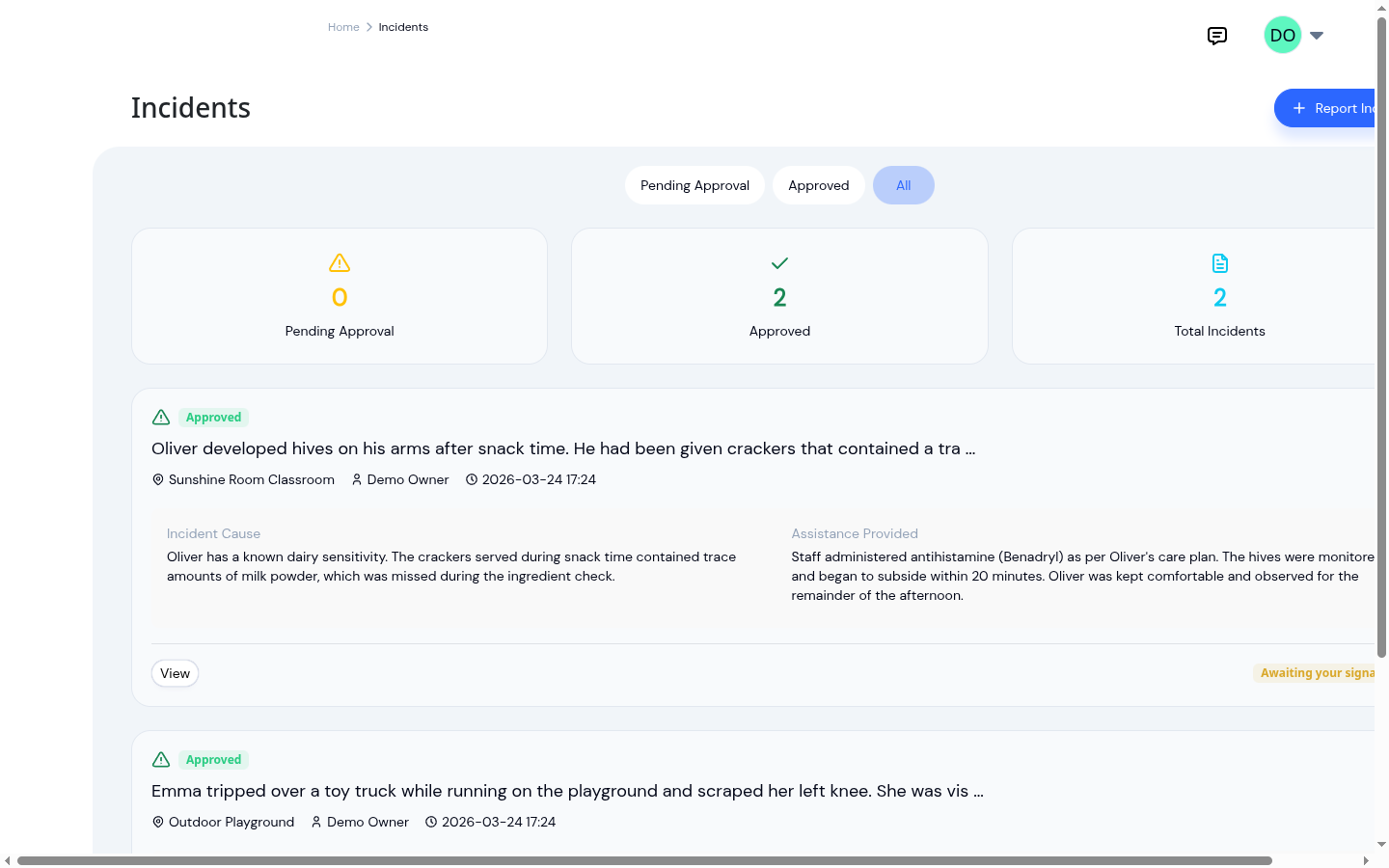
Paper vs digital incident reports
Paper vs digital incident reports compared on time spent writing them, accuracy of the record, and how easily they can...
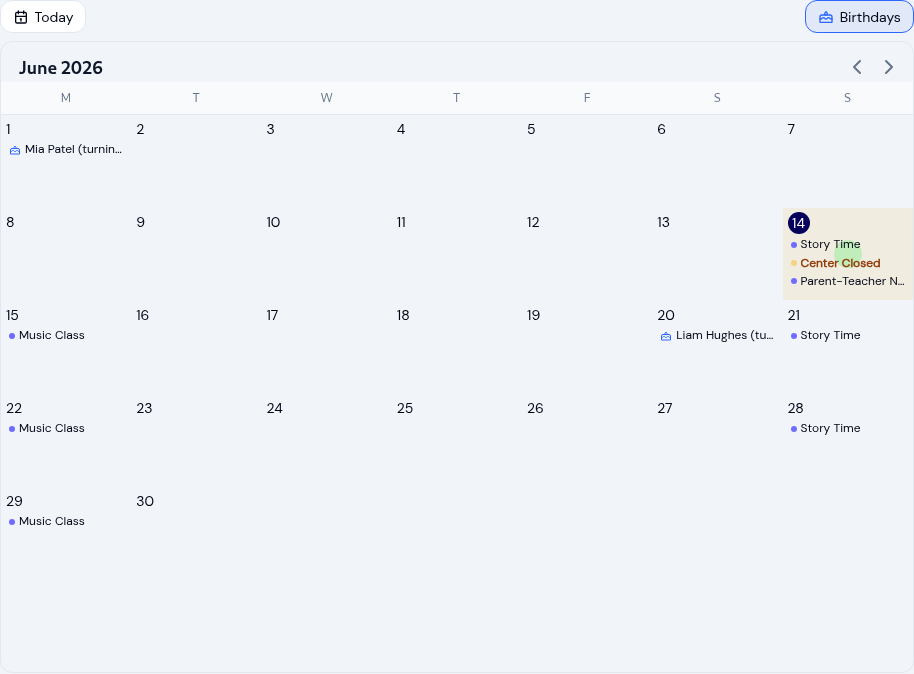
Running your childcare center calendar
Keep every family and teacher on the same page with a childcare calendar: scoped events, recurring schedules, closure...
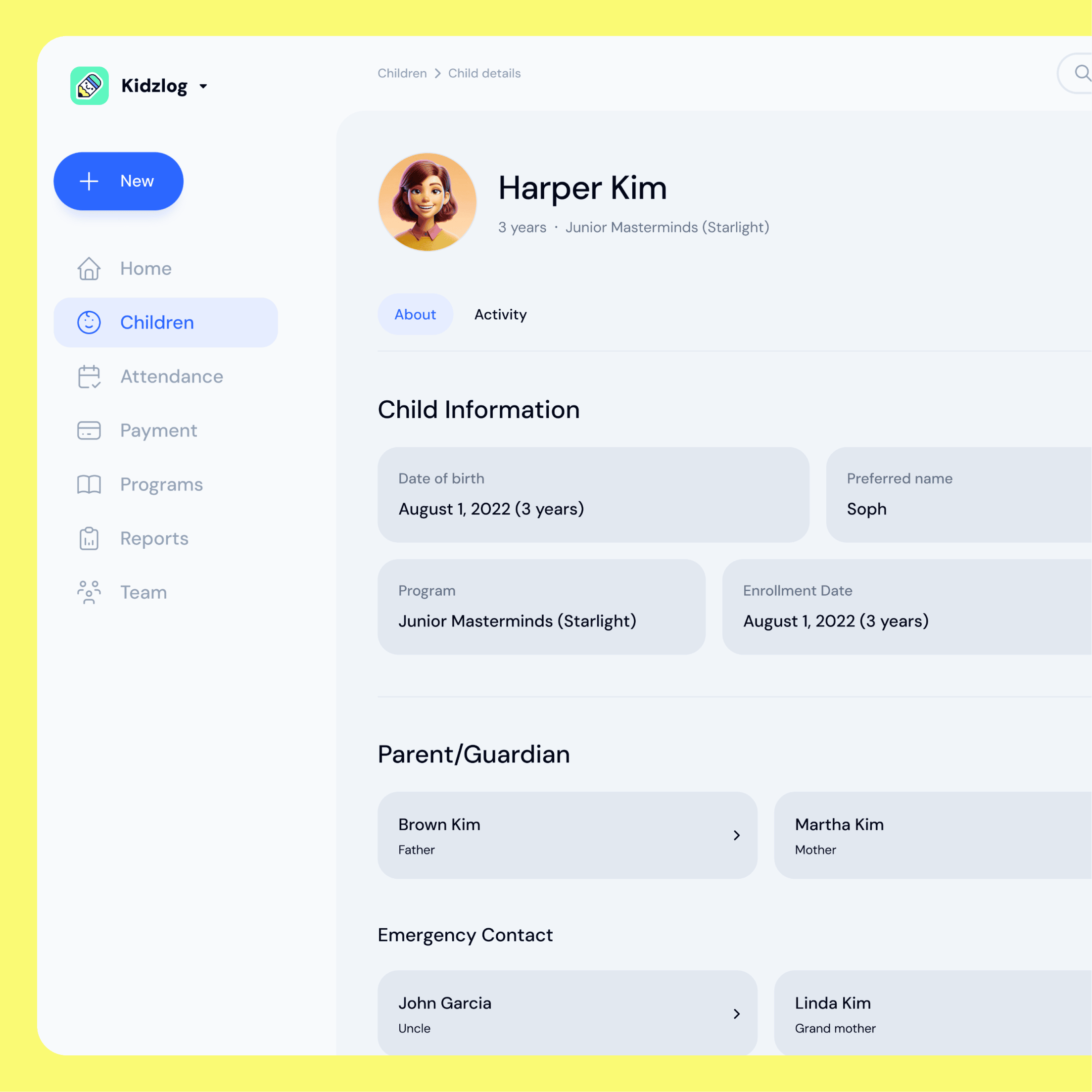
Switching daycare software: import your roster
Moving to a new childcare platform usually means a sales call and a wait. KidzLog lets you import your whole roster...