One Place for Every Message: The Communication Hub
Picture the middle of a busy morning. A parent hasn't shown up and you need to text them. A weather advisory needs to go out to all families. A teacher wants to follow up on yesterday's conversation about a child's allergy. Each of those actions used to live in a different part of KidzLog. Announcements over here, Messages over there, App Messages somewhere else.
That fragmentation is gone. KidzLog now has a single Communication section that brings announcements, conversations, and SMS together under one roof.
Everything Under One Tab
Three separate sidebar links — Announcements, Messages, and App Messages — have been consolidated into a single Communication entry. Click it and you'll see tabbed navigation: Announcements and Conversations, side by side.
No more hunting through the sidebar. No more forgetting which tool does what. Your team opens Communication and everything is right there.
SMS Alerts on Announcements
Announcements already delivered in-app and via email. Now there's a third option: SMS.
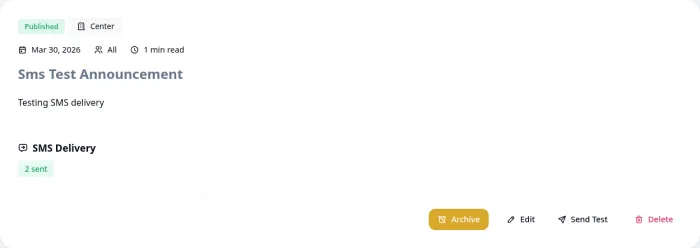
When publishing an announcement, toggle on SMS delivery and a text alert goes out alongside the email. This is especially valuable for time-sensitive messages like weather closures, last-minute schedule changes, and emergency notifications where you can't wait for a parent to check their email.
A few things happen automatically behind the scenes:
- Parents only — SMS goes to parents in the announcement's scope, not staff (staff already see it in-app)
- Phone deduplication — if two parents share a phone number, only one text is sent
- No re-send on edit — if you update a published announcement, SMS won't fire again
This pairs with KidzLog's existing scope targeting. An announcement scoped to a single classroom sends SMS only to parents in that classroom, not the entire center.
After publishing, the announcement view shows an SMS Delivery summary: how many were sent, failed, or still pending, so you know at a glance whether the message got through.
Parents can opt in or out of SMS alerts from their notification settings with a dedicated "Receive announcement SMS alerts" toggle, giving them control without losing the option entirely.
SMS Log
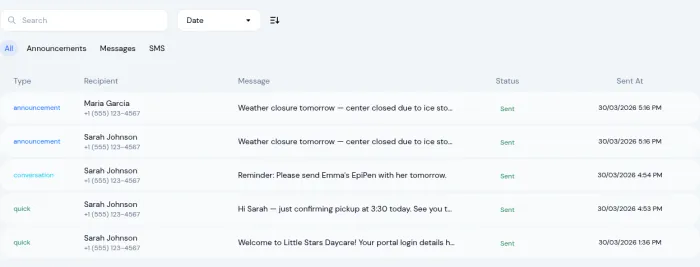
Every text message sent from your center is tracked in the SMS Log tab. Filter by type (announcement, conversation, or quick), search by recipient, and check delivery status. It's a complete audit trail, useful for verifying that an important message actually reached the right parent.
Quick SMS from Anywhere
Sometimes you just need to text one parent. Maybe they're running late, or you need to confirm a pickup change. Previously, that meant navigating to App Messages and composing from scratch.
Now you can send a Quick SMS directly from two places:
- A parent's profile page — tap the SMS button and type your message
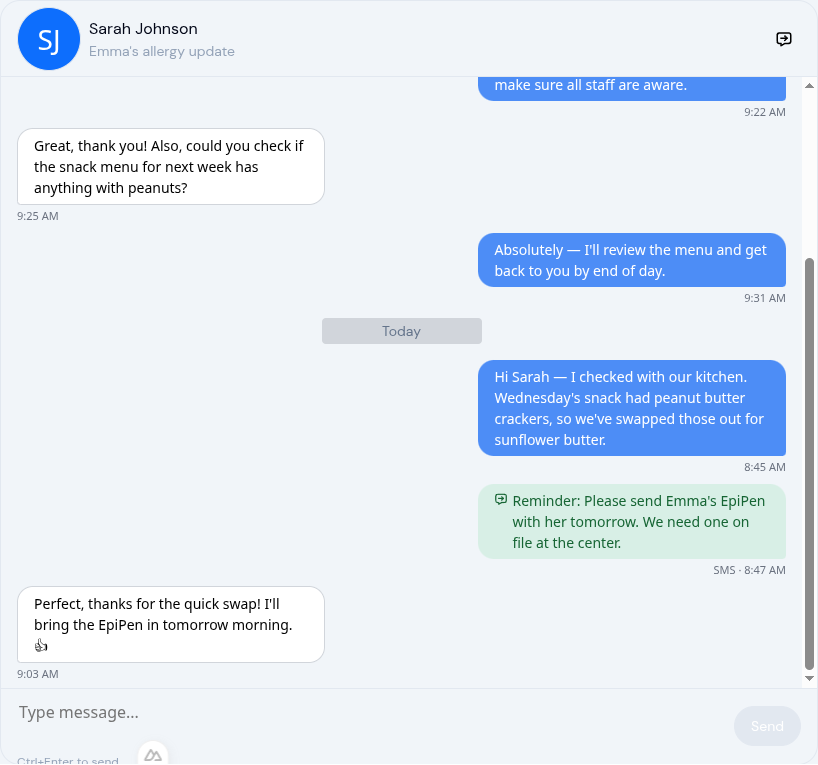
- Inside a conversation — a Quick SMS action is available right in the header
Quick SMS reaches the parent's primary phone number. You can also send SMS directly to emergency contacts listed on a child's profile, which is critical when you need to reach a backup contact in a time-sensitive situation.
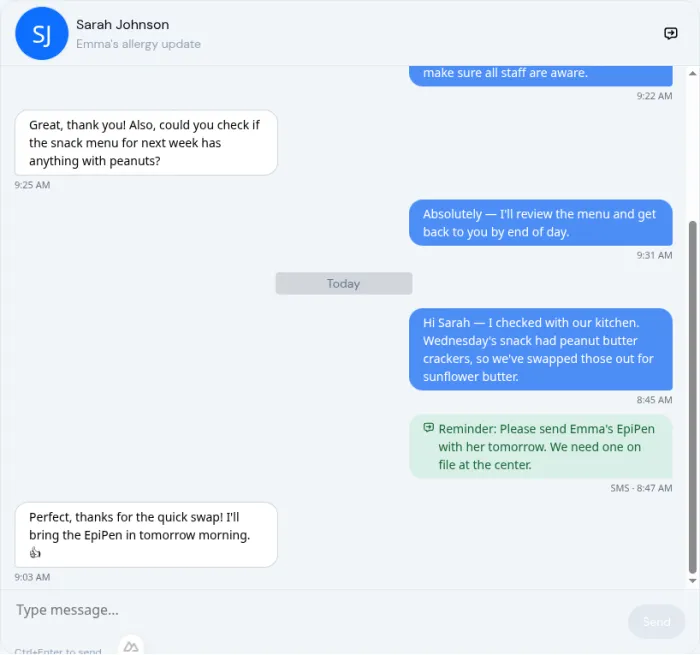
SMS messages sent from a conversation appear inline in the message timeline with a distinct style, so you always know what was sent as a text versus an in-app message.
Better Email Notifications for Conversations
When someone sends a message in a conversation, the other person gets an email notification. That email used to be a generic "you have a new message" nudge. Now it includes the full message body so parents can read it right from their inbox, plus a clear "Reply in KidzLog" button that takes them straight to the conversation.
Two other improvements make notifications more reliable:
- First messages always trigger an email — when someone starts a new conversation with you, you'll always get notified. No cooldown on the first message.
- Faster unread badges — the notification dot in the header refreshes automatically, so staff and parents see new messages within a minute.
These changes address a common frustration: parents missing important messages because the notification didn't carry enough context to act on.
Start Conversations from Parent Profiles
The "Message" button on a parent's profile now opens a conversation thread instead of the old App Messages compose form. If a conversation already exists between you and that parent, it opens the existing thread. If not, it starts a new one.
This small change makes parent communication more natural. See a parent in your list, tap Message, and you're in a threaded conversation, not a fire-and-forget email.
What's Going Away
The standalone App Messages feature (the one labeled "Messages" in the sidebar that let you send one-off emails and SMS) has been retired. Everything it did is now covered by the two remaining pillars:
- One-off email to a parent? Start a conversation. The email notification delivers it.
- Bulk email to all parents? Publish an announcement with email delivery.
- SMS to one parent? Quick SMS from their profile or a conversation.
- Bulk SMS? Publish an announcement with SMS delivery.
Nothing is lost. The channels are the same, but they're now part of tools your team already uses daily.
Why This Matters for Your Center
Communication is the feature centers use most, but it's also the one that suffers the most from fragmentation. When messages are spread across three different tools, important things fall through the cracks. Staff default to whichever tool they remember, parents get mixed signals about where to reply, and directors lose visibility into what's been said.
A unified hub fixes that. Your team learns one workflow. Parents get consistent, timely messages. And when you need to reach someone urgently, one tap for SMS, right where you already are.
If you're building out your center's communication strategy, our guide on creating a parent communication plan covers the broader framework, and building trust through effective communication digs into making every message count.
The unified Communication hub, SMS on announcements, and Quick SMS are available now on all KidzLog plans.
Ready to Simplify and Organize your Daycare?
Get started with KidzLog today!
KidzLog Team
Related Articles
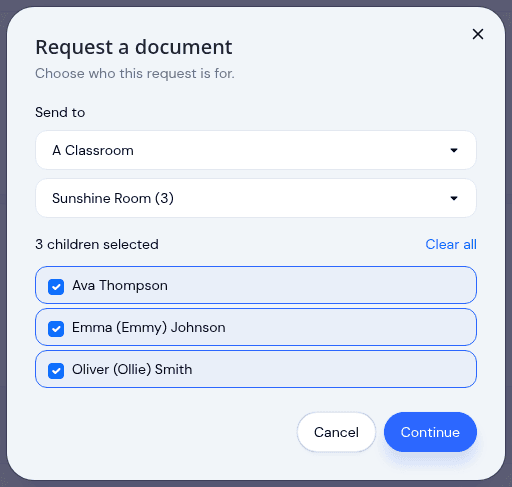
Send a document to a classroom or program
Pick a room instead of ticking twenty names, see exactly which children a request covers before it sends, and open any...
May Update: Video and Activity History
May brings video on daily activity logs, a searchable Activity History of who changed what, expanded notifications, and...
Attach a Video to Any Daily Activity
Capture a toddler trying a new food, a quiet nap, or the moment right after a playground bump. Video clips attach to...