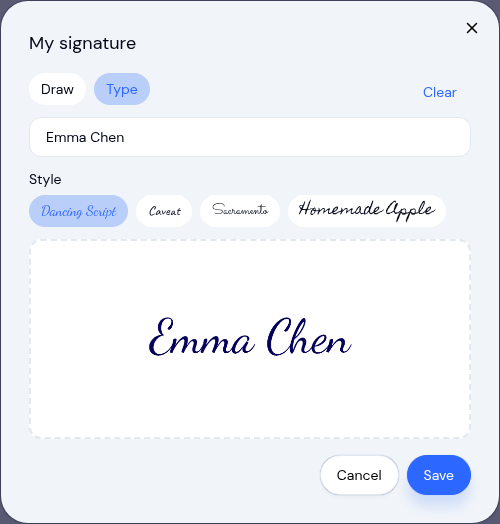
Signing in KidzLog just got faster and more forgiving. Everywhere you capture a signature, you can now draw it or type it, and if you sign often, you can save one signature and reuse it with a single tap.
Draw or type, whichever is easier
Until now, every signature had to be drawn by hand on the pad. That works well with a mouse or a good touchscreen, but it is fiddly on a trackpad and frustrating on a tablet that will not register a clean stroke.
Now each signature pad has a Draw and a Type option. Choose Type, and your name is rendered in a handwriting style you pick from a few options. The field even starts with your name already filled in, so most of the time you can confirm and move on. It is a small change that removes a daily point of friction for the people signing again and again.
This applies wherever signatures are collected, including QR and kiosk check-in, incident report sign-off, and document signing.
Save one signature, reuse it in a tap
If you are a center owner approving incident reports, or a parent acknowledging them, you were redrawing the same signature over and over. Not anymore.
Open Your Profile and you will find a new My signature section. Save one signature there, by drawing or typing it, and from then on it loads automatically wherever you sign as yourself. One tap and you are done. Want a fresh signature this time? Clear it and draw or type a new one. You can replace or remove your saved signature at any time.
When you sign somewhere without a saved signature yet, KidzLog offers a quick "Save this signature for next time" option, so setting it up takes no extra steps.
A reliable fallback for tablets
Typed signatures also solve a common headache at the front door. If a check-in tablet is having a bad day and will not capture a clean drawn signature, a parent can simply type their name instead. The kiosk check-in flow never gets stuck on a signature that will not take.
Every signature, drawn or typed, is still recorded with the signer's name and a timestamp, exactly as before, so your records stay just as complete for incident reporting and licensing.
Where you will see it
- Incident reports: reporter, approver, and parent sign-off all support draw or type, and load your saved signature when you have one.
- Documents: parents signing forms get the same options.
- Check-in: the kiosk and QR sign-to-confirm step now accepts a typed signature.
- Your Profile: the new My signature section to set up your reusable signature.
Ready to Simplify and Organize your Daycare?
Get started with KidzLog today!
KidzLog Team
Related Articles
September Update: Incident Reports and Records
Reopen and correct an approved incident report, choose when parents get the email, send families a note on declined...
August Update: Enrollments and Fillable Forms
Families apply from your center's own page, parents complete a whole PDF on their own device, and the attendance report...
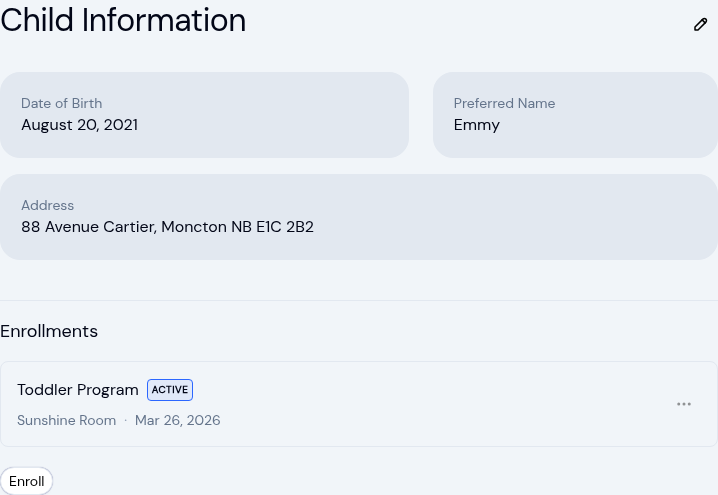
New: A Child's Address and Health Care Provider
The child record now holds the child's own address and their health care provider. Both show on the profile, in Health...