Add Daily Activity Photos on the Go
Hands are covered in paint, paper is everywhere, and one child just held up their masterpiece with the biggest grin. You want to capture it — but that means switching to the camera app, taking the photo, switching back, navigating to the upload button, and finding the right photo in your gallery.
By the time you've done all that, the moment is gone.
This is why so many activity logs end up without photos. Teachers know photos matter — parents love seeing them, and they make daily reports come alive. But squeezing in a photo capture during a busy day has always been one step too many.
A Camera Button Right Where You Need It
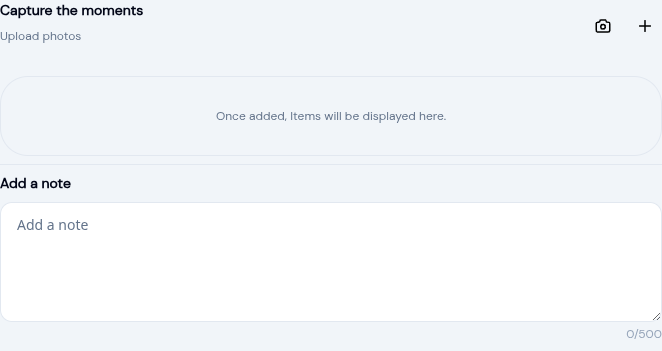
KidzLog now has a camera button directly in the activity form. When you're logging a meal, a learning activity, a mood check, or anything else — you'll see a camera icon right next to the upload button.
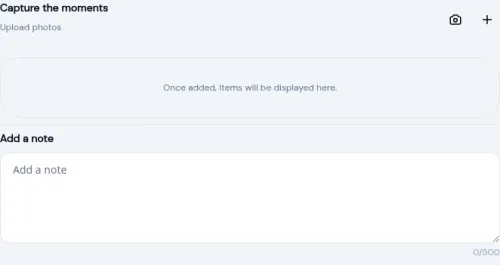
Tap it, and your device camera opens immediately. Take the photo, confirm it, and you're right back in the form with the image attached. That's it.
The camera button shows up on tablets and phones — the devices teachers actually carry around the room. On desktop, you'll just see the regular upload button.
How It Works
- Start logging an activity — meal, learning, mood, bathroom, sleep, or photo
- Tap the camera icon in the media section
- Your device camera opens — take the photo as you normally would
- Confirm the photo and you're back in the form with it attached
- Take more by tapping camera again, or use the upload button for photos already saved
You can mix camera captures and gallery uploads in the same activity. They all appear together and get saved when you submit.
Why This Makes a Difference
More Photos in Activity Logs
When capturing a photo takes one tap instead of six, teachers do it more often. A meal log with a photo of the child eating is more meaningful to parents than text alone. A learning activity with a photo of the craft project tells a richer story. Over time, these photos build into a visual record that parents look forward to seeing every day.
Less Time Documenting, More Time Teaching
The biggest barrier to thorough activity logging isn't motivation — it's time. Teachers are managing groups of children, responding to needs in real time, and documenting in the gaps between. Cutting the photo capture down to a single tap adds up across a full day of logging.
Nothing to Set Up
Teachers who already log activities will see the camera button and know exactly what it does. Center directors don't need to turn anything on — it appears automatically on tablets and phones.
Available Across All Activity Types
The camera works everywhere photos are supported:
- Meal logs — capture what the child is eating
- Learning activities — document craft projects, reading time, outdoor exploration
- Mood checks — visual context for how a child is feeling
- Bathroom logs — relevant for younger children's care documentation
- Sleep logs — capture the nap setup or wake-up moment
- Photo activities — dedicated photo entries for special moments
- Recognition — celebrate achievements with a photo
- Incident reports — document visible details for the record
What Parents See
Nothing changes on the parent side. Photos show up in the daily activity feed and daily reports exactly as before. The improvement is entirely behind the scenes — making it easier for teachers to include photos in the first place.
Try It
If your teachers log activities on a tablet or phone, the camera button is already there. Open any activity form, look for the camera icon next to the upload button, and tap it.
Activity photos are available on all KidzLog plans. The camera button appears automatically on tablet and phone devices.
Ready to Simplify and Organize your Daycare?
Get started with KidzLog today!
KidzLog Team
Related Articles
KidzLog Now Has a Documentation Site
KidzLog documentation is live: searchable step-by-step guides for administrators, teachers, and parents, with...
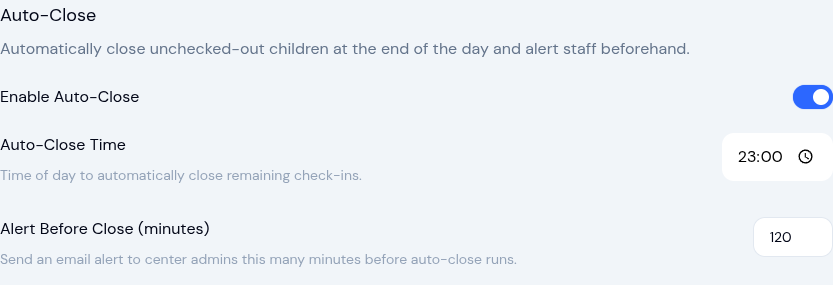
Auto-Close Check-Ins and Complete Enrollments
Two automation settings save time: automatically close forgotten check-outs and complete expired enrollments, with full...
KidzLog Beta Launch is Live!
KidzLog is in beta: record and share information about children with their parents. Unlimited access while the beta...