Invitations Now Ask Before They Auto-Join You
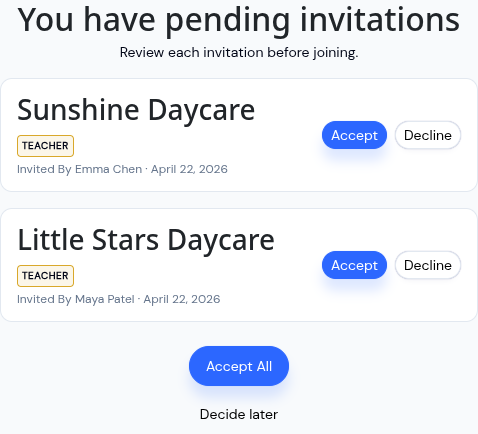
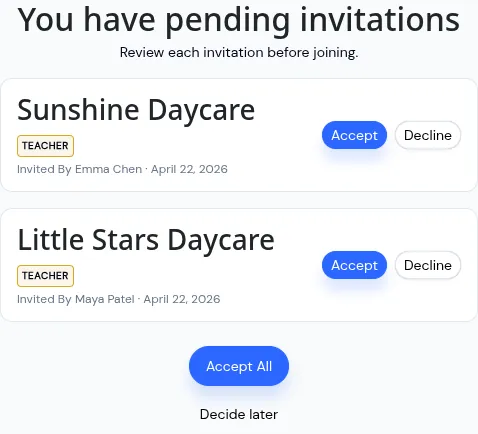
Log in today with a pending invite waiting, and KidzLog stops to show it to you before your dashboard loads. Center name, the role you'd have, who sent it, and when. Two buttons: Accept, Decline.
It used to auto-accept quietly in the background. Your email was enough for someone to pull you into their center, and you wouldn't know until you spotted yourself on a roster. Not great. Not anymore.
The New Post-Login Screen
Every invite is its own card. Accept one, decline one, or hit Accept All if you were expecting all of them. There's also a Decide later option that sends you to the dashboard with the invitations still waiting. No invitations? Nothing changes. You go straight in.
If you only ever get one invite from the one center you work at, the screen will feel like a single-click confirmation. That's it.
Come Back Later
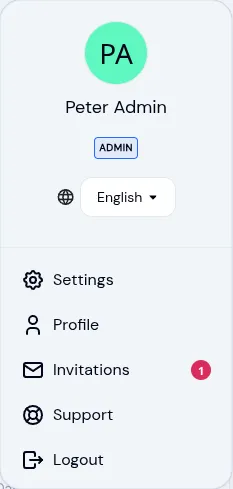
Skipped at login? They're still there. We added an Invitations page under your avatar menu, with a red dot when something's waiting.
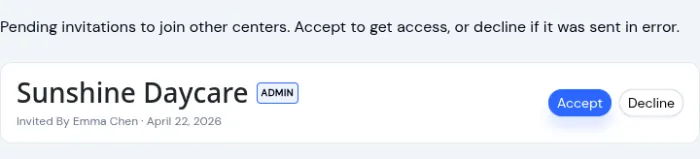
Same cards, same accept/decline/accept-all actions, just reachable from the dashboard instead of blocking it. Parents, teachers, admins, and owners all see it in the same spot.
Who Benefits Most
Parents with kids at two or three centers. Teachers who cover for multiple programs. Directors who oversee a portfolio. If you've ever been dropped into a center you didn't sign up for, this change is for you. If that's never happened to you, this is one extra click on your next invite, and we think that tradeoff is worth it.
For the broader picture on how KidzLog handles people who move between centers, see Multi-Center Management.
What Changes for Admins
Not much. You still invite team members and parents the same way. The invitation email still goes out the same way. What's different is the accept: it used to happen for you, now it happens for them.
If someone declines, you'll get an email. The invite shows up as declined in your team list, and you can re-send if it was a mistake.
One cleanup on our end: the old "My Invites" tab on the admin Team page is gone. The same content now lives on the shared Invitations page every role can reach, which felt like the right home for it.
The flow is already live. No toggle, no rollout window. The next login with a pending invite gets the new screen.
Ready to Simplify and Organize your Daycare?
Get started with KidzLog today!
KidzLog Team
Related Articles
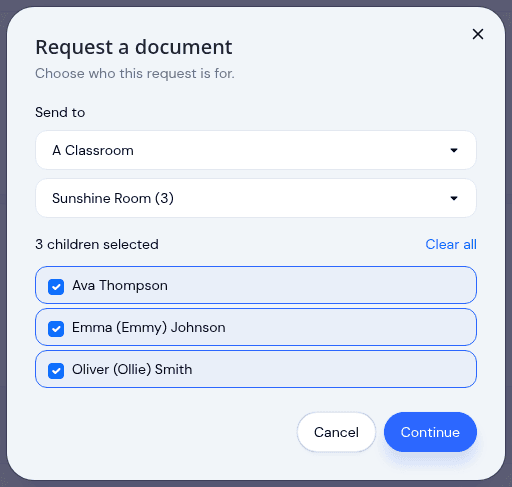
Send a document to a classroom or program
Pick a room instead of ticking twenty names, see exactly which children a request covers before it sends, and open any...
May Update: Video and Activity History
May brings video on daily activity logs, a searchable Activity History of who changed what, expanded notifications, and...
Attach a Video to Any Daily Activity
Capture a toddler trying a new food, a quiet nap, or the moment right after a playground bump. Video clips attach to...