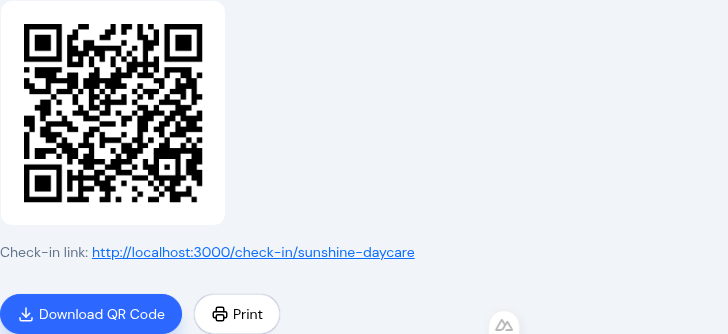
Parents Can Now Check In By Scanning a QR Code
The morning rush has a bottleneck: one shared tablet at the door and a line of parents waiting their turn behind it. Now there's no line at all. Print a QR code, post it at your entrance, and every parent checks in and out from the phone already in their hand. No accounts for families to create, and no extra hardware to buy.
Their phone is the kiosk
Each center gets its own QR code. A parent scans it with any phone camera, with no app to install and nothing to download, and lands in the same secure flow your tablet kiosk already uses: enter a 4-digit PIN, pick the child or children, complete the optional health screening, sign if you ask for it, done.
It's the kiosk you know, running on the parent's own device. Multiple families can check in at the same moment, each on their own phone, instead of queuing behind one screen. At pickup it works the same way, so the end of the day moves as quickly as the start.
Everything flows into the same place. A QR check-in lands in the same attendance record as a tablet check-in, shows up in the same rosters, and rolls into the same reports. There's nothing new to reconcile and nothing new for your staff to learn.
Digital signatures, when you need them
You can now capture a drawn signature at check-in and check-out. The parent signs on the screen, and KidzLog stores it with a full audit trail (the time, the device, and who signed) as a legally-defensible electronic signature.
Set it to fit your licensing: leave signatures off, make them optional, or make them required on every check-in and check-out. Once captured, each signature is viewable right on the attendance record and in your reports, so the proof lives with the day it belongs to. If your licensing or your insurer ever asks who dropped off and picked up, the answer is one click away.
Works alongside what you already have
The tablet kiosk at your front desk doesn't go anywhere. QR check-in runs next to it, signatures apply to both, and every record lands in one shared attendance history. Keep the tablet for families who prefer it, and let everyone else skip the line.
Find your center's QR code under your attendance settings, print it, and post it at the door.
Ready to Simplify and Organize your Daycare?
Get started with KidzLog today!
KidzLog Team
Related Articles
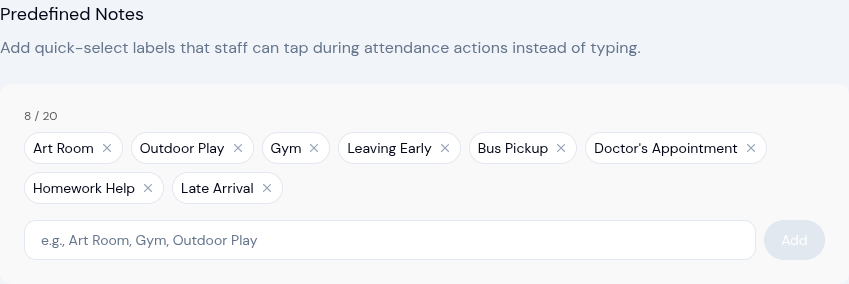
New: Predefined Attendance Notes — Tap Instead of Type
Staff can now select from predefined note labels during check-in, check-out, and other attendance actions — no more...
February 2026 Product Updates: Roll Call, Attendance Upgrades & More
New roll call safety verification, smarter attendance tracking, redesigned enrollment management, and a cleaner...
March Product Updates: Communication Hub, Bulk Enrollment, and More
Reach parents by SMS, move children between programs in bulk, archive child profiles at graduation, and track...