
Daycare Attendance Software Explained: What It Does and Why It Matters
Walk into most childcare centers during drop-off time and you'll see the same scene. Parents dropping off children while staff scramble to update paper sign-in sheets. Staff noting arrival times, getting parent signatures, juggling multiple sheets across different classrooms. Someone inevitably forgot to write down the time. Another family's signature ended up on the wrong day's sheet. The director will spend an hour later transcribing everything into spreadsheets for compliance reporting.
Daycare attendance software replaces this chaotic process with digital tracking that automatically records check-in and check-out times, sends parent notifications, maintains accurate records, and generates reports for licensing compliance. It's one of the most impactful changes a childcare center can make.
Yet many directors hesitate. They worry about cost, complexity, or whether their staff and parents will actually use it. Others simply don't understand what attendance software does beyond replacing paper sheets.
This guide explains exactly what daycare attendance software is, how it works, what problems it solves, and why thousands of childcare centers have made the switch. Whether you run a small home-based daycare or a multi-location center, understanding this technology helps you make better decisions about your operations.
What Is Daycare Attendance Software?
At its core, daycare attendance software is a digital system that tracks when children arrive at and leave your childcare facility. But that simple definition barely scratches the surface of what modern systems actually do.
The Basic Function
Instead of paper sign-in sheets, digital attendance tracking records check-in and check-out through a software interface. This typically works through:
- Staff entry on tablets, computers, or phones as children arrive
- Kiosk stations where parents can self-check-in (optional, less common)
- Web-based access from any device with a browser
In most centers, staff handle the check-in process as part of greeting families at drop-off. Some centers also offer parent self-service kiosks, but staff-initiated check-in is the standard.
The system records the exact time, who dropped off the child, and who is authorized to pick them up later. When someone collects the child at the end of the day, staff check them out the same way.
The key advantage of web-based systems is accessibility. No app downloads, no updates to manage, no compatibility issues. Staff can check children in from any device with a web browser.
Beyond Basic Tracking
But modern attendance software does much more than replace paper. It connects with other parts of your center's operations:
- Parent notifications. When a child checks in, parents automatically receive a confirmation. Parents love the peace of mind of knowing their child arrived safely.
- Staff to child ratios. The system shows how many children are present in each classroom and this helps to track if ratios are approaching or exceeding limits. This is critical for regulatory compliance.
- Compliance reporting. Generate attendance reports for licensing audits with a few clicks instead of compiling data from multiple sources. Exact arrival and departure times, ratio documentation, and historical records are all readily available.
- Emergency accountability. During a fire drill or real emergency, you can instantly see who is supposed to be present and account for everyone.
- Accurate record keeping. Precise, timestamped records of who was present when. This matters for licensing inspections, incident documentation, and legal protection.
How Daycare Attendance Software Actually Works
Understanding the workflow helps you see how this fits into your daily operations.
Morning Drop-Off
Traditional paper method: Parent arrives with child. Staff locate today's sign-in sheet, write child's name, note arrival time (hopefully), and head to the classroom. Later, someone transfers this information to whatever system tracks attendance records.
Digital attendance method: Parent arrives with child. Staff tap the child's name on a tablet or computer, or use quick search to find them. The system records exact arrival time automatically. Parent gets instant confirmation notification on their phone. Staff can see on their dashboard that the child checked in. The attendance is already logged for compliance and reporting.
Time saved per check-in: 30 to 60 seconds. Multiply by 50 children daily and you've saved 25 to 50 minutes every morning just on check-in alone.
Evening Pick-Up
Traditional paper method: Parent arrives to pick up. Staff locate the sign-out sheet, write the time, verify they're authorized, and release the child. Later, someone matches sign-in and sign-out times for compliance records.
Digital attendance method: Parent arrives. Staff tap checkout for the child, system records exact time, verifies authorized pickup list automatically. Parents receive notification that child was picked up. Attendance record is complete for compliance and documentation. Total time in care is automatically calculated and recorded.
End of Month
Traditional paper method: Staff spend hours reviewing paper sheets, calculating days and hours attended, entering data into spreadsheets, cross-checking for errors, creating reports for licensing. Total time: 5 to 10 hours of administrative work.
Digital attendance method: Click "generate report." The system produces attendance summaries, ratio compliance documentation, licensing reports. Total time: 15 to 30 minutes to review and submit.
The Real Problems Daycare Attendance Software Solves
Now that you understand how attendance software works, let's get specific about what changes when you move from paper to digital tracking. These aren't theoretical benefits. They're real problems that directors deal with every single day.
Problem 1: Inaccurate Time Records
The paper challenge: Staff forget to write times. They estimate when transferring data. During audits, inspectors question vague entries like "8:00 AM" for six different children.
How software solves it: Automatic time stamps are precise and unalterable. No guessing, no estimates, no disputes. You can prove exactly when every child arrived and departed.
Problem 2: Lost or Damaged Records
The paper challenge: Sign-in sheets get lost, coffee-stained, or accidentally thrown away. You need attendance records from six months ago for an audit but can't find them. Storage cabinets overflow with years of paper.
How software solves it: Digital records never get lost. They're backed up automatically to secure cloud servers. You can retrieve attendance from any date in seconds. No filing cabinets required.
Problem 3: Staff to Child Ratio Violations
The paper challenge: You don't realize ratios are off until after the fact. An inspector arrives unannounced and discovers you briefly had too many children per teacher. The violation goes on your record.
How software solves it: Real-time tracking of number of children present. You can adjust staffing proactively before violations occur.
Problem 4: Time Wasted on Administrative Tasks
The paper challenge: Directors and admin staff spend hours weekly on attendance-related tasks: collecting sheets, entering data, calculating hours, generating reports, filing records.
How software solves it: These tasks happen automatically. Most centers report saving 5 to 10 hours per week on attendance administration alone. That's 250 to 500 hours annually that can go toward program quality instead.
Problem 6: Poor Parent Communication
The paper challenge: Parents wonder if you received their child safely. They can't easily see patterns in attendance or arrival times. Communication about late pickups or absences requires phone calls or notes.
How software solves it: Automatic notifications keep parents informed. They can see their child's attendance history in the parent app. Late pickup alerts go out automatically. Communication becomes effortless.
Key Features to Look for in Attendance Software
Understanding what problems attendance software solves helps you know what to look for. But not all attendance systems are equally useful. Some have features you'll use daily. Others have features that sound good in demos but rarely get used in real operations. Here's what actually matters.
Multiple Check-In Methods
Your software should support the ways your staff actually work:
- Staff tablets or computers. Teachers or front desk staff check children in as they arrive. This is the most common method. Staff can use shared tablets, classroom computers, or their own devices through a web browser.
- Quick search and tap. Staff should be able to find a child quickly (by name, classroom, or recent arrivals) and check them in with minimal steps. Speed matters during busy drop-off times.
- Kiosk mode for parent self-service. Some centers offer a tablet near the entrance where parents can check their own children in and out using PIN codes. This is optional and less common, but useful for centers that want to offer this option.
- Mobile flexibility. Staff should be able to check children in from anywhere in the center using any device with a browser. Infant room teachers checking in babies as they arrive in the classroom, for example.
Real-Time Visibility
Directors and staff need to see current attendance across all classrooms at a glance. Who's here? Who's expected but hasn't arrived? Which rooms are at capacity?
Dashboards that show this information clearly help you make quick decisions about staffing and room assignments.
Automatic Notifications
Parents should receive notifications when:
- Their child checks in (confirmation of safe arrival)
- Their child checks out (confirmation of pickup)
- Their child is marked absent
These automatic touches improve parent satisfaction without adding work for staff.
Compliance Reporting
Your attendance software should generate reports that licensing agencies actually want to see. This typically includes:
- Daily attendance logs with times
- Monthly attendance summaries
- Historical attendance for specific date ranges
- Attendance patterns and trends
The easier it is to produce these reports, the less stressful audits become.
Integration with Billing
The best systems connect attendance directly to your billing platform. When billing time comes, the system already knows how many days or hours each child attended. You review the numbers and send invoices. No manual calculation required.
Benefits You'll Actually Notice
Features and capabilities are one thing. Real-world impact is another. Let's be concrete about what changes when you implement attendance software. These numbers come from actual centers that made the switch.
Time Savings
Typical before: 8 to 12 hours per week on attendance-related tasks (collecting sheets, data entry, ratio calculations, compliance report generation, filing).
Typical after: 1 to 2 hours per week (reviewing automatically generated reports, handling exceptions).
Net savings: 6 to 10 hours weekly. That's 300 to 500 hours per year.
Compliance Confidence
Centers report that licensing violations related to attendance and ratios drop dramatically after implementing attendance software. For tips on speeding up the check-in process itself, see our guide on how childcare centers can speed up attendance check-ins. When you have real-time visibility and automatic alerts, you can maintain compliance proactively instead of discovering problems during inspections.
Reduced Audit Stress
Instead of scrambling to compile records when inspectors arrive, you click a button and print comprehensive reports. Most directors say audit preparation time drops from days to minutes. For more on staying compliant, see our guide on how childcare centers stay audit-ready.
Parent Satisfaction
Parents consistently rate real-time attendance notifications as one of their favorite features. The peace of mind of knowing their child arrived safely matters to families. Many report this as a reason they chose or stayed with a particular center.
Staff Focus
When teachers spend less time on paperwork and administrative tasks, they have more mental energy for interacting with children. This improved focus on care quality is harder to measure but very real.
Common Concerns About Switching to Digital Attendance
By now, you probably see the value of attendance software. But if you're like most directors, you also have concerns. These hesitations are completely normal. Let's address them honestly.
"Will our staff actually use it?"
The concern: Staff are already overwhelmed. Learning new technology sounds like one more burden.
The reality: Modern attendance software is designed to be intuitive. Most staff learn the basics in 15 to 30 minutes. After a few days, it becomes automatic. The key is choosing software that's actually user-friendly, not just marketed that way.
What helps: Look for systems with simple interfaces, good training resources, and responsive support. Trial the software with staff before committing.
"What about staff who aren't tech-savvy?"
The concern: Not all staff are comfortable with digital systems. Won't we lose time training people who struggle with technology?
The reality: Modern attendance software is designed to be as simple as possible. Most staff learn the basics in 15-30 minutes. The core task is "find child, tap check-in" which is simpler than managing paper sheets. Because it works through a web browser, it feels familiar to anyone who's used a website.
For centers that want to offer parent self-check-in kiosks, the interface is similarly simple - just enter a PIN or search for your child's name.
What helps: Choose truly user-friendly systems. Provide hands-on training during non-busy times. Start with a few enthusiastic staff members who can help others. Most importantly, staff quickly see how much easier digital check-in is compared to paper chaos.
"What if the system goes down?"
The concern: Technology fails. What happens during internet outages or system crashes?
The reality: Quality systems have offline modes and backup procedures. You can always fall back to paper temporarily if needed. But ask about uptime guarantees. Reputable providers maintain 99.9 percent or better uptime.
What helps: Choose providers with proven reliability, good support, and clear backup procedures. Keep a simple paper backup option available for emergencies.
"Isn't this expensive?"
The concern: Software costs money. We're already operating on tight margins.
The reality: Attendance software typically costs $50 to $200 monthly depending on center size. Compare this to the value of 6 to 10 hours of administrative time saved weekly. Even at $20 per hour, that's $120 to $200 in labor value weekly, or $500 to $800 monthly.
What helps: Calculate the true cost including time savings, reduced billing disputes, and improved parent satisfaction. Most centers find the software pays for itself several times over.
"We've always done it this way and it works fine"
The concern: Paper systems are familiar and reliable. Why change?
The reality: Paper systems work until they don't. Lost sheets, illegible handwriting, billing disputes, audit stress, and hours of manual work are all problems that feel normal until you experience the alternative.
What helps: Talk to directors at centers that made the switch. Most say they wish they'd done it years earlier. The resistance is usually about fear of change, not actual limitations of the technology.
How to Choose the Right Attendance Software
If you're convinced attendance software makes sense, here's how to find the right one.
Start with Your Must-Haves
What specific problems are you trying to solve? Easier compliance reporting? Reduced admin time? Parent communication? Identify your top three priorities.
Research 3 to 5 Options
Don't try to evaluate every system. Focus on platforms that serve centers your size and have good reviews. Ask other directors what they use and whether they'd recommend it.
Test During Real Operations
Free trials are essential. Use the software during actual drop-off and pickup. Have staff test it in classrooms. Ask parents to try the app. Does it actually work smoothly in your environment?
Evaluate Support Quality
Send the support team questions during your trial. How quickly do they respond? Are answers helpful? Support quality predicts your long-term experience.
Consider Total Cost
Look beyond the monthly fee. Are there setup costs? Payment processing fees? Per-user charges? Calculate the complete monthly expense.
Check Integration Capabilities
Does the attendance software connect with your billing system? Can you export data? Will it work with other tools you use? Integration eliminates duplicate data entry.
Making the Transition Smooth
Once you've chosen software and addressed your concerns, implementation matters. A rushed or poorly planned transition creates unnecessary stress. Here's how to make the switch successful and minimize disruption to your operations.
Plan a Realistic Timeline
Don't rush. Give yourself 2 to 4 weeks to set up the system, import data, train staff, and prepare parents. Trying to switch overnight creates unnecessary stress.
Train Staff Thoroughly
Schedule dedicated training sessions. Have staff practice with test accounts. Create simple reference guides they can check. Make sure everyone feels confident before going live.
Communicate with Parents Early
Send information about the new system at least a week before launch. Explain why you're making the change and what they'll need to do. Most parents will be excited about the improvement.
Run Parallel Systems Briefly
Consider keeping paper sign-in available for the first few days as backup while everyone adjusts. This reduces anxiety about the transition.
Be Available During Launch
Plan to have extra staff or admin support present during the first few days of drop-off and pickup. Answer questions, troubleshoot problems, and help people get comfortable.
Gather Feedback
After a week, ask staff and parents what's working and what's confusing. Most software companies will help you adjust settings or processes based on early feedback.
What KidzLog Offers for Attendance Tracking
KidzLog's attendance system is designed around how childcare staff actually work, with a focus on simplicity and speed during busy drop-off and pickup times.
- Web-based platform, no app required. Staff access the system through any web browser on phones, tablets, or computers. No app downloads, no storage concerns, no compatibility issues. Just open a browser and start checking children in.
- Quick search and check-in. Staff can find children quickly by name, classroom, or recent arrivals. Tap to check in. Tap to check out. The system records exact times automatically. During busy drop-off with multiple children arriving at once, speed matters.
- Automatic parent notifications. Parents receive instant confirmation when their child arrives and departs. These real-time updates provide peace of mind without requiring any action from staff or parents.
- Attendance records stored for 5 years. All attendance data is securely stored and exceeds standard childcare regulatory requirements. Records are easily accessible whenever you need them for audits or compliance reporting.
- One-click compliance reports. Generate attendance reports for licensing audits in seconds. Export in multiple formats (Excel, CSV, PDF) to match whatever your licensing agency requires.
- Optional parent kiosk mode. For centers that want to offer parent self-service check-in, turn any tablet into a secure kiosk station. This is optional - most centers prefer staff-handled check-in, but the flexibility is there if you want it.
- Integrated with child information. Attendance connects seamlessly with complete child profiles, emergency contacts, and medical information. When staff check a child in, they can instantly see allergies, medications, or special notes.
- Honest, transparent pricing. Starting at $8 USD or $10 CAD monthly with all core attendance features included. No hidden fees, no surprise charges.
Ready to See How Digital Attendance Works?
If you're tired of paper sign-in sheets, manual data entry, billing disputes, or audit stress, it's time to explore what modern attendance software can do for your center.
The right system becomes invisible. Staff use it naturally. Parents appreciate it. And you get back hours every week to focus on what actually matters in childcare. Learn more about KidzLog's attendance tracking features.
Start your 15-day free trial at KidzLog.com. No credit card required. No commitment. Just see if KidzLog works for your center.
About KidzLog: KidzLog is a web-based childcare management platform serving centers across the United States, Canada, and internationally. We help childcare providers simplify operations, improve parent communication, and maintain compliance without adding administrative burden. Our attendance system is designed to be simple, reliable, and genuinely useful for childcare centers of all sizes.
Ready to Simplify and Organize your Daycare?
Get started with KidzLog today!
KidzLog Team
Related Articles
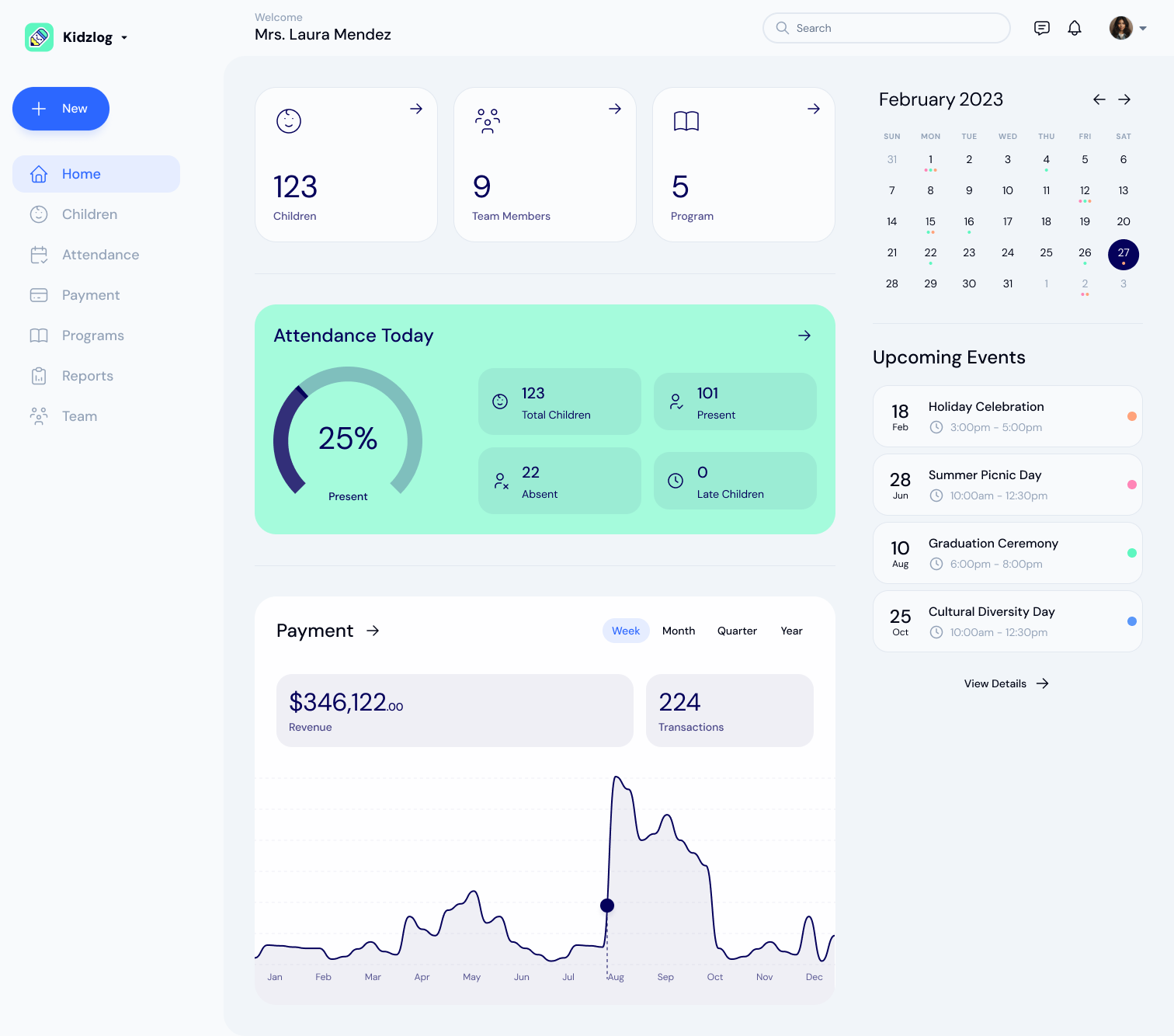
KidzLog vs Procare: A Comparison for Small and Mid-Size Centers
An honest comparison of KidzLog and Procare for small and mid-size centers: pricing, what is included, and how...
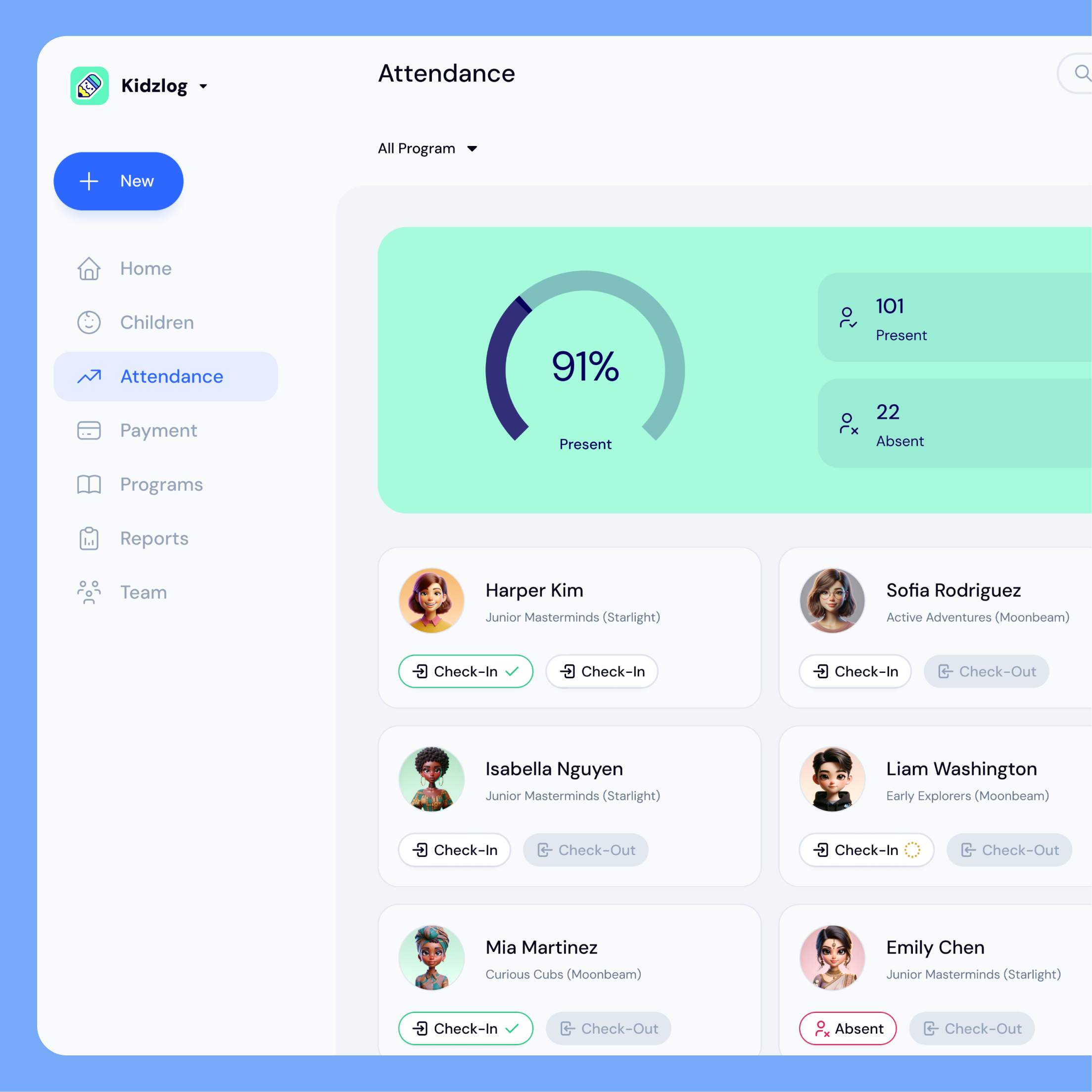
KidzLog vs Brightwheel: A Comparison for Small and Mid-Size Centers
An honest comparison of KidzLog and Brightwheel for small and mid-size centers: pricing math, setup time, and how...
Childcare Attendance Tracking: What Every Center Needs to Know
How childcare centers track attendance, why it matters for licensing and safety, and how to tell when your center...