Digital Communication Tools for Childcare Centers
Digital communication isn't just about sending updates—it's about creating meaningful connections that build trust, enhance transparency, and streamline operations for busy childcare centers. Today, the vast majority of parents expect real-time communication from their child's care provider, while centers using comprehensive digital tools are 40% more likely to retain families long-term (Harvard Family Research Project) and report 25% improved operational efficiency.
For childcare centers across the US and Canada looking to modernize their parent communication strategy, this comprehensive guide provides everything you need to select, implement, and optimize digital communication tools that work for your unique environment. For foundational communication strategies, start with our guide on building trust through effective parent communication. Whether you're managing a small family daycare or a multi-location early learning center, these strategies will help you build stronger parent relationships while reducing administrative burden.
The communication landscape has evolved dramatically since 2020, with parents now expecting the same level of digital connectivity from childcare providers as they receive from their banks, schools, and healthcare providers. This shift presents both opportunities and challenges for childcare administrators who must balance enhanced communication with privacy compliance, staff training, and budget considerations.
Understanding the Digital Communication Landscape
The childcare technology market has experienced remarkable growth, with 82% of US daycare facilities now having integrated childcare software systems. Globally, over 68,000 childcare centers are actively using digital communication platforms, with cloud-based solutions accounting for 58% of new installations.
Current Parent Expectations
Today's parents have fundamentally different communication expectations than previous generations. Research from early childhood education organizations shows that the majority of parents value mobile access for childcare updates throughout their workday. This creates an opportunity for childcare centers to provide peace of mind through strategic, timely communication.
Modern parents expect:
- Real-time updates during significant moments (injuries, achievements, behavioral concerns)
- Daily summaries including meals, naps, activities, and mood observations
- Two-way communication capabilities for questions and concerns
- Visual documentation through photos and videos of their child's day
- Administrative convenience for scheduling, payments, and enrollment updates
The Business Case for Digital Communication
Childcare centers implementing comprehensive digital communication strategies report measurable benefits:
Operational Efficiency Gains:
- 74% of administrators report improved time management with digital platforms
- Significant reduction in phone calls and interruptions
- Streamlined daily communication processes
- Reduced administrative errors and miscommunications
Parent Satisfaction and Retention:
- Centers report significantly higher parent satisfaction scores
- Improved family retention rates
- Reduction in parent complaints and concerns
- Increased positive online reviews and referrals
Financial Impact:
- Centers report significant ROI within the first year of implementation
- Improved staff retention due to enhanced communication efficiency
- Increased enrollment conversion rates from prospective families
Comprehensive Digital Communication Platform Categories
All-in-One Childcare Management Systems
Platform Type: Comprehensive solutions that integrate communication with administrative functions
Key Features:
- Daily reports and real-time updates
- Photo and video sharing capabilities
- Two-way messaging between staff and parents
- Administrative tools (billing, scheduling, enrollment)
- Regulatory compliance tracking
- Mobile apps for parents and staff
Best For: Centers seeking to consolidate multiple functions into one platform
Implementation Considerations:
- Higher upfront costs but greater long-term value
- Requires comprehensive staff training
- Strongest ROI for centers with 50+ children
- Essential for multi-location operations
KidzLog Integration Advantages: KidzLog stands out in this category by offering seamless integration between communication and compliance tracking. The platform automatically generates daily reports while maintaining all required documentation for licensing inspections. This dual functionality makes it particularly valuable for centers operating under strict regulatory requirements in provinces like Quebec or states with enhanced childcare regulations.
Specialized Communication Apps
Platform Type: Communication-focused solutions with basic administrative features
Key Features:
- Streamlined messaging interfaces
- Photo and video sharing
- Basic scheduling and calendar functions
- Simple daily report generation
- Limited billing integration
Best For: Smaller centers or those with existing administrative systems
Implementation Considerations:
- Lower cost of entry
- Faster implementation timeline
- May require integration with existing systems
- Limited scalability for growing centers
Traditional Communication Enhancement Tools
Platform Type: Digital tools that enhance existing communication methods
Key Features:
- Email automation and templates
- SMS/text messaging systems
- Digital newsletters and announcements
- Basic photo sharing capabilities
- Calendar and event management
Best For: Centers with limited budgets or technology resistance
Implementation Considerations:
- Minimal learning curve
- Very low cost
- Limited functionality compared to dedicated platforms
- May create fragmented communication experiences
Strategic Implementation Framework
Phase 1: Assessment and Planning (Weeks 1-2)
Current State Analysis:
- Communication Audit: Document all current communication touchpoints
- Parent Survey: Gather feedback on communication preferences and pain points
- Staff Assessment: Evaluate technology comfort levels and training needs
- Regulatory Review: Identify compliance requirements for your jurisdiction
- Budget Planning: Determine available resources for implementation and ongoing costs
Platform Selection Criteria:
- Regulatory Compliance: Ensure COPPA compliance (US) and PIPEDA alignment (Canada)
- Scalability: Choose platforms that can grow with your center
- Integration Capabilities: Consider how new tools work with existing systems
- User Experience: Prioritize intuitive interfaces for both staff and parents
- Support and Training: Evaluate vendor support quality and training resources
Phase 2: Platform Selection and Setup (Weeks 3-4)
Vendor Evaluation Process:
- Demo Sessions: Schedule comprehensive demonstrations with top 3 candidates
- Reference Checks: Speak with current customers in similar situations
- Pilot Testing: Implement trial versions with select families
- Cost Analysis: Calculate total cost of ownership over 3 years
- Decision Matrix: Score platforms against weighted criteria
Technical Setup Requirements:
- Data Migration: Transfer existing family and child information
- Privacy Settings: Configure appropriate access levels and permissions
- Notification Preferences: Set up default communication schedules
- Integration Testing: Ensure seamless operation with existing systems
- Backup Procedures: Establish data protection and recovery protocols
Phase 3: Staff Training and Preparation (Weeks 5-6)
Comprehensive Training Program:
- Platform Overview: Introduce all features and capabilities
- Daily Workflow Integration: Practice incorporating tools into existing routines
- Communication Best Practices: Establish tone, timing, and content guidelines
- Privacy and Security: Review compliance requirements and data protection
- Troubleshooting: Prepare staff for common technical issues
Training Success Metrics:
- 100% of staff complete platform certification
- All staff demonstrate proficiency in core functions
- Backup communication procedures established
- Staff feedback incorporated into implementation plan
Phase 4: Parent Onboarding and Launch (Weeks 7-8)
Parent Introduction Strategy:
- Pre-Launch Communication: Explain benefits and address concerns
- Setup Assistance: Provide hands-on help with app installation and account creation
- Feature Tutorials: Offer group and individual training sessions
- Feedback Collection: Gather initial user experience insights
- Ongoing Support: Establish help desk procedures for parent questions
Launch Success Indicators:
- 85%+ parent adoption rate within first month
- Minimal technical support requests
- Positive feedback on communication quality
- Smooth integration with daily operations
Privacy, Security, and Compliance Management
Important Regulatory Update: COPPA regulations are undergoing significant changes, with new provisions effective June 23, 2025, and a compliance deadline of April 22, 2026. Centers should work with their platform providers to ensure continued compliance with evolving requirements.
United States Compliance Requirements
COPPA (Children's Online Privacy Protection Act):
- Obtain verifiable parental consent before collecting children's information
- Limit data collection to what's necessary for communication purposes
- Provide clear privacy notices explaining data use
- Allow parents to review and delete their child's information
- Implement reasonable security measures to protect collected data
State-Specific Considerations:
- California: Additional privacy protections under CCPA may apply
- New York: Enhanced data security requirements for educational records
- Texas: Specific guidelines for childcare communication documentation
- Florida: Requirements for incident reporting and parent notification
FERPA Alignment: While FERPA doesn't directly apply to most childcare centers, following FERPA-style practices builds trust:
- Limit access to educational records
- Obtain consent for non-essential communications
- Maintain secure storage of all documentation
- Provide parents with access to their child's records
Canadian Compliance Requirements
PIPEDA (Personal Information Protection and Electronic Documents Act):
- Obtain meaningful consent for all personal information collection
- Limit collection to stated purposes only
- Ensure accuracy of stored information
- Protect information with appropriate security measures
- Allow individuals to access and correct their information
Provincial Privacy Legislation:
- Quebec: Enhanced protections under Bill 64 (2023 updates)
- British Columbia: PIPA requirements for private sector organizations
- Alberta: Personal Information Protection Act compliance
- Ontario: Municipal Freedom of Information considerations for subsidized centers
Indigenous Community Considerations:
- Respect traditional knowledge and cultural sensitivities
- Obtain community consent for children in Indigenous communities
- Consider data sovereignty principles
- Align with Truth and Reconciliation Commission calls to action
Data Security Best Practices
Technical Safeguards:
- Encryption: All data transmission and storage must use current encryption standards
- Access Controls: Implement role-based permissions limiting data access
- Audit Trails: Maintain logs of all data access and communication activities
- Regular Updates: Keep all software and security measures current
- Backup Security: Ensure backup data receives equal protection
Administrative Safeguards:
- Staff Training: Regular privacy and security education for all team members
- Policy Development: Written procedures for data handling and incident response
- Vendor Management: Due diligence on all third-party service providers
- Incident Response: Clear procedures for addressing potential data breaches
- Regular Audits: Periodic review of privacy practices and compliance
Parent Engagement Optimization Strategies
Creating Meaningful Communication Content
Daily Communication Framework:
Morning Check-ins (8:00-10:00 AM):
- Arrival mood and transition notes
- Special instructions or parent requests
- Health observations and medication administration
- Social interaction highlights from early activities
Midday Updates (11:30 AM-1:00 PM):
- Learning activity participation and engagement
- Meal consumption and preferences
- Nap preparation and sleep patterns
- Peer interaction and social development moments
Afternoon Summaries (3:00-4:00 PM):
- Activity highlights and learning achievements
- Behavioral observations and milestone progress
- Preparation for pickup and transition home
- Tomorrow's planned activities and any needed supplies
Photo and Video Guidelines:
High-Value Content:
- Learning moments that show skill development
- Social interactions demonstrating friendship building
- Creative expressions and artistic achievements
- Physical development milestones and motor skills
- Emotional regulation success stories
Technical Standards:
- High-quality images with good lighting
- Multiple children included when possible (with consent)
- Captions explaining developmental significance
- Regular posting schedule to build parent engagement
- Respectful representation of all children and families
Two-Way Communication Excellence
Parent Question Response Framework:
Response Time Standards:
- Urgent concerns: Within 30 minutes during operating hours
- General questions: Within 2 hours during operating hours
- Administrative requests: Within 24 hours
- Non-urgent developmental discussions: Within 48 hours
Communication Quality Standards:
- Acknowledge concerns: Validate parent feelings and perspectives
- Provide specific information: Use concrete examples and observations
- Offer solutions: Present actionable steps and collaborative approaches
- Follow up: Check back on resolved issues and ongoing concerns
- Document interactions: Maintain records for continuity and compliance
Proactive Communication Triggers:
Immediate Notification Required:
- Any injury requiring first aid or medical attention
- Behavioral incidents involving safety concerns
- Medication administration errors or missed doses
- Significant emotional distress or regulation challenges
- Changes to pickup persons or emergency contacts
Same-Day Communication:
- Developmental milestone achievements
- Significant learning breakthroughs or struggles
- Social interaction concerns or celebrations
- Health observations that may impact home care
- Special activity participation and engagement levels
Technology Integration and Platform Optimization
KidzLog Implementation Excellence
KidzLog's comprehensive platform addresses the unique needs of childcare centers by combining robust communication tools with essential administrative functions. The platform's strength lies in its ability to maintain regulatory compliance while streamlining daily operations.
Core Communication Features:
Real-Time Daily Reports:
- Customizable templates for different age groups
- Automatic timestamp and staff signature capture
- Photo integration with secure sharing protocols
- Parent acknowledgment tracking and response capabilities
- Multilingual support for diverse family populations
Two-Way Messaging System:
- Secure, encrypted communication channels
- Group messaging for classroom-wide announcements
- Private messaging for individual family concerns
- Automatic translation services for non-English speaking families
- Integration with emergency notification systems
Administrative Integration Benefits:
- Seamless billing and payment processing
- Attendance tracking with automatic parent notifications
- Enrollment management with digital document collection
- Staff scheduling coordination with parent communication
- Regulatory compliance documentation and reporting
Multi-Platform Integration Strategies
Existing System Compatibility:
When implementing new communication tools alongside existing administrative systems, consider these integration approaches:
Data Synchronization:
- Establish single sign-on (SSO) capabilities where possible
- Create automated data transfer protocols
- Implement regular data verification procedures
- Maintain backup communication methods during system maintenance
Workflow Optimization:
- Map communication touchpoints across all platforms
- Eliminate duplicate data entry requirements
- Create standardized procedures for staff training
- Establish clear escalation paths for technical issues
User Experience Consistency:
- Maintain consistent visual branding across platforms
- Standardize navigation and user interface elements
- Provide unified training materials for staff and parents
- Create comprehensive user guides and FAQ resources
Measuring Success and ROI
Quantitative Success Metrics
Communication Efficiency Measurements:
Staff Productivity Indicators:
- Average time spent on daily communication tasks
- Number of phone calls and interruptions during core hours
- Administrative error rates in communication and documentation
- Staff satisfaction scores related to communication tools
- Time savings in daily report generation and family updates
Parent Engagement Metrics:
- Platform adoption and active usage rates
- Response times to parent questions and concerns
- Parent satisfaction scores in communication quality
- Frequency of positive feedback and testimonials
- Reduction in formal complaints and escalated concerns
Operational Impact Measurements:
- Staff turnover rates and exit interview feedback
- Family retention rates and reasons for departure
- New enrollment conversion rates from prospective families
- Time spent on licensing compliance and documentation
- Overall center efficiency and administrative cost reductions
Qualitative Assessment Strategies
Parent Feedback Collection:
Regular Survey Implementation:
- Monthly pulse surveys on communication satisfaction
- Quarterly comprehensive feedback on platform usability
- Annual parent satisfaction surveys including communication quality
- Exit interviews for departing families
- Focus groups for major platform updates or changes
Staff Experience Evaluation:
- Weekly check-ins during implementation phase
- Monthly team meetings to discuss communication challenges
- Quarterly professional development assessments
- Annual job satisfaction surveys including technology use
- Ongoing training needs assessment and feedback collection
ROI Calculation Framework
Cost Analysis Components:
Direct Implementation Costs:
- Platform licensing fees and setup costs
- Staff training time and materials
- Technical support and maintenance expenses
- Hardware or device upgrades if required
- Ongoing subscription and usage fees
Indirect Cost Considerations:
- Staff time during transition period
- Parent onboarding and support activities
- System integration and data migration expenses
- Compliance and security audit costs
- Backup system maintenance during implementation
Benefit Quantification:
Measurable Returns:
- Staff time savings calculated at hourly wage rates
- Reduced turnover costs including recruitment and training
- Increased enrollment revenue from improved satisfaction
- Administrative efficiency gains in billing and documentation
- Reduced insurance costs from improved incident documentation
Long-Term Value Creation:
- Enhanced reputation and marketing value
- Improved staff retention and job satisfaction
- Stronger parent relationships and community connections
- Better regulatory compliance and reduced risk exposure
- Scalability benefits for center growth and expansion
Future Trends and Technology Evolution
Emerging Communication Technologies
Artificial Intelligence Integration:
AI-powered features are beginning to transform childcare communication:
Automated Report Generation:
- Smart observation summaries based on activity tracking
- Developmental milestone recognition and alerts
- Personalized communication recommendations for individual children
- Predictive analytics for identifying potential concerns early
- Language translation and cultural adaptation capabilities
Enhanced Safety and Security:
- Facial recognition for pickup verification
- Automated incident detection and reporting
- Smart camera systems with privacy-compliant monitoring
- Predictive health monitoring and alert systems
- Integration with emergency response and notification systems
Preparing for What Comes Next
Technology Roadmap Considerations:
Infrastructure Development:
- Increased bandwidth requirements for video communication
- Cloud storage expansion for growing multimedia content
- Enhanced mobile device capabilities for field-based communication
- Integration with smart building systems and IoT devices
- Cybersecurity evolution to address emerging threats
Regulatory Evolution:
- Enhanced privacy protection laws affecting children's data
- Artificial intelligence governance and ethical use guidelines
- Cross-border data sharing regulations for international families
- Expanded accessibility requirements for communication platforms
- Environmental sustainability considerations in technology choices
Professional Development Trends:
- Digital literacy as core competency for childcare professionals
- Specialized training in technology-mediated parent communication
- Cultural competency in digital communication across diverse communities
- Data analysis and interpretation skills for developmental documentation
- Crisis communication protocols for remote and hybrid scenarios
Implementation Success Stories and Best Practices
Small Center Success (25-50 children)
Challenge: Family-owned daycare struggling with time-consuming daily reports and parent phone calls interrupting care activities.
Solution: Implemented KidzLog with focus on streamlined daily reporting and photo sharing.
Results:
- Significant reduction in daily phone calls
- 45 minutes saved per day on communication tasks
- 95% parent adoption rate within 6 weeks
- Substantial increase in parent satisfaction scores
- Strong ROI within first year
Key Success Factors:
- Owner-led implementation with personal attention to each family
- Gradual rollout starting with most tech-savvy parents
- Regular feedback collection and platform adjustments
- Integration with existing billing and administrative systems
Multi-Location Center Success (200+ children)
Challenge: Childcare chain with inconsistent communication standards across locations and high administrative overhead.
Solution: Standardized digital communication platform with centralized training and support.
Results:
- 40% improvement in communication consistency across locations
- 60% reduction in administrative overhead
- 30% decrease in parent complaints and concerns
- Improved staff retention rates
- Excellent ROI within 18 months
Key Success Factors:
- Comprehensive change management process
- Standardized training materials and procedures
- Regular performance monitoring and optimization
- Strong leadership support and resource allocation
Comprehensive Action Plan
Immediate Implementation Steps (Next 30 Days)
Week 1: Assessment and Planning
- Conduct communication audit: Document all current parent communication methods and touchpoints
- Survey parent preferences: Use simple online survey to gather feedback on communication needs and technology comfort
- Assess staff readiness: Evaluate team technology skills and training requirements
- Research platform options: Create shortlist of 3-5 potential communication solutions
- Review compliance requirements: Identify specific privacy and security obligations for your jurisdiction
Week 2: Platform Research and Selection
- Schedule vendor demonstrations: Arrange comprehensive demos with top platform candidates
- Conduct reference checks: Speak with current customers in similar childcare settings
- Calculate total costs: Determine 3-year cost of ownership for each option
- Create decision matrix: Score platforms against weighted criteria including features, cost, and support
- Make preliminary platform selection: Choose primary option with backup alternative
Week 3: Technical Planning and Preparation
- Finalize platform selection: Complete contract negotiations and technical requirements review
- Plan data migration: Identify all family and child information requiring transfer
- Establish training schedule: Plan comprehensive staff training timeline
- Prepare parent communication: Develop announcement materials explaining upcoming changes
- Create implementation timeline: Detailed project plan with milestones and responsibilities
Week 4: Launch Preparation
- Complete platform setup: Configure all technical settings and integration requirements
- Train core staff members: Ensure key team members achieve platform proficiency
- Prepare parent onboarding materials: Create user guides, video tutorials, and FAQ resources
- Test all systems: Conduct comprehensive testing of all features and integration points
- Plan launch event: Organize parent information session and hands-on training opportunity
Short-Term Optimization (2-6 Months)
Month 1: Launch and Initial Adoption
- Monitor daily platform usage and address technical issues immediately
- Provide intensive support for parents during onboarding process
- Collect weekly feedback from staff and parents on user experience
- Adjust communication schedules and content based on initial feedback
- Document lessons learned and best practices for ongoing optimization
Month 2-3: Process Refinement
- Analyze communication patterns and optimize posting schedules
- Develop standardized templates for common communication types
- Implement advanced features based on user comfort and demand
- Conduct first formal assessment of staff productivity and parent satisfaction
- Address any compliance or security concerns identified during initial use
Month 4-6: Performance Optimization
- Conduct comprehensive review of all success metrics and ROI calculations
- Implement advanced features and customizations based on usage patterns
- Provide refresher training for staff and additional parent education sessions
- Optimize integration with other administrative systems and workflows
- Plan for potential expansion or additional feature implementation
Long-Term Success Strategy (6+ Months)
Ongoing Quality Assurance:
- Establish quarterly parent satisfaction surveys focusing on communication quality
- Implement monthly staff feedback sessions on platform effectiveness and challenges
- Conduct annual comprehensive review of communication strategy and technology needs
- Stay current with platform updates and new feature releases
- Maintain compliance with evolving privacy and security regulations
Continuous Improvement Process:
- Monitor industry trends and emerging communication technologies
- Participate in user communities and professional development opportunities
- Consider integration of new features like AI-powered insights or enhanced analytics
- Evaluate opportunities for expanding communication capabilities
- Share success stories and best practices with other childcare professionals
Key Takeaways for Implementation Success
Essential Foundation Elements
- Start with clear communication strategy: Define your goals and success metrics before selecting technology platforms
- Prioritize compliance and security: Ensure all solutions meet COPPA (US) and PIPEDA (Canada) requirements from day one
- Focus on user experience: Choose platforms that are intuitive for both staff and parents to maximize adoption rates
- Plan comprehensive training: Invest adequate time and resources in staff and parent education for successful implementation
- Measure and optimize continuously: Establish regular review processes to ensure ongoing improvement and value realization
Critical Success Factors
- Leadership commitment: Ensure strong administrative support and resource allocation for successful implementation
- Change management focus: Address resistance and concerns proactively through communication and support
- Integration planning: Consider how new tools work with existing systems and workflows
- Parent engagement strategy: Develop clear onboarding and ongoing support processes for families. Our guide on using technology to enhance parent engagement covers this in depth
- Staff empowerment: Provide adequate training and support to ensure confident, effective platform use
Platform Selection Priorities
- Comprehensive functionality: Choose solutions that address multiple communication and administrative needs
- Scalability and flexibility: Select platforms that can grow and adapt with your center's changing needs
- Strong security and compliance: Prioritize platforms with robust privacy protection and regulatory compliance
- Excellent vendor support: Ensure access to responsive technical support and ongoing training resources
- Cost-effectiveness: Calculate total cost of ownership and expected ROI over multiple years
Implementation Timeline Optimization
- Phase rollout approach: Implement gradually to manage change and address issues systematically
- Pilot testing strategy: Start with small groups to identify and resolve challenges before full deployment
- Feedback integration process: Collect and act on user feedback throughout implementation and beyond
- Contingency planning: Maintain backup communication methods during transition periods
- Success celebration: Recognize achievements and milestones to maintain momentum and engagement
Long-Term Value Maximization
- Regular platform assessment: Evaluate effectiveness and explore new features and capabilities annually
- Staff development investment: Provide ongoing training and professional development in digital communication
- Parent relationship building: Use technology to enhance, not replace, personal connections with families through your center's communication features
- Data-driven decision making: Leverage platform analytics to inform communication strategy and operational improvements
- Community leadership: Share experiences and best practices with other childcare professionals and industry organizations
Digital communication tools represent a transformative opportunity for childcare centers to enhance parent relationships, improve operational efficiency, and create competitive advantages in an increasingly connected world. Success requires thoughtful planning, comprehensive implementation, and ongoing commitment to optimization and improvement.
By following this comprehensive framework and focusing on the specific needs of your families and staff, your childcare center can realize the full potential of digital communication technology while maintaining the personal, caring relationships that are the foundation of quality early childhood education.
Transform your childcare center's communication strategy with KidzLog's comprehensive platform. Our integrated solution combines real-time parent communication with essential administrative tools, ensuring compliance while enhancing family engagement. Start your free trial today and discover how digital communication can strengthen your center's relationships with families while streamlining daily operations.
Ready to Simplify and Organize your Daycare?
Get started with KidzLog today!
KidzLog Team
Related Articles
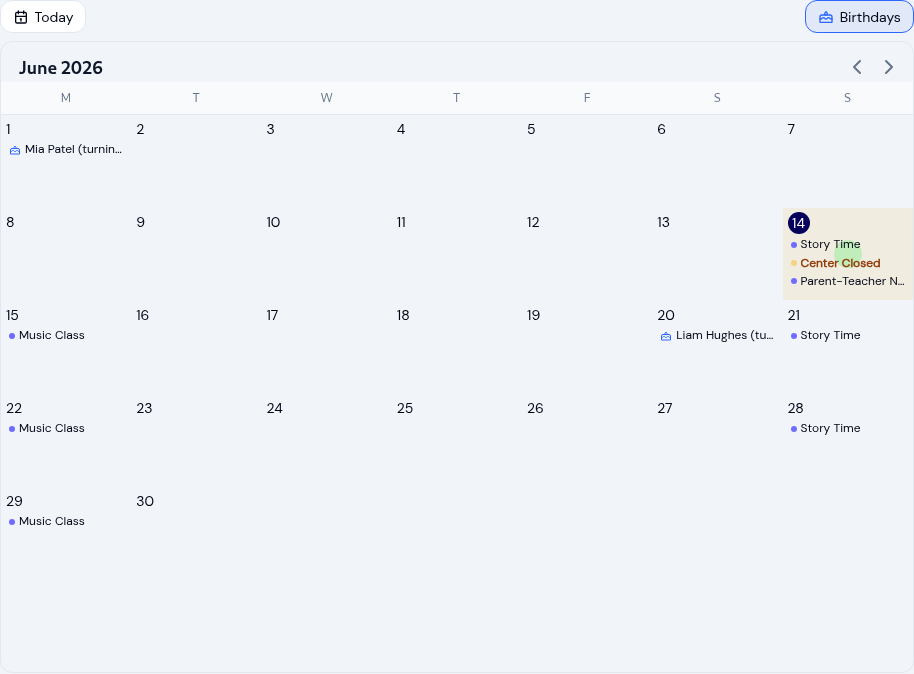
Running your childcare center calendar
Keep every family and teacher on the same page with a childcare calendar: scoped events, recurring schedules, closure...
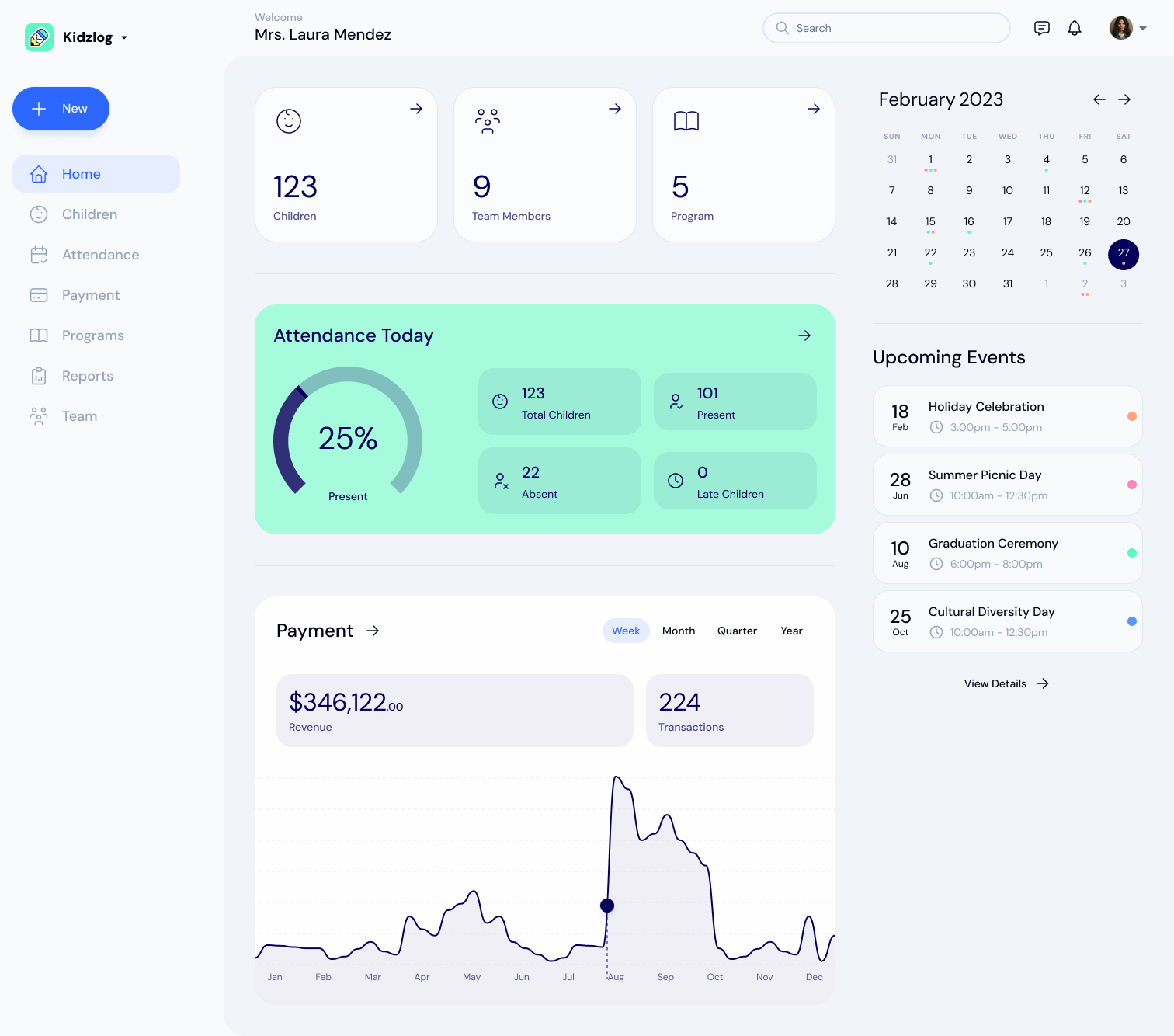
KidzLog vs Procare for Small Centers
An honest comparison of KidzLog and Procare for small and mid-size centers: pricing, what is included, and how...
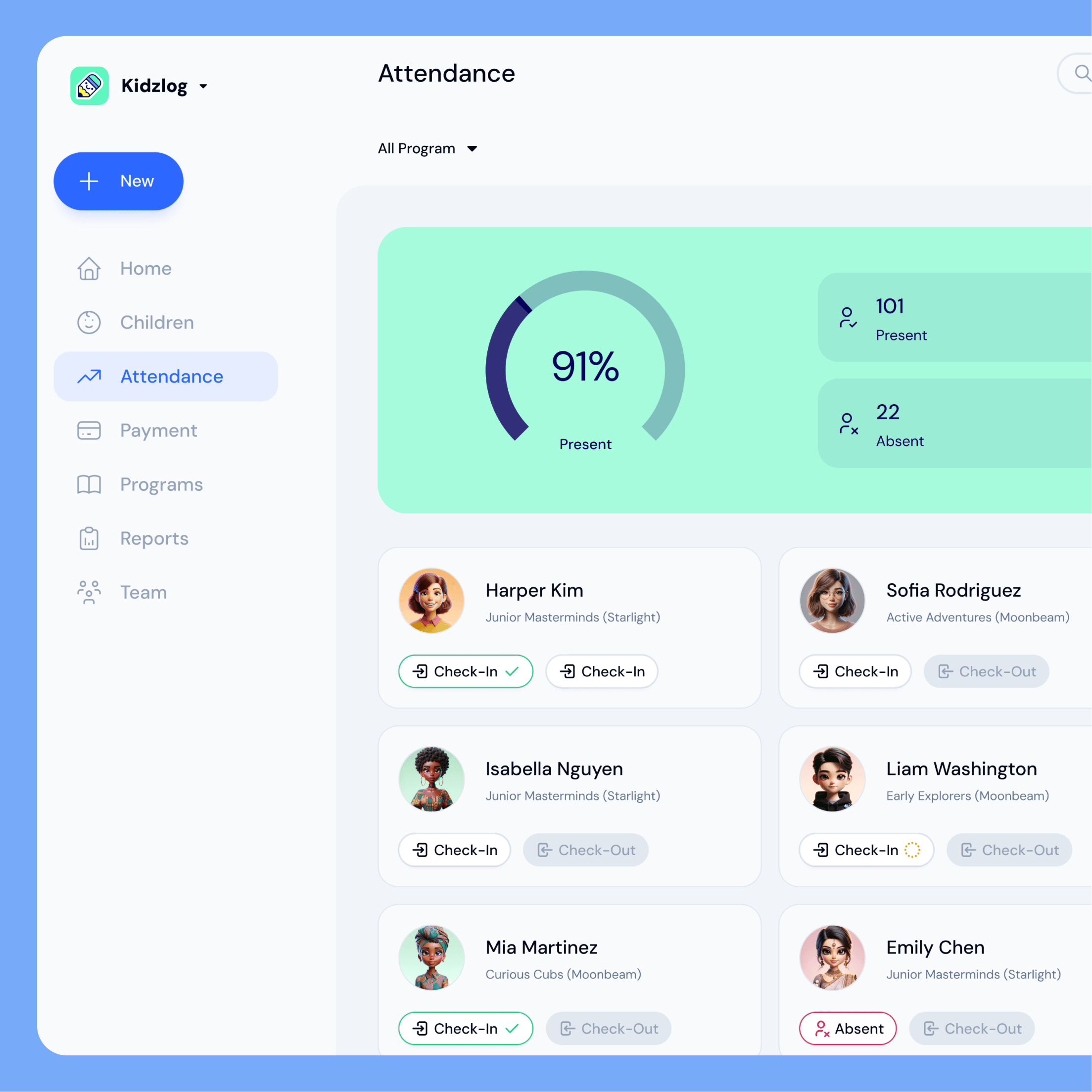
KidzLog vs Brightwheel for Small Centers
An honest comparison of KidzLog and Brightwheel for small and mid-size centers: pricing math, setup time, and how...