Using Technology to Support Early Learning
Educational technology in childcare isn't just about putting tablets in children's hands—it's about thoughtfully integrating digital tools to enhance learning outcomes while maintaining the essential hands-on experiences that define quality early childhood education. Successful childcare centers are leveraging technology to create more engaging, personalized, and effective learning environments while addressing growing parental expectations for digital literacy preparation.
Research from the Fred Rogers Institute emphasizes the importance of intentional technology integration in early childhood education, focusing on how thoughtful implementation with clear learning objectives can support children's development when balanced with traditional hands-on experiences. For childcare centers looking to modernize their educational approach while maintaining developmental appropriateness, this comprehensive guide provides evidence-based strategies, practical implementation tools, and regulatory compliance guidance for both US and Canadian childcare providers. For operational technology guidance, see our overview of top technology tools for childcare operations.
The key lies in achieving the right balance—using technology as a powerful enhancement tool while preserving the critical social interactions, sensory experiences, and unstructured play that form the foundation of early childhood development. This guide will help you navigate the complex landscape of educational technology, from selecting age-appropriate tools to training your staff and engaging families in your digital learning journey.
The Current State of Educational Technology in Early Childhood Education
Industry Landscape
The educational technology market for early childhood education has experienced unprecedented growth, with spending reaching approximately $6.2 billion in the early childhood EdTech market as of 2024. Industry projections indicate a 15.30% CAGR growth rate through 2034, reflecting increased investment in digital learning solutions. This growth reflects a fundamental shift in how childcare centers approach learning, driven by several key factors:
Technology Integration Drivers:
- Parent expectations for digital literacy preparation
- Enhanced engagement and learning outcomes research
- Need for personalized learning approaches
- Documentation and assessment efficiency requirements
- Post-pandemic comfort with digital tools
- Competition with tech-forward educational programs
Current Implementation Challenges:
- Budget constraints and technology costs
- Staff training and comfort levels
- Balancing screen time with hands-on learning
- Age-appropriate content selection
- Privacy and data security concerns
- Maintaining authentic childhood experiences
Research-Backed Benefits of Educational Technology
Multiple studies from 2024-2025 demonstrate that when properly implemented, educational technology can:
Cognitive Development Benefits:
- Support problem-solving skill development through interactive challenges
- Enhance spatial reasoning through interactive apps and 3D exploration
- Strengthen early math concepts through gamification and visual learning
- Support language development with multilingual tools and communication platforms
- Develop digital literacy skills essential for future learning and academic success
Social-Emotional Learning Enhancement:
- Collaborative projects using shared devices
- Storytelling and creative expression platforms
- Emotional regulation apps and mindfulness tools
- Cultural awareness through virtual experiences
- Communication skills through video creation projects
Accessibility and Inclusion:
- Assistive technology for children with disabilities
- Multilingual learning support for diverse populations
- Differentiated instruction through adaptive apps
- Visual and auditory learning style accommodations
- Fine motor skill development alternatives
Age-Appropriate Educational Apps and Software
Toddlers (18 months - 3 years)
Recommended Categories:
- Simple cause-and-effect apps with large touch targets
- Musical and rhythm exploration tools
- Basic color and shape recognition games
- Gentle introduction to letters and numbers
- Interactive storybook applications
Top-Rated Applications:
- Endless Alphabet: Letter recognition and phonics introduction
- Toca Boca series: Open-ended creative play
- Duck Duck Moose apps: Music and basic concepts
- Peek-a-Boo Barn: Animal sounds and vocabulary
- Baby Shark Educational Games: Counting and colors
Implementation Guidelines:
- Maximum 15-minute sessions with adult supervision
- Focus on co-viewing and interaction
- Choose apps without advertisements or in-app purchases
- Prioritize apps that encourage real-world exploration
- Regular rotation to maintain engagement
Preschoolers (3-5 years)
Educational Focus Areas:
- Pre-literacy and phonemic awareness
- Number recognition and early math concepts
- Scientific exploration and inquiry
- Creative expression and digital art
- Social studies and community awareness
Recommended Applications:
- PBS Kids Games: Comprehensive curriculum-aligned content
- Khan Academy Kids: Personalized learning paths
- Scratch Jr: Introduction to coding concepts
- Epic!: Digital library with thousands of books
- DragonBox: Visual math learning progression
STEM-Focused Tools:
- Lightbot: Logic and programming fundamentals
- Simple Machines: Physics exploration
- National Geographic Kids: Science and nature discovery
- BrainPOP Jr: Cross-curricular animated lessons
- Kodable: Computer science basics through play
School-Age Children (5+ years)
Advanced Learning Applications:
- Minecraft Education Edition: 3D building and collaboration
- Osmo: Physical manipulation with digital feedback
- Duolingo ABC: Advanced literacy development
- GeoGebra: Mathematical visualization tools
- Book Creator: Digital storytelling and publishing
Interactive Learning Tools and Smart Classroom Technology
Interactive Whiteboards and Displays
Benefits for Group Learning:
- Enhanced visual presentations and demonstrations
- Collaborative problem-solving activities
- Multi-sensory learning experiences
- Real-time annotation and highlighting
- Integration with educational software platforms
Implementation Best Practices:
- Position at appropriate height for children
- Train staff on interactive features and troubleshooting
- Establish clear usage protocols and turn-taking systems
- Regular calibration and maintenance schedules
- Backup plans for technical difficulties
Budget-Friendly Alternatives:
- Projector with interactive pen systems
- Large touchscreen monitors with mounting arms
- Tablet mirroring to existing displays
- Document cameras for real-time demonstration
- Smart TV integration with educational apps
Tablets and Mobile Devices
Device Selection Criteria:
- Durability and child-friendly cases
- Battery life and charging solutions
- Screen size appropriate for multiple users
- Parental controls and content filtering
- Educational app compatibility
Management Systems:
- Mobile Device Management (MDM) solutions
- App deployment and update management
- Usage monitoring and screen time controls
- Content filtering and safety measures
- Backup and data recovery protocols
Audio and Recording Equipment
Essential Audio Tools:
- Child-safe headphones with volume limiting
- Recording devices for language development
- Listening centers for story time and music
- Sound amplification for group activities
- Noise-canceling options for sensory needs
Digital Storytelling and Creative Expression Platforms
Video Creation and Editing
Age-Appropriate Tools:
- ChatterKid: Simple talking photo animation
- Stop Motion Studio: Frame-by-frame animation
- Green Screen by Do Ink: Creative video backgrounds
- Shadow Puppet Edu: Video presentation creation
- Adobe Spark Video: Story-driven video making
Project Ideas and Curriculum Integration:
- Weekly weather reports and forecasting
- Retelling familiar stories with new endings
- Documenting science experiments and observations
- Creating promotional videos for class events
- Interviewing family members about traditions
Digital Art and Design
Creative Applications:
- Drawing Pad: Digital finger painting and sketching
- Puppet Pals: Character animation and dialogue
- Book Creator: Illustrated story development
- Pic Collage: Photo manipulation and design
- Tux Paint: Open-source digital art creation
Integration with Traditional Art:
- Photographing physical artwork for digital portfolios
- Combining traditional materials with digital enhancement
- Creating digital backgrounds for physical collages
- Scanning and sharing artwork with families
- Building virtual art galleries and exhibitions
Music and Sound Creation
Audio Learning Tools:
- GarageBand Kids: Music composition and recording
- Chrome Music Lab: Interactive music exploration
- Soundtrap: Collaborative music creation
- Incredibox: Beat-making and rhythm development
- BandLab Education: Classroom music collaboration
STEM Education Technology Integration
Robotics and Programming
Age-Appropriate Robotics:
- Bee-Bot/Blue-Bot: Directional programming basics
- Dash and Dot: Interactive coding robots
- LEGO WeDo 2.0: Building and programming integration
- Sphero Mini: Programmable rolling robots
- Ozobot: Color-coded programming introduction
Implementation Strategies:
- Start with unplugged coding activities
- Introduce one robot type at a time
- Create challenge courses and problem-solving scenarios
- Encourage collaborative programming projects
- Document and share successful coding solutions
Science Exploration Apps
Virtual Laboratory Experiences:
- Toca Lab: Elements and chemical reactions
- Plants by Tinybop: Life cycle exploration
- The Human Body: Anatomy and physiology basics
- Simple Physics: Gravity and motion experiments
- Weather by Tinybop: Meteorology and climate
Data Collection and Analysis:
- Digital thermometers and measurement tools
- Photo documentation of plant growth
- Time-lapse photography for science observations
- Graph creation apps for data visualization
- Weather tracking and prediction activities
Mathematics Technology Tools
Concept Development Apps:
- Number Pieces: Visual fraction and decimal work
- Pattern Shapes: Geometry and spatial reasoning
- Number Line: Mathematical thinking visualization
- Math Vocabulary Cards: Terminology development
- Estimation 180: Daily estimation practice
Assessment and Progress Tracking:
- Digital math journals and reflection tools
- Photo documentation of problem-solving strategies
- Video recordings of mathematical explanations
- Progress tracking through adaptive learning platforms
- Family sharing of mathematical discoveries
Virtual Field Trips and Immersive Experiences
Global Exploration Opportunities
Virtual Travel Platforms:
- Google Earth VR: Geographic exploration
- National Geographic Kids: Cultural exploration
- Nearpod VR: Immersive educational experiences
- Discovery Education Virtual Field Trips: Curriculum-aligned adventures
- Smithsonian Learning: Museum and historical site visits
Implementation Planning:
- Pre-trip preparation and vocabulary introduction
- During-trip engagement activities and questions
- Post-trip reflection and extension projects
- Integration with current curriculum themes
- Family sharing and discussion opportunities
Cultural and Community Connections
Local Community Exploration:
- Virtual tours of local businesses and services
- Live video calls with community helpers
- Online cultural festivals and celebrations
- Historical society virtual presentations
- Environmental conservation site visits
Cross-Cultural Learning:
- Pen pal programs with international classrooms
- Virtual cultural exchange presentations
- Traditional music and dance exploration
- International cooking and food culture
- Holiday and celebration comparisons
Assessment and Progress Tracking Technology
Digital Portfolio Development
Documentation Strategies:
- Photo and video capture of learning moments
- Audio recordings of language development
- Digital artwork and project collections
- Self-reflection videos and explanations
- Family input and observation sharing
Portfolio Platforms:
- SeeSaw: Student-driven digital portfolios
- Tapestry: Comprehensive learning journey documentation
- KidzLog: Integrated childcare management and documentation
- Learning Genie: Assessment and curriculum alignment
- HiMama: Daily activity and milestone tracking
Observation and Assessment Tools
Digital Assessment Benefits:
- Real-time data collection and analysis
- Objective documentation with timestamps
- Easy sharing with families and administrators
- Pattern recognition and progress tracking
- Compliance with licensing and accreditation requirements
Implementation Guidelines:
- Train staff on consistent documentation practices
- Establish clear privacy and sharing protocols
- Regular review and analysis of collected data
- Integration with curriculum planning and goal setting
- Family engagement in assessment conversations
Screen Time Guidelines and Best Practices
Developmentally Appropriate Usage
Age-Based Recommendations:
- Under 18 months: Avoid screens except video chatting
- 18-24 months: Co-viewing high-quality programming with adults
- 2-5 years: No more than 1 hour of high-quality programming daily
- 5+ years: Consistent limits with priority on sleep, physical activity, and social interaction
Quality over Quantity Principles:
- Educational content aligned with learning objectives
- Interactive rather than passive consumption
- Adult participation and discussion
- Connection to real-world experiences and learning
- Regular evaluation of content appropriateness
Balanced Technology Integration
Technology-Free Zones and Times:
- Meal times and snack periods
- Outdoor play and physical activity
- Rest and quiet time periods
- Creative arts and sensory exploration
- Social interaction and dramatic play
Gradual Implementation Strategy:
- Start with one technology activity per day
- Gradually increase as staff comfort and expertise grow
- Regular evaluation of learning outcomes and engagement
- Adjustment based on individual child needs and interests
- Continuous professional development and training
Balancing Technology with Hands-On Learning
Complementary Learning Approaches
Technology as Enhancement, Not Replacement:
- Use apps to introduce concepts, then explore with physical materials
- Document hands-on experiments with digital tools
- Create digital stories about real-world adventures
- Use technology for research, then conduct physical investigations
- Share digital creations that showcase hands-on learning
Integration Strategies:
- Morning circle time: Weather app + outdoor observation
- Math centers: Counting app + manipulative exploration
- Science investigation: Research app + physical experimentation
- Art project: Digital inspiration + traditional materials
- Dramatic play: Research video + costume and prop creation
Maintaining Authentic Childhood Experiences
Core Experiences to Preserve:
- Unstructured free play and exploration
- Sensory experiences with natural materials
- Social interaction and collaborative problem-solving
- Physical movement and gross motor development
- Creative expression without predetermined outcomes
Technology Integration Without Compromise:
- Use technology to enhance, not replace, traditional activities
- Maintain equal time for screen-free exploration
- Prioritize social interaction over individual device use
- Choose open-ended apps that encourage creativity
- Regular assessment of overall program balance
Parent Engagement Through Educational Technology
Home-School Technology Connection
Family Communication Platforms:
- Daily photo and video sharing of learning moments
- Digital newsletters with educational activity suggestions (see our guide on apps and digital tools for parent communication)
- Virtual parent-teacher conferences and meetings
- Home learning extension activities and resources
- Progress sharing through digital portfolios
Parent Education and Support:
- Technology workshops for families
- Home screen time guideline sharing
- Educational app recommendations for family use
- Digital citizenship education for parents
- Technology troubleshooting and support resources
Collaborative Learning Projects
Family Involvement Opportunities:
- Virtual show-and-tell presentations
- Family interview projects and recordings
- Cultural sharing through digital presentations
- Home science experiment documentation
- Family recipe and tradition sharing
Building Digital Communities:
- Classroom blogs and social media presence
- Family photo and story sharing platforms
- Virtual family events and celebrations
- Online resource sharing and recommendations
- Digital volunteer opportunities and involvement
Professional Development for Educators
Technology Training and Support
Essential Professional Development Areas:
- Basic device operation and troubleshooting
- Educational app evaluation and selection criteria
- Digital safety and privacy protection
- Assessment and documentation using technology
- Integration strategies for curriculum enhancement
Ongoing Support Systems:
- Peer mentoring and technology buddy systems
- Regular professional learning community meetings
- Online training modules and certification programs
- Conference attendance and workshop participation
- Vendor training and technical support resources
Staying Current with Educational Technology
Professional Learning Resources:
- Educational technology blogs and research publications
- Professional development conferences and webinars
- Social media groups and online communities
- Vendor demonstrations and pilot programs
- Peer observation and collaboration opportunities
Implementation Planning:
- Technology integration goals and timelines
- Budget planning for devices and software
- Staff training schedules and requirements
- Family communication and involvement strategies
- Assessment and evaluation protocols
Safety and Privacy Considerations
Digital Safety Protocols
Child Protection Measures:
- Robust content filtering and monitoring systems
- Secure network access with appropriate restrictions
- Regular software updates and security patches
- Staff training on digital safety protocols
- Clear policies for photography and video sharing
Privacy Protection Requirements:
- COPPA compliance for children under 13, with amendments effective June 23, 2025, introducing penalties up to $53,088 per violation for non-compliance
- PIPEDA compliance for Canadian childcare centers, with ongoing children's privacy code consultation (May-August 2025) addressing enhanced protections
- Bill C-27 compliance preparation for Canadian centers, with potential penalties up to $10 million CAD or 3% of global revenue
- Secure data storage and transmission protocols with mandatory breach response procedures
- Parent consent forms for digital participation with clear data usage explanations
- Regular privacy policy review and updates to reflect evolving regulatory requirements
Risk Management Strategies
Potential Technology Risks:
- Inappropriate content exposure
- Cyberbullying and online safety concerns
- Data breach and privacy violations with significant regulatory penalties
- Device damage and replacement costs
- Over-dependence on technology for learning
Mitigation Approaches:
- Comprehensive staff training on digital safety and privacy regulations
- Regular technology audits and assessments including security vulnerabilities
- Clear incident response protocols including mandatory data breach notification procedures
- Insurance coverage for technology equipment and potential liability exposure
- Backup plans for technology failures and regulatory compliance maintenance
Budget-Friendly Technology Solutions
Cost-Effective Implementation Strategies
Phased Implementation Approach:
- Start with free or low-cost apps and software
- Gradually invest in durable hardware over time
- Seek grants and funding opportunities
- Partner with local businesses and organizations
- Utilize existing devices and equipment creatively
Grant and Funding Opportunities:
- Federal and provincial/state education grants, including CCDF funding increased to $12.3 billion for 2025
- PDG B-5 funding at $315 million for FY2026 supporting early childhood program improvements
- Technology company education discounts and pilot program opportunities
- Local community foundation funding for educational technology initiatives
- Corporate sponsorship and partnership programs
- Crowdfunding and parent fundraising initiatives
Maximizing Technology Investment
Multi-Purpose Device Selection:
- Tablets that serve multiple age groups and activities
- Cameras that function for documentation and learning
- Speakers that support music, stories, and presentations
- Interactive displays that enhance group learning
- Recording devices for language and music development
Software and App Management:
- Educational app bundles and volume discounts
- Free and open-source software alternatives
- Trial periods and evaluation opportunities
- Shared licensing across multiple devices
- Regular assessment of software usage and value
Implementation Timeline and Getting Started
Month 1-2: Assessment and Planning
Current State Evaluation:
- Technology audit of existing devices and software
- Staff comfort level and training needs assessment
- Family survey on technology expectations and concerns
- Budget analysis and funding opportunity research
- Learning objective identification and curriculum alignment
Planning and Preparation:
- Technology integration goals and timeline development
- Device and software selection based on needs and budget
- Staff training schedule and resource planning
- Family communication and involvement strategy development
- Policy and procedure documentation creation
Month 3-4: Initial Implementation
Pilot Program Launch:
- Introduction of one or two technology tools
- Staff training and ongoing support implementation
- Student and family orientation to new technology
- Initial assessment and documentation procedures
- Feedback collection and adjustment protocols
Monitoring and Adjustment:
- Regular check-ins with staff and families
- Technology usage and learning outcome assessment
- Technical support and troubleshooting protocols
- Safety and privacy protocol implementation
- Budget tracking and expense management
Month 5-6: Expansion and Integration
Program Enhancement:
- Additional technology tool introduction
- Cross-curricular integration and implementation
- Advanced staff training and skill development
- Family engagement activity expansion
- Assessment and documentation system refinement
Evaluation and Future Planning:
- Comprehensive program assessment and evaluation
- Learning outcome measurement and analysis
- Budget and cost-effectiveness review
- Future technology needs and goals planning
- Sustainability and long-term implementation strategy
Common Challenges and Solutions
Technology Integration Obstacles
Staff Resistance and Training Challenges:
- Challenge: Some educators may feel overwhelmed by new technology
- Solution: Gradual implementation with peer mentoring and ongoing support
- Resources: Technology buddy systems and regular training opportunities
Budget Constraints and Equipment Costs:
- Challenge: Limited funding for technology purchases and maintenance
- Solution: Phased implementation with grant seeking and creative funding
- Resources: Educational discounts, refurbished equipment, and community partnerships
Maintaining Educational Balance:
- Challenge: Ensuring technology enhances rather than replaces hands-on learning
- Solution: Clear integration guidelines and regular program evaluation
- Resources: Professional development on balanced technology integration
Technical and Operational Challenges
Device Management and Maintenance:
- Challenge: Keeping devices charged, updated, and functioning properly
- Solution: Systematic maintenance schedules and user training
- Resources: Device management software and technical support contracts
Content Curation and Quality Control:
- Challenge: Ensuring all digital content is age-appropriate and educational
- Solution: Regular content review and approved app/website lists
- Resources: Educational technology review websites and professional recommendations
Measuring Success and Assessment
Quantitative Success Metrics
Learning Outcome Measurements:
- Pre- and post-assessment scores in key skill areas
- Technology literacy skill development tracking
- Engagement levels during technology-enhanced activities
- Documentation of learning objective achievement
- Parent satisfaction survey results
Operational Efficiency Indicators:
- Time savings in documentation and assessment processes
- Improved communication efficiency with families
- Reduced paper usage and administrative costs
- Staff confidence and comfort level improvements
- Technology integration frequency and consistency
Qualitative Assessment Strategies
Observation and Documentation:
- Photo and video documentation of technology-enhanced learning
- Staff reflection journals and feedback sessions
- Child self-assessment and reflection opportunities
- Family feedback and involvement testimonials
- Peer collaboration and social skill observations
Long-term Impact Evaluation:
- School readiness skill development assessment
- 21st-century skill acquisition tracking
- Creative thinking and problem-solving growth
- Social-emotional learning enhancement documentation
- Digital citizenship and responsibility development
Trends and Future Preparation
Emerging Educational Technology Trends
Artificial Intelligence and Personalized Learning:
- Adaptive learning platforms that adjust to individual child needs
- AI-powered assessment tools for developmental tracking
- Personalized content recommendations based on learning styles
- Intelligent tutoring systems for skill reinforcement
- Predictive analytics for learning intervention identification
Augmented and Virtual Reality Integration:
- AR apps that overlay digital information on real-world objects
- VR experiences for immersive historical and scientific exploration
- Mixed reality storytelling and creative expression tools
- 3D modeling and spatial reasoning development platforms
- Virtual collaboration spaces for remote learning connections
Preparing Children for Future Learning
21st Century Skill Development:
- Critical thinking and problem-solving through technology challenges
- Creativity and innovation using digital creation tools
- Communication and collaboration through online platforms
- Digital citizenship and online safety education
- Adaptability and lifelong learning mindset development
Future-Ready Learning Environments:
- Flexible spaces that accommodate various technology configurations
- Maker spaces with 3D printing and digital fabrication tools
- Coding and computational thinking integration across subjects
- Global collaboration and cultural exchange opportunities
- Sustainability education through environmental monitoring technology
Key Implementation Points
Ready to enhance learning through educational technology in your childcare center? Here are your prioritized next steps:
- Start small: Begin with one high-quality educational app or tool that aligns with your current curriculum. For hands-on activity ideas that pair well with technology, see our guide on Montessori activities to spark creativity
- Focus on staff readiness: Invest in professional development and training before introducing new technology
- Emphasize balance: Maintain equal time for hands-on exploration and screen-free activities
- Engage families early: Communicate your technology integration philosophy and involve parents in the journey
- Prioritize safety: Implement robust digital safety protocols and privacy protection measures
- Choose quality over quantity: Select fewer, higher-quality tools rather than overwhelming children with options
- Document learning: Use technology to enhance your observation and assessment capabilities
- Plan for sustainability: Consider long-term costs, training needs, and equipment replacement cycles
- Assess regularly: Continuously evaluate learning outcomes and adjust implementation strategies
- Stay current: Commit to ongoing professional development and technology trend awareness
- Build community: Connect with other childcare providers to share resources and best practices
- Celebrate success: Share positive outcomes with families and use success stories to build program support
Technology in early childhood education represents a powerful opportunity to enhance learning while preparing children for their digital future. By thoughtfully integrating educational technology with traditional hands-on approaches, childcare centers can create engaging, effective learning environments that serve children, families, and educators alike.
Ready to streamline your childcare center operations while enhancing educational programming? Try KidzLog today and discover how our comprehensive management platform supports both administrative efficiency and educational excellence through integrated documentation, communication, and assessment tools.
Ready to Simplify and Organize your Daycare?
Get started with KidzLog today!
KidzLog Team
Related Articles
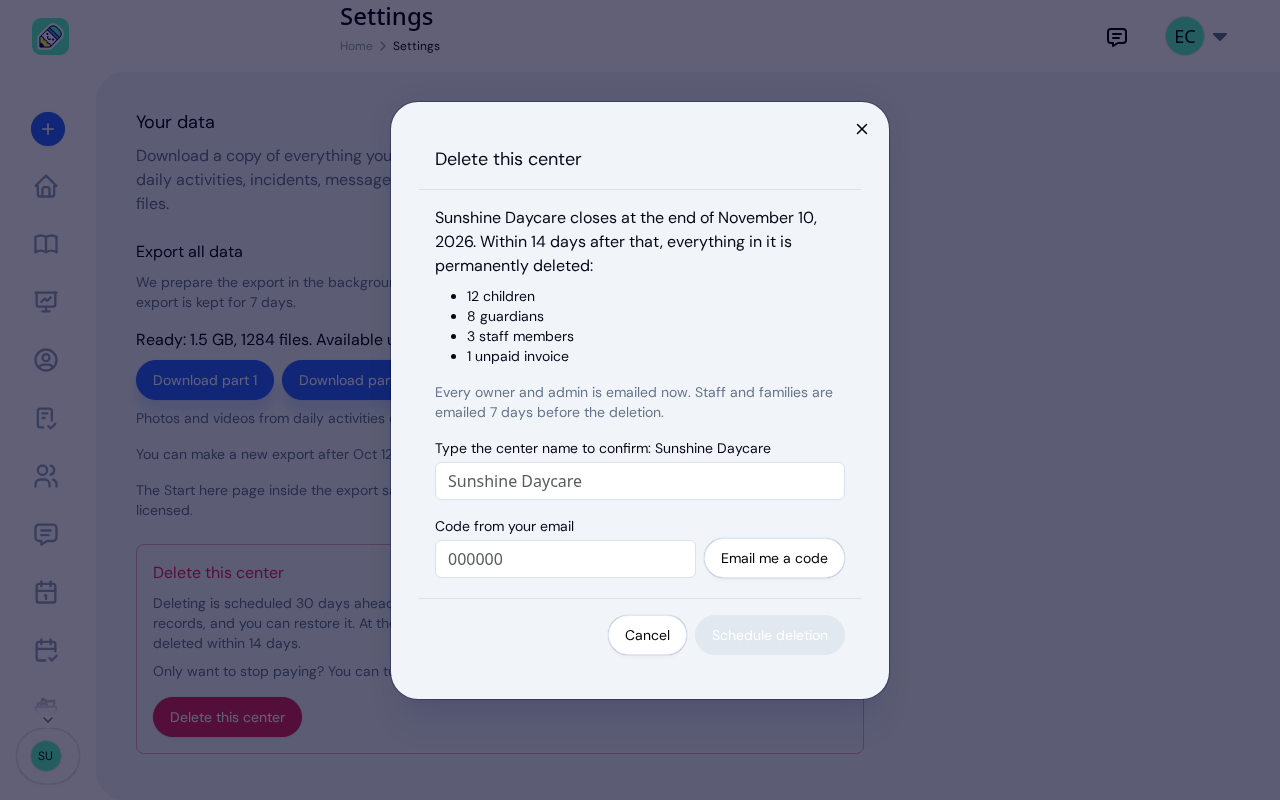
New: Delete Your Center From Settings
Owners can schedule their center's deletion from Settings, keep a full copy of their records, and restore the center...
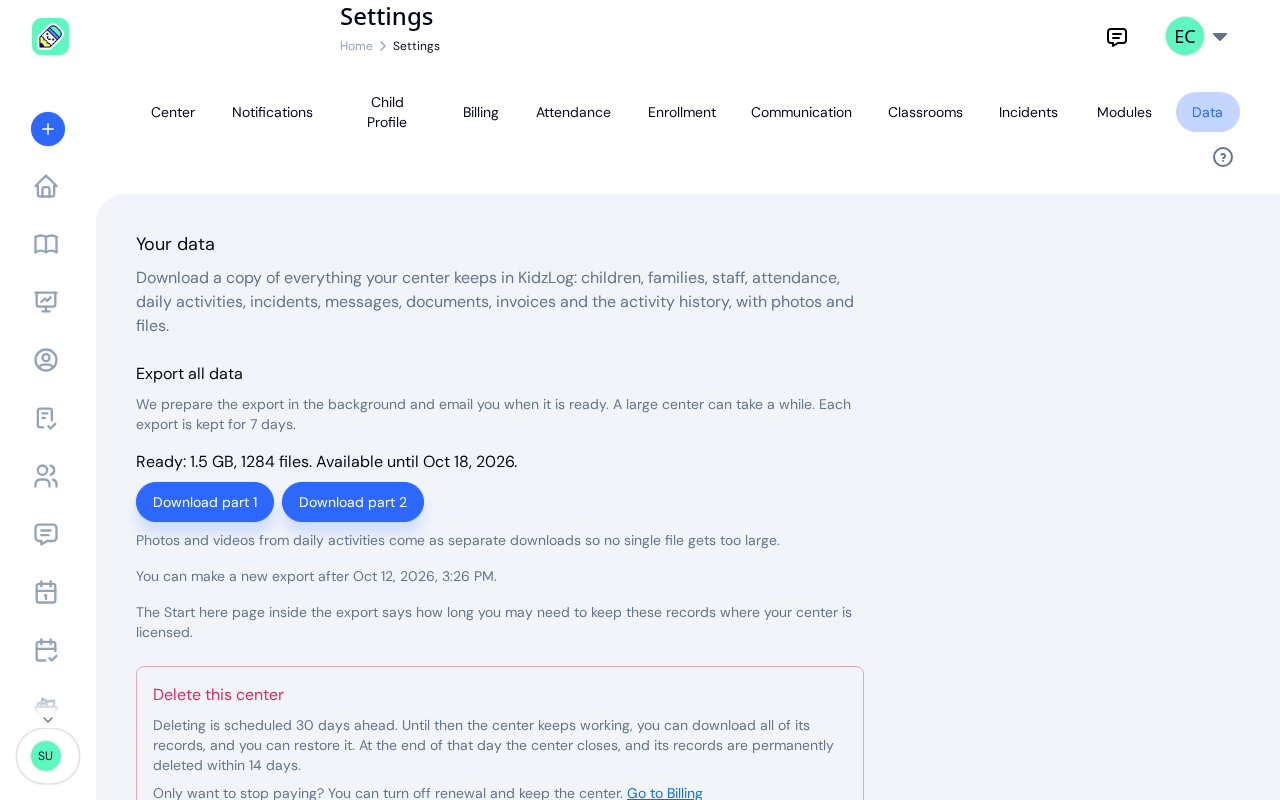
New: Export All of Your Center's Data
Owners can now download everything their center keeps in KidzLog: records as spreadsheets, documents, signatures,...
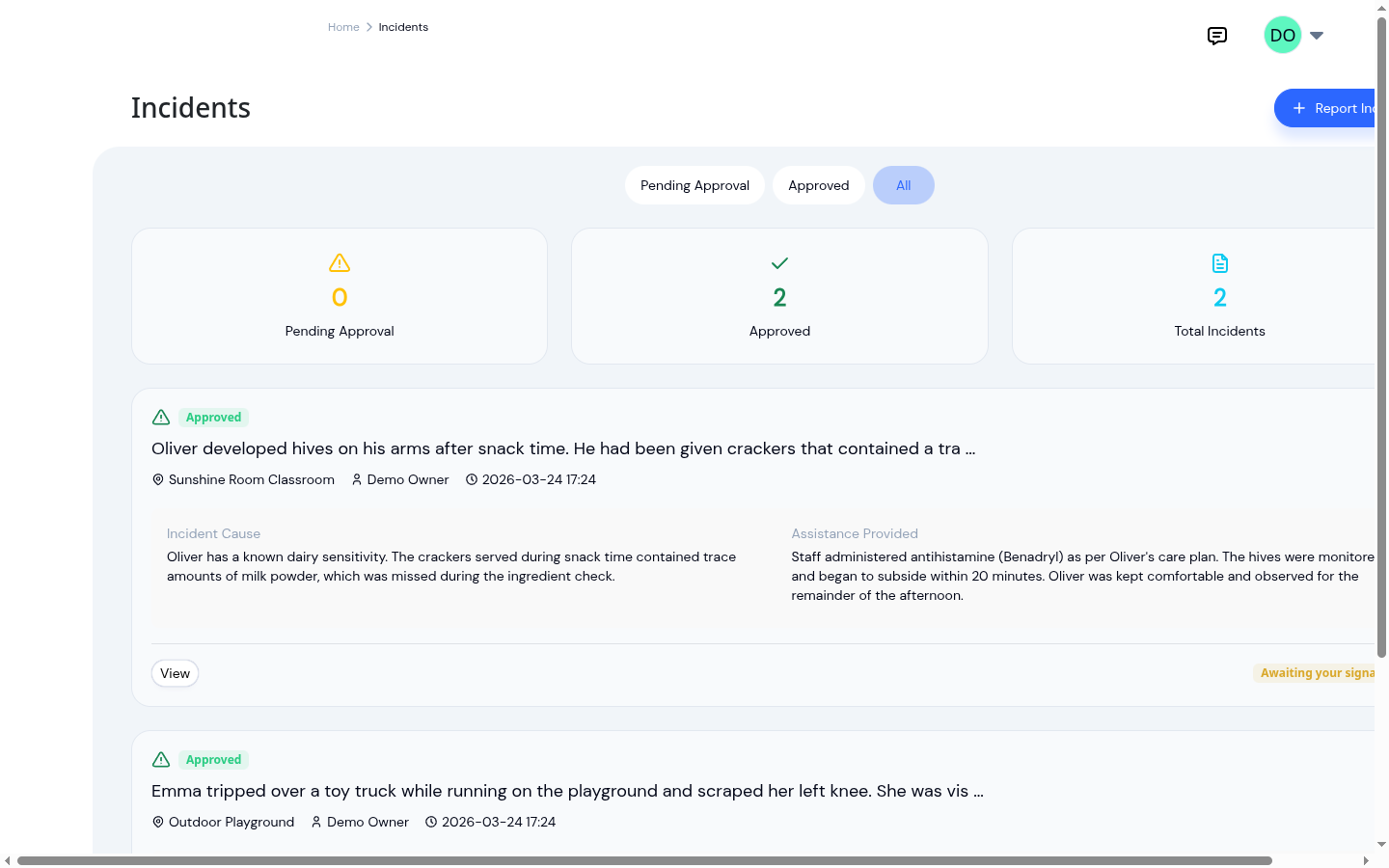
Paper vs digital incident reports
Paper vs digital incident reports compared on time spent writing them, accuracy of the record, and how easily they can...